

Laurence-Baker
Known Participant
June 16, 2020
Question

Apply image and Multiply Blend Mode

  • June 16, 2020
  • 1 reply
  • 474 views

My understanding of Multiply blend mode is this:

  • 0 = Black
  • 1 = White
  • Therefore 0.25 x 0.75 = 0.1875 (It gets darker)


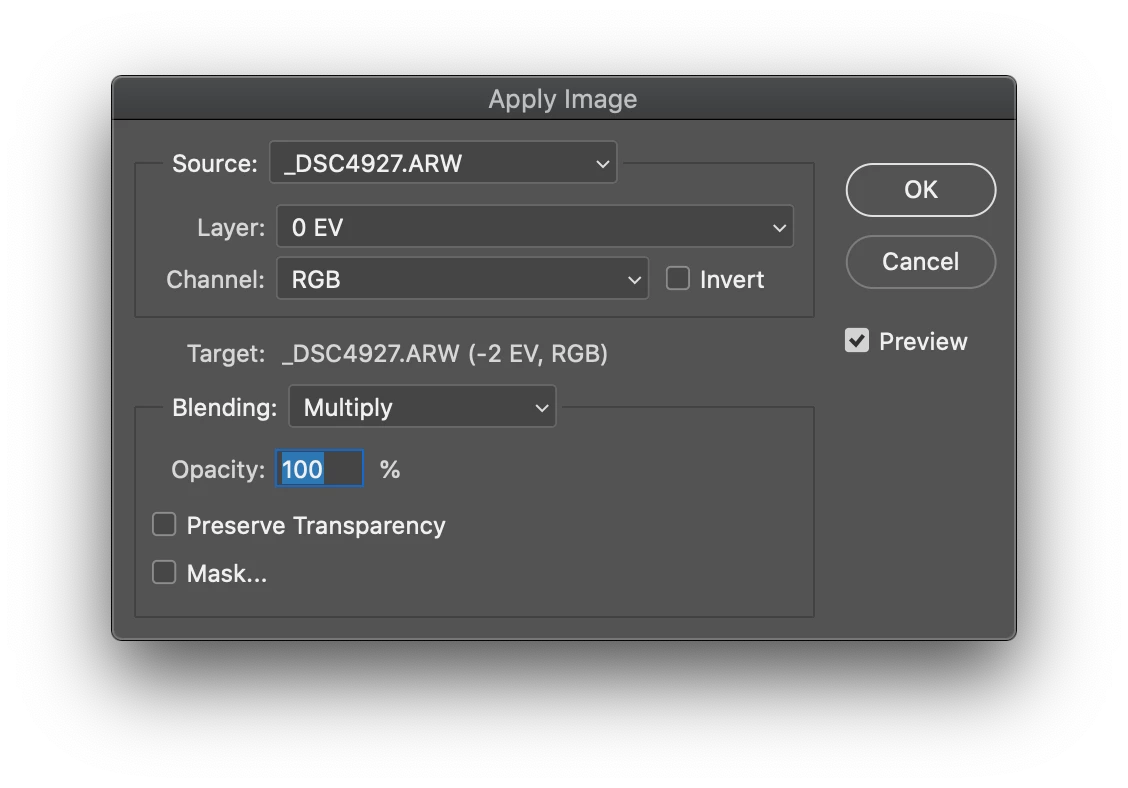
So with this apply image setting

  • Target = Layer Mask
  • Source = Composite Channel of another layer using Multiply blending


So I assumed that the layer mask will end up being darker than the luminosity of the Source Composite Channel because every pixel will be multiplied by itself leading to layer mask that was darker.


I was wrong. The Target layer mask ending looking like a de-saturated version of  the source layer. With no difference in luminosity at all between the source and target.

I'm confused.
 

This topic has been closed for replies.

1 reply

davescm
Community Expert
Community Expert
June 16, 2020

It seems to be working OK here. Can you show some screenshots of the mask , the layer being used to apply and the result all at 100% zoom


Dave


Laurence-Baker
Known Participant
June 18, 2020

I have 3 layers each containing a 0 EV, -2 EV, 2 EV

I used Apply Image on the -2 EV layer mask using the Composite Channel of the 0 EV layer using Multiply

This is what the Layer Mask looked like

I then copied and desaturated the 0 EV layer which looks exactly the same as -2 EV mask. 


My logic says the layer mask of the -2 EV image should look far darker than the desaturated 0 EV copy.


davescm
Community Expert
Community Expert
June 18, 2020

Hi

A grayscale of an image (0EV source layer)  multiplied with a white image (the target layer mask before apply image) will be identical to the grayscale image.  Any values are being multiplied with the white target - so being multiplied by 1.


Dave