Applying Warp Text deforms the font
Adobe Photoshop Version: 25.3.1 20231212.r.241 46eb480 x64
OS / Version: Windows 11 64bit / 11 이상 10.0.22631.3296
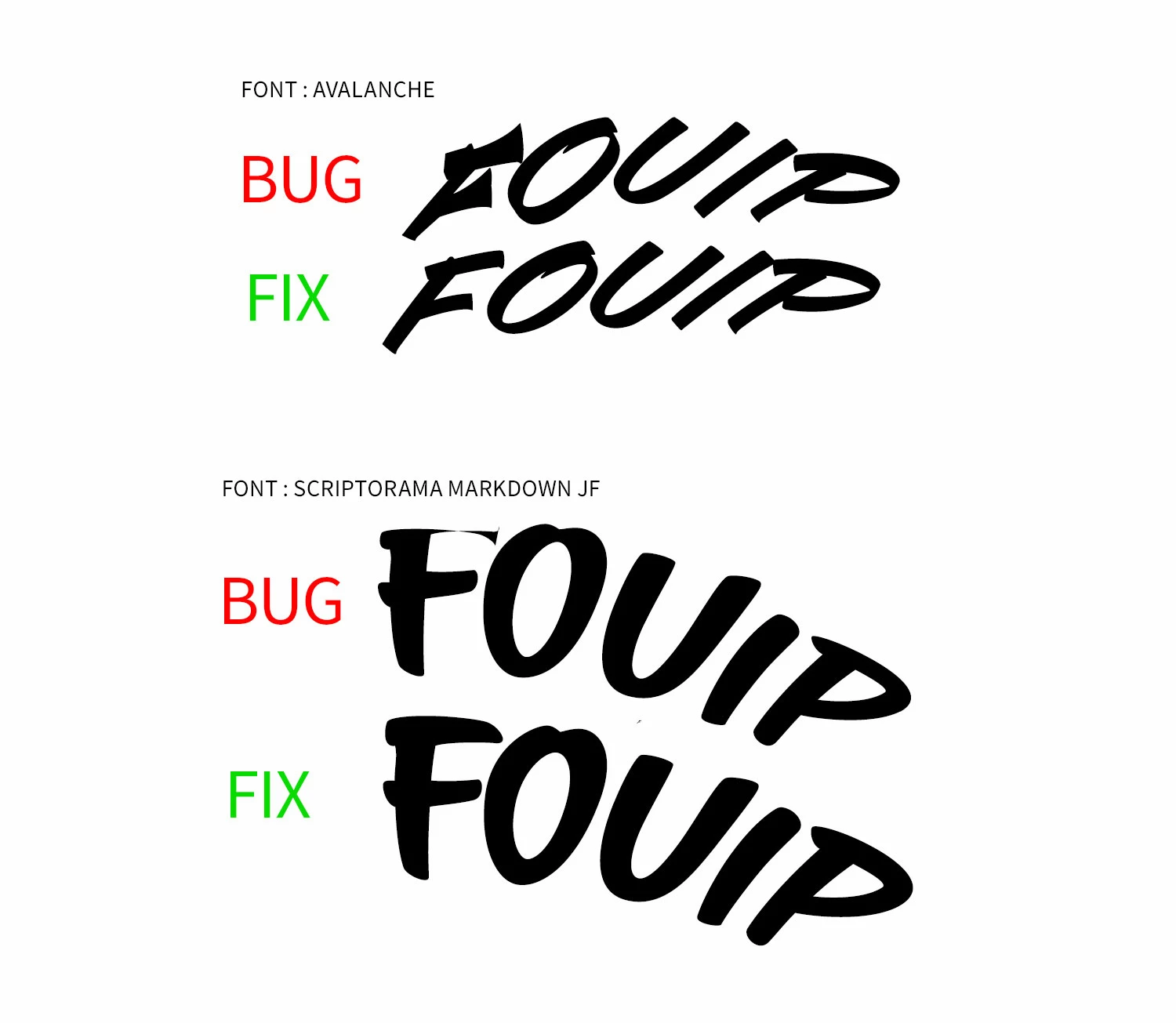
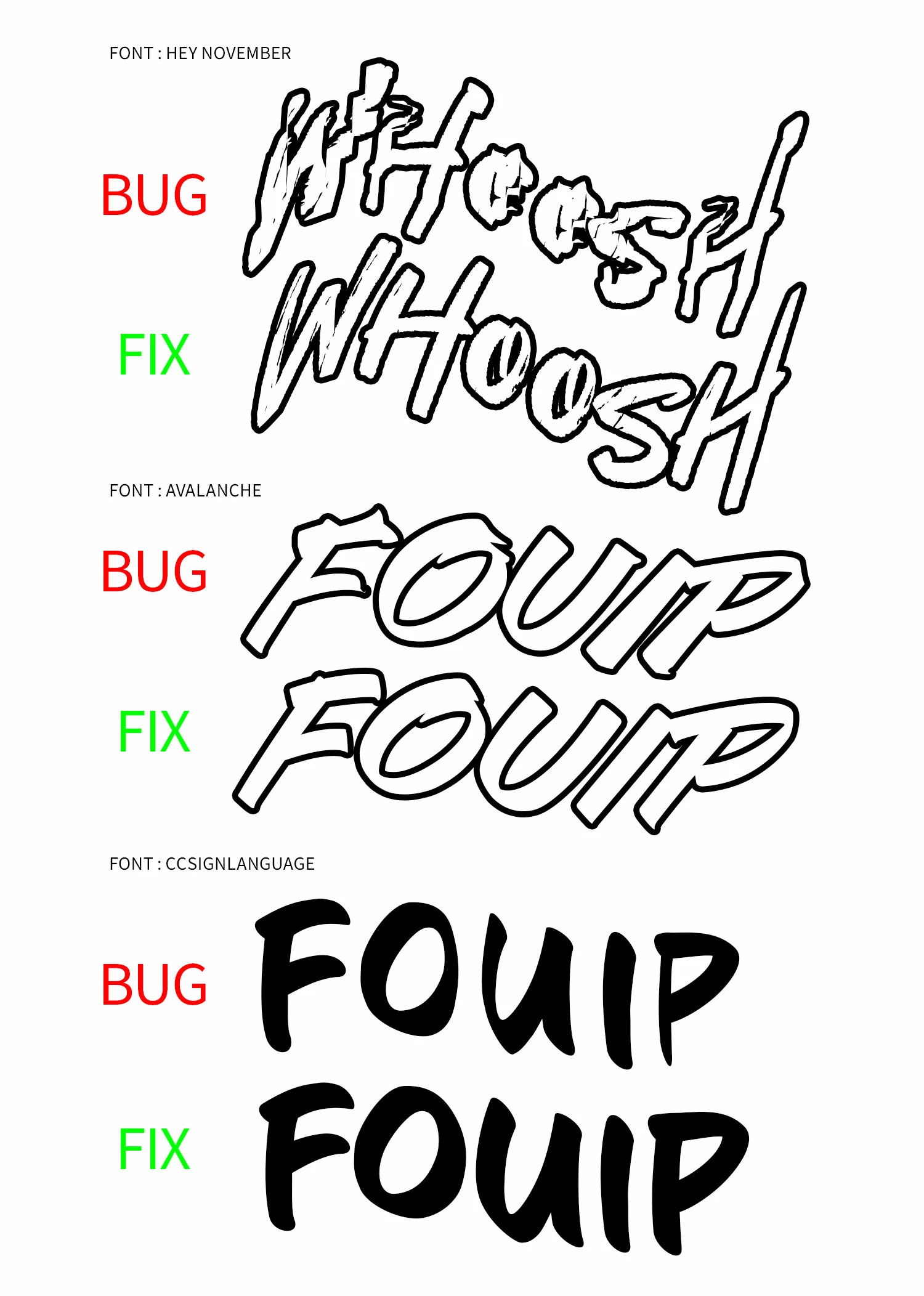
Applying Warp text to a text layer deformed the font.
i found a temporary workaround for this issue and fixed the bug.
I'm guessing it's either a bug in the text layer or a bug in the PSD file, since all fonts are slightly deformed when this happens.
[Recreate the problem situation]
1. Open the attached PSD file.
2. Use the Character tool to create text.
3. when applying the Scriptorama Markdown JF font, all other fonts (Avalanche, CCSign Language, etc.) show the same error with slight variations.
4. Click Warp Text to apply a fan shape (15% bend).
5. Notice the subtle change in the appearance of the text (image attached - bug).
[Temporary workaround]
6. Open Window - Library.
7. Create an arbitrary group of libraries.
8. Click the problem text layer.
9. Add Element - Add Character Style.
10. Click the text layer where the deformation occurred and reapply the character style elements you added.
11. Verify that it has been fixed to the original font appearance (Attach image - FIX).
I've checked the community and there are a few other instances of this happening before, is there any way to fundamentally fix this unspecified and recurring bug?
[another similar case]
- Case1
- Case2
- Case3
 AdChoices