
Inspiring
April 29, 2026
Question

Après application de la super résolution, PS couvre bien un CR3 + SR provenant du R3 mais pas du R5 mark II. J'ai le message impossble d'ouvrir, module de format de fichier ne peut interpreter le fichier

  • April 29, 2026
  • 5 replies
  • 42 views

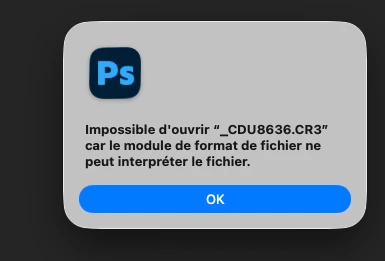
J’ouvre un fichier CR3 provenant du R3 dans CR, j’applique la super résolution puis j’envoie dans PS, aucune problème. Je fais la même chose avec un fichier CR3 provenant du R5 mark II, j’ai le message ci joint 
 

    5 replies

    Jeff Arola
    Community Expert
    Community Expert
    May 1, 2026

    I would try the updated 18.3 Camera Raw plugin which has worked for other users with a similar issue:

    https://community.adobe.com/bug-reports-562/p-acr-18-3-is-unusable-unless-you-disable-gpu-acceleration-1558055/index2.html


    scroll on the way down to where it says show more replies and after clicking it’s in the yellow field.

    Legend
    April 30, 2026

    I’m confused about “CR3+SR” -- is this proprietary to the Canon R5 MkII?

    Larry
    Inspiring
    April 30, 2026

    No it is a function of ACR, you can apply to any raw now, to grow the number of pixel. You find it through “detail”


    Legend
    April 30, 2026

    Are you running Ps 2026?

    Camera Raw 16.4? See the attached screen recording for how to verify that you are running a version of ACR that supports R5 Mk II (v16.4 or higher).
     

    Larry
    Inspiring
    April 30, 2026

    all my software is up to date : 

    And no pb to work on a raw from R5 mark II, except if I use the super resolution

    Legend
    April 30, 2026

    If all Adobe apps are up-to-date, perhaps that means Ps Super-resolution cannot act on R5MkII files or the file you’re working with is corrupted. I’m able to open my 10-year-old Nikon D750 NEF files and use the SR tool without error.

    Have you tried another CR3? Would you like to send me the failing file to test?

    Larry
    Inspiring
    April 29, 2026

    Try to say in english. PS opens without problem a CR3 file with super resolution coming from R3 camera, but not the CR3 + super resolution coming from the R5 mark II. CR and PS latest version

    Legend
    April 29, 2026

    For some reason, the Translate tool here in Community did not translate the text of the popup into English.

    It is: “Unable to open ‘_CDU8636. CR3’ because the file format module cannot interpret the file.”

    Have you successfully opened file that are concatenated with a leading underscore?

    [my wild guess was wrong]

    Is this the first time you’ve imported an R5 file?


    Larry
    Inspiring
    April 30, 2026

    So I try to tell my pb in english : when I take a raw file from my R3 camera, apply a super resolution and the open in PS, there is no pb. If I do the same (CR3 + super resolution) on a file from my R5 mark II, I have a message from saying that PS cannot read the file