Participating Frequently
March 6, 2018
Answered

"Artboard From Layers" Causing White Area To Appear Around Canvas

  • March 6, 2018
  • 2 replies
  • 1159 views

I need to convert a PSD without an Artboard to a PSD with an Artboard (since I need to import the PSD into zeplin.io and zeplin.io requires a PSD to have an Artboard).

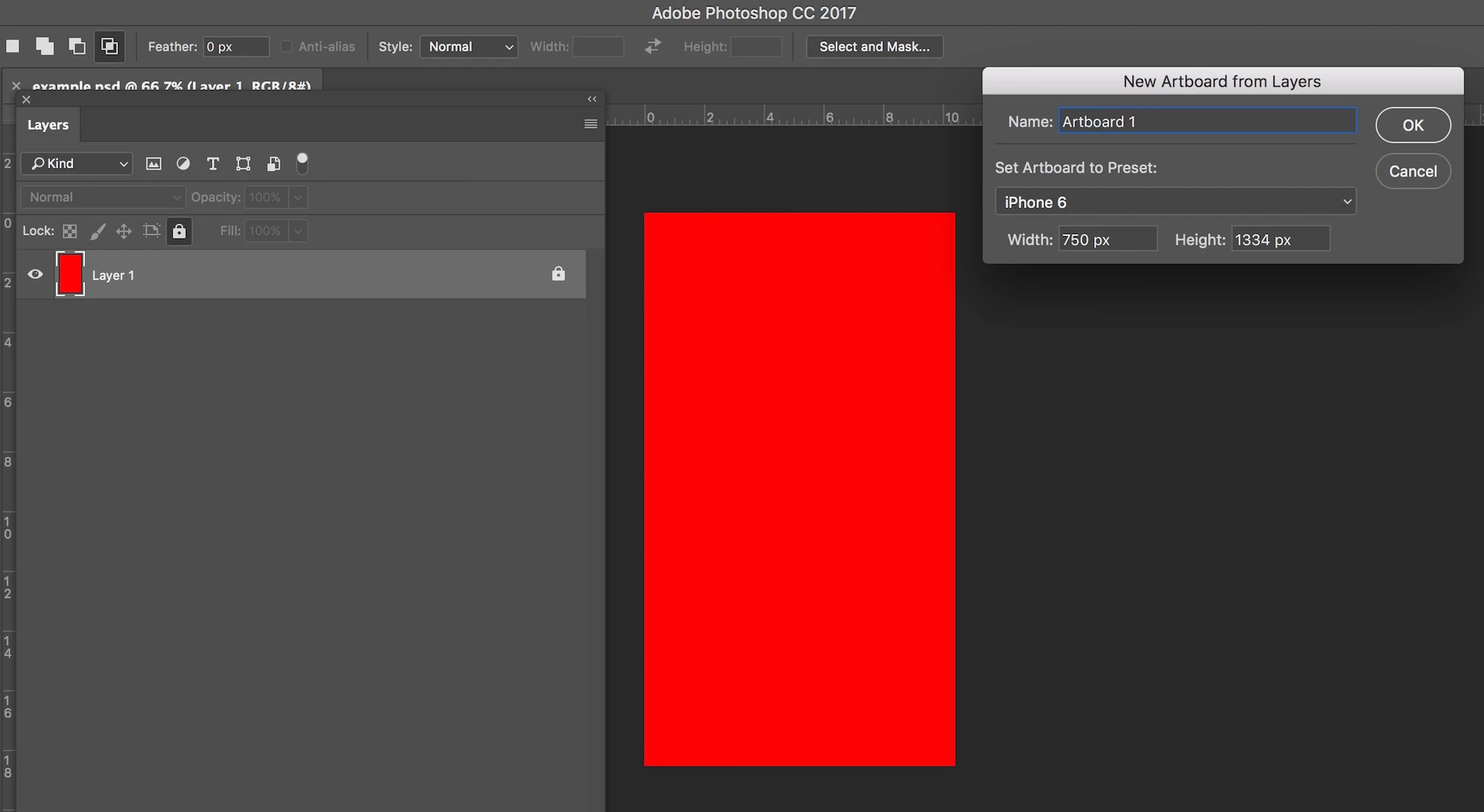
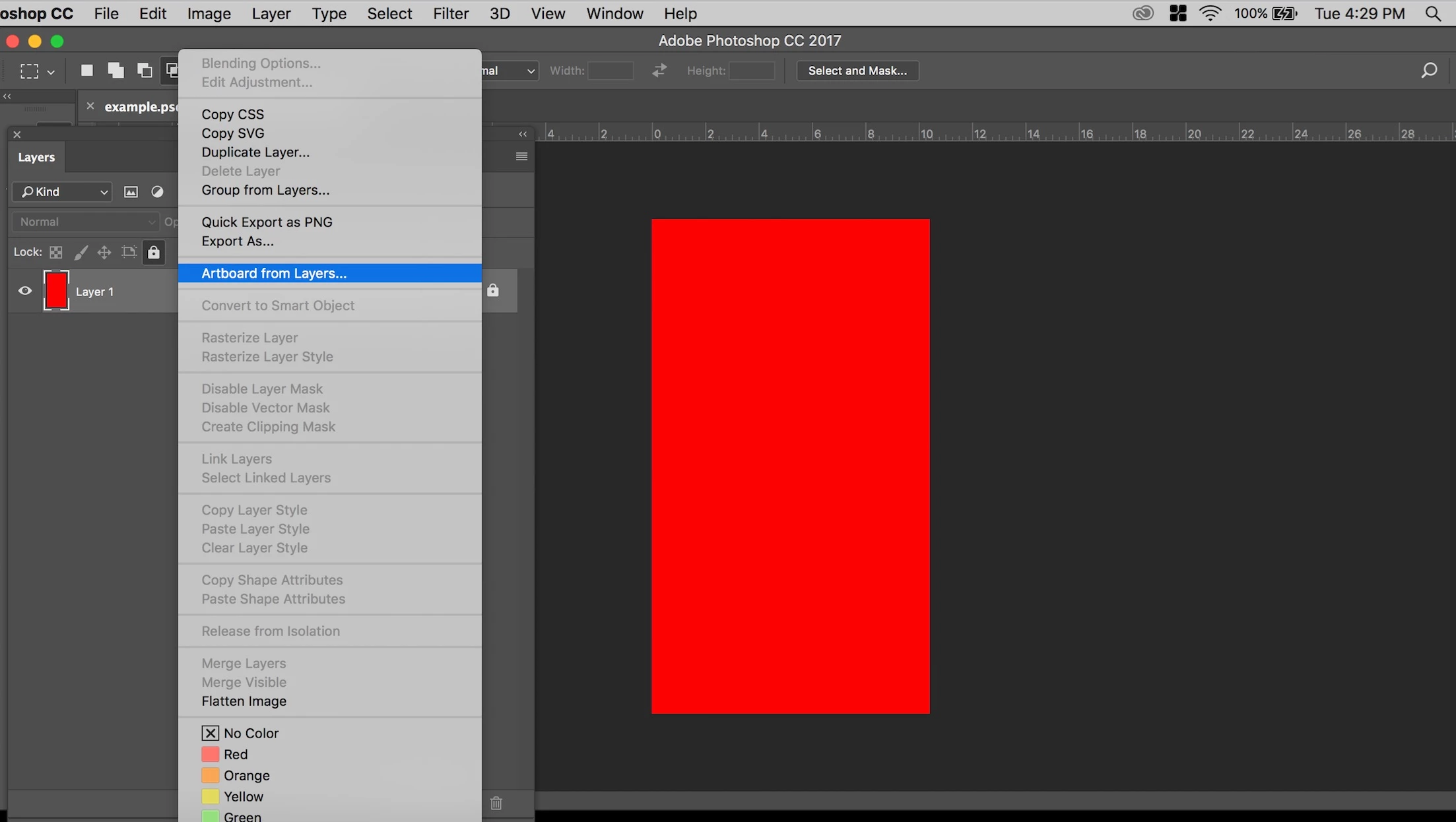
I tried doing this by selecting the layers and clicking the "Artboard from Layers" tab (as shown in attached 1.jpg). I then clicking the OK button on the top right of attached 2.jpg (note: the PSDs original canvas size was/is the same size as the "Width: 750px  Height: 1334px" shown in 2.jpg).

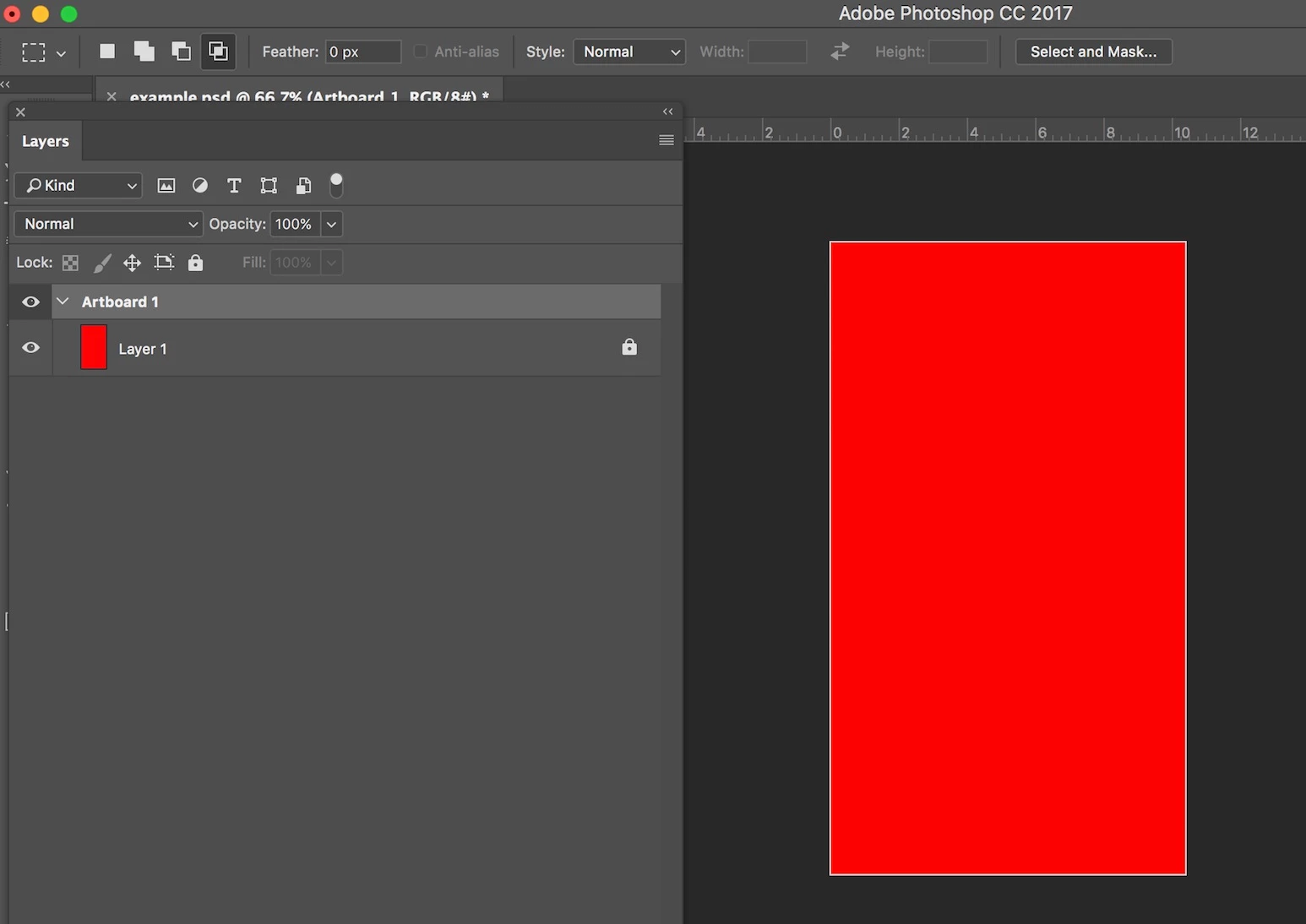
This resulted in the canvas having a white area around it (see attached 3.jpg) though the canvas is still "Width: 750px  Height: 1334px" in size.

This white area makes things very confusing. Is there a way to get rid of this white area?

Thanks!

P.S.

"Adobe Photoshop CC 2017.1.1" is the version of photoshop I am using.


This topic has been closed for replies.
Correct answer davescm

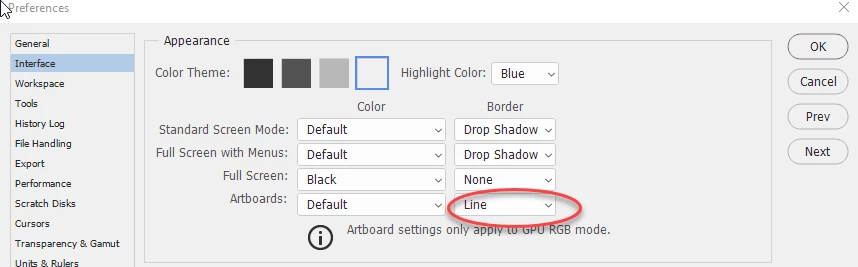
The line is not part of the image it is just an outline of the artboard in the document window. If you don't want it go to  Preferences> Interface > Appearance > Artboards > Border and turn off "line"

Dave

2 replies

davescm
Community Expert
davescmCommunity ExpertCorrect answer
Community Expert
March 10, 2018

The line is not part of the image it is just an outline of the artboard in the document window. If you don't want it go to  Preferences> Interface > Appearance > Artboards > Border and turn off "line"

Dave

Theresa J
Community Expert
Community Expert
March 10, 2018

Click off of the artboard in the layer panel. Does the outline go away?

Participating Frequently
March 10, 2018

Thanks for the response Theresa. I just tried that and it did not go away unfortunately.