Participant
August 16, 2019
Question

Artboards Not Showing Names Properly

  • August 16, 2019
  • 2 replies
  • 4824 views

For the past couple of months, the artboard names have been displaying incorrectly, especially with artboards that are created by the "New File" function or "Duplicate" function. As you can see in the video below, when I draw a new artboard using the artboard tool, all the names crop up correctly, then disappear as soon as I delete the new board.

Anyone have any idea what's happening here? It's kind of starting to drive me nuts.

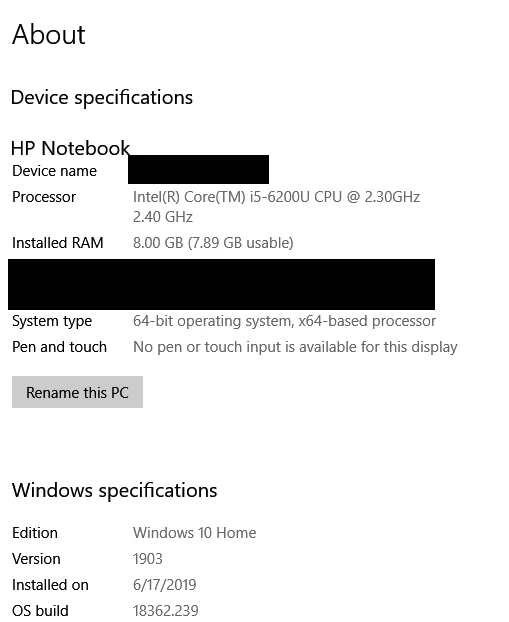
I'm working on an HP laptop with Windows 10. Here's all my system info:
This topic has been closed for replies.

2 replies

Participating Frequently
January 31, 2022

Hello-


I'm having the same issue. Suddenly the artboard names have moved down to the lower right of my screen and even when I scroll to the right I can't come across the entire line of artboard names. VIEW-SHOW-ARTBOARD NAMES is clicked on as well.


I have version 19.1.9. Further System info is here:


Adobe Photoshop Version: 19.1.9 20190724.r.451 2019/07/24: 1207350 x64
Number of Launches: 56
Operating System: Windows 10 64-bit
Version: 10 or greater 10.0.19041.1466
System architecture: Intel CPU Family:6, Model:10, Stepping:9 with MMX, SSE Integer, SSE FP, SSE2, SSE3, SSE4.1, SSE4.2, AVX, HyperThreading

runninghead_design
Inspiring
August 19, 2022

Issue persists in 2022

Participant
April 9, 2023

Having the same issue as well after upgrading to a Mac Studio. Also when adding a new artboard I can only see 25% of upper size of the artboard even though the specs say it's much larger than what's visible.


And… as a Bonus! Keyboard shortcuts for selecting tools doesn't work either.


System Info:

Mac Studio M1 Ultra 64gb RAM

OS Ventura 13.3

Photoshop Vr '23 — 24.3.0

Sahil.Chawla
Adobe Employee
Adobe Employee
August 16, 2019

Hi there,

That shouldn't be happening, let us help make this right.

As the Artboards are not showing proper names, could you please let us know the exact version of Photoshop you're working with by going to Help > System Info?


Have you tried updating to Photoshop version 20.0.6 via the Creative Cloud desktop application and see if it helps?

Regards,
Sahil

Xopher HAuthor
Participant
August 16, 2019

Here's my system info:

Adobe Photoshop Version: 20.0.6 20190724.r.80 2019/07/24: 1207344  x64