


Question
Artifacts in Photoshop Images
Greetings,
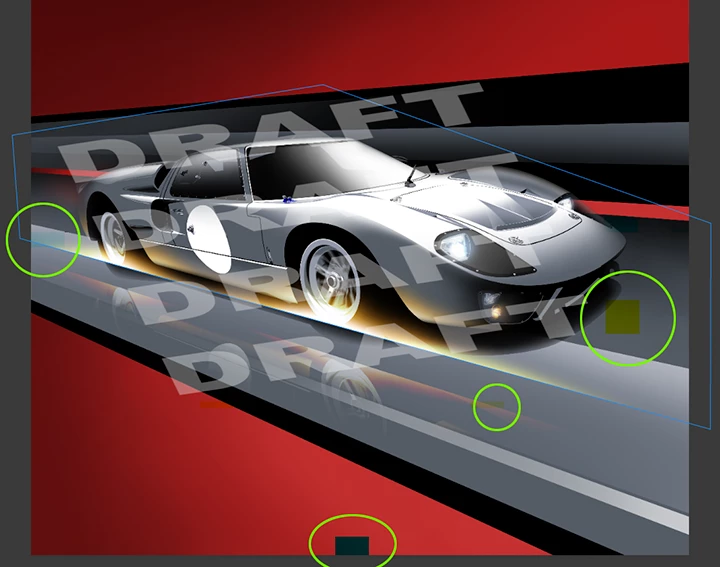
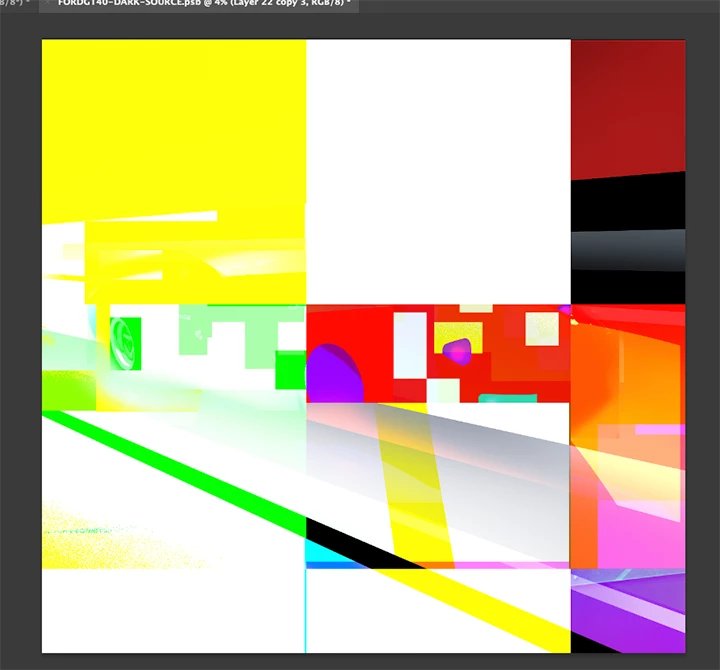
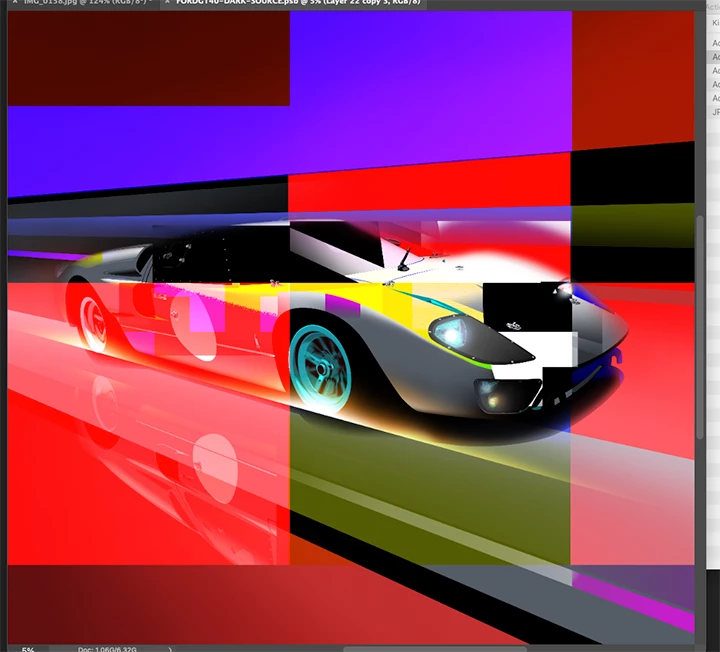
Photoshop is introducing random artifacts into my artwork when I flatten layers or save/export a file. Expected result was an unadulterated image, but as you can see from the clearest image, discolored areas appear throughout.
- I started by creating an image in Illustrator. I then imported each layer into Photoshop and added gradations, effects,, etc.
- Because the file grew to over 2GB, I saved it as a .PSB, and closed it.
- When I reopened it it was severely garbled. I closed, and reopened it, and it was less garbled. I repeated the proceedure, and got even fewer artiifacts. I was unable to reduce the artifacts further using this method.
- Moving forward, the program would introduce discolored squares randomly on the image.
Details:
- System: Macbook Air (M2), OS: Sonoma 14.2.1, 16GB with ~500GB free SDD space
- Most current versions of Illustrator and Photoshop (I tried re-installing PSD also)
- Files were saved locally, not on the cloud
Any insights would be greatly appreciated.
Geoff
 AdChoices