

'Ask When Pasting' Profile Mismatch Warning Not Working
I just discovered this while trying to assist someone in the Photoshop Family forum. If I copy & paste between two open documents inside PS 2017 I get the warning message on my Windows 7 system. This is as expected so no issue.
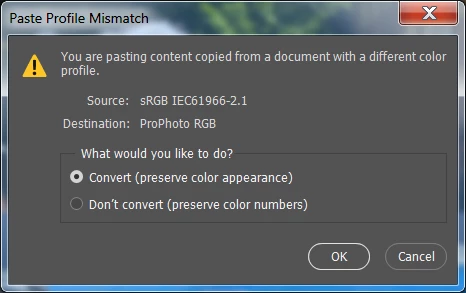
If I copy an sRGB Web posted image with FireFox color manged browser using 'right-click,' 'Copy Image,' and paste it into a ProPhoto RGB PS document there is no warning message and no profile conversion. If I use 'Save As,' download the same Web posted sRGB file, and drag & drop from Windows Explorer into the PS document, there is no warning, but the file is converted to the working color space ProPhoto RGB.
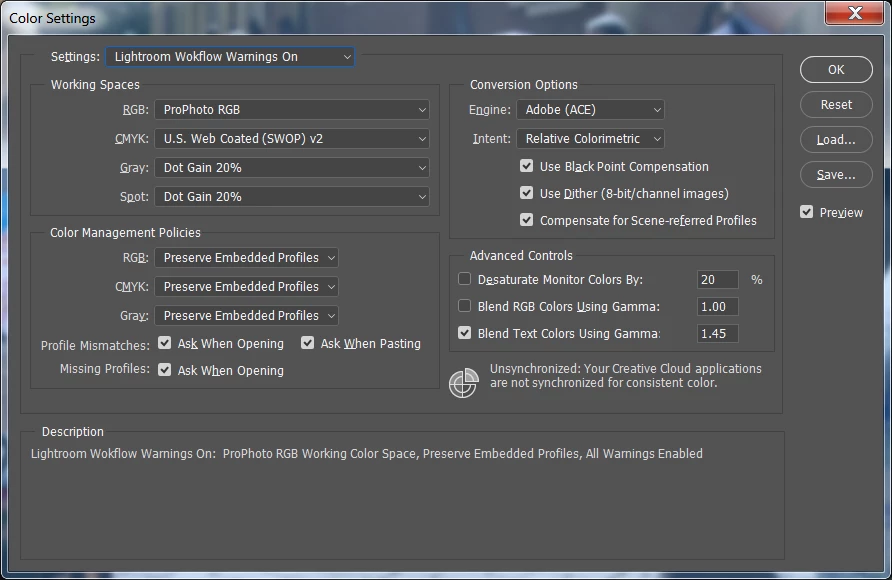
Here are my Color Settings. I've tried resetting PS Preferences and using the North America General Purpose setting to recreate the below saved settings. The issue remains the same.
 AdChoices