Answered
asking for how to do this effect
Hi guys, can you help me how to creat this effect in photoshop? emphasizing a part of picture and make it lighter than other parts? if there is youtube tutorial it will be nice .thanks
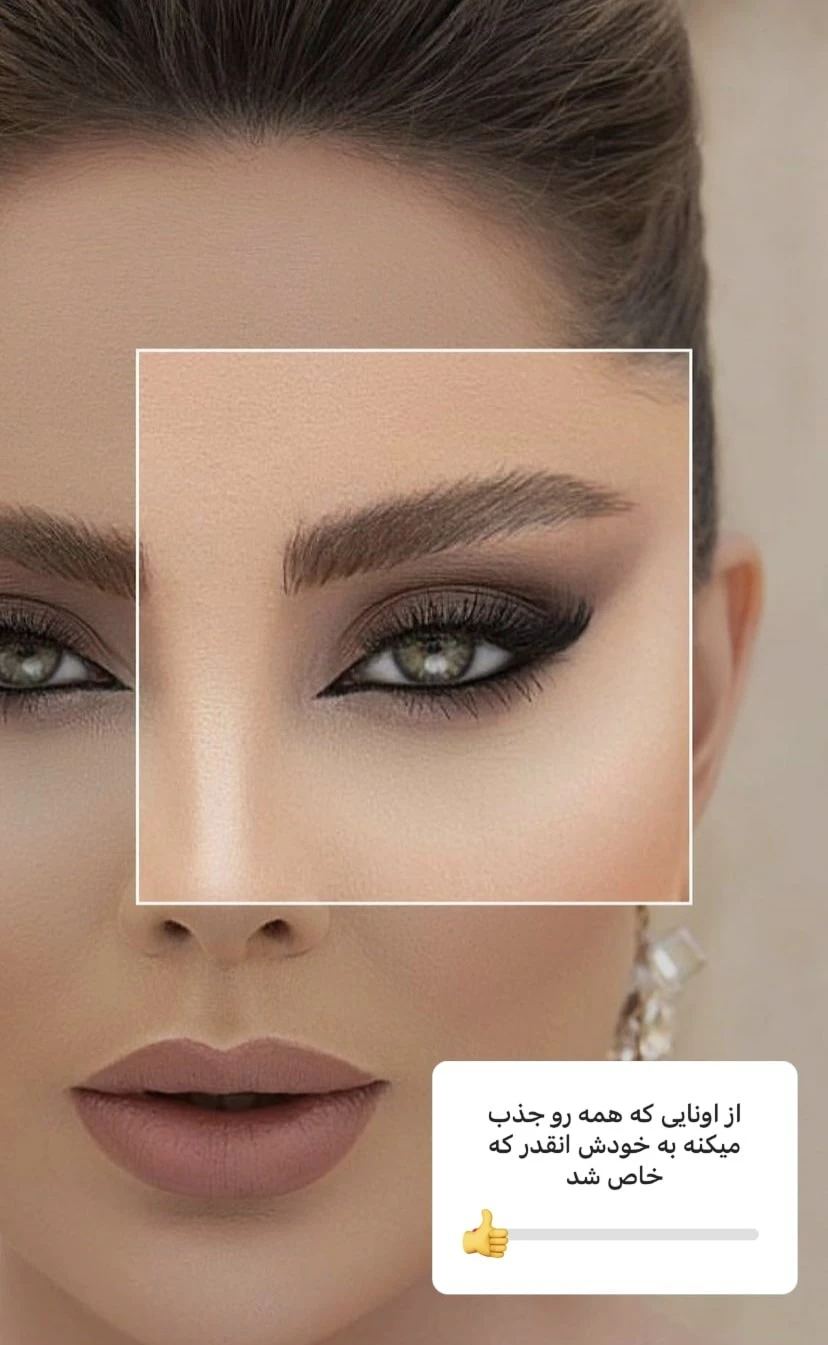
Hi guys, can you help me how to creat this effect in photoshop? emphasizing a part of picture and make it lighter than other parts? if there is youtube tutorial it will be nice .thanks
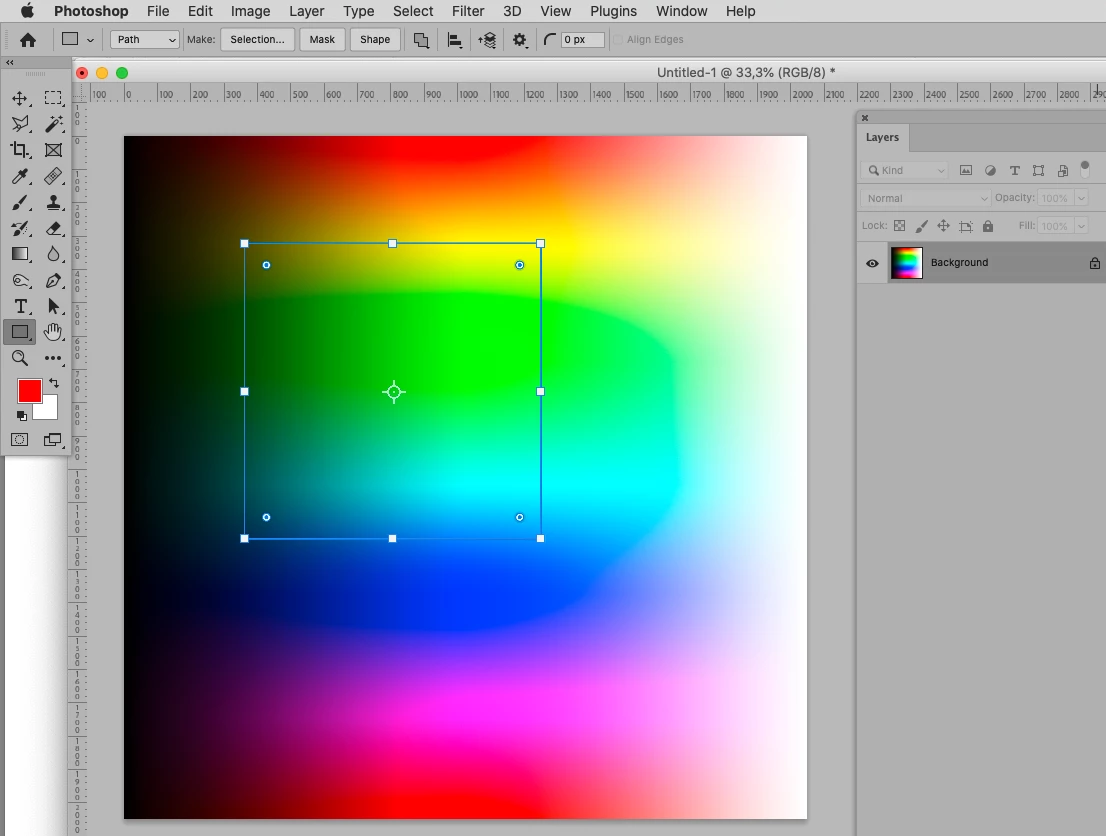
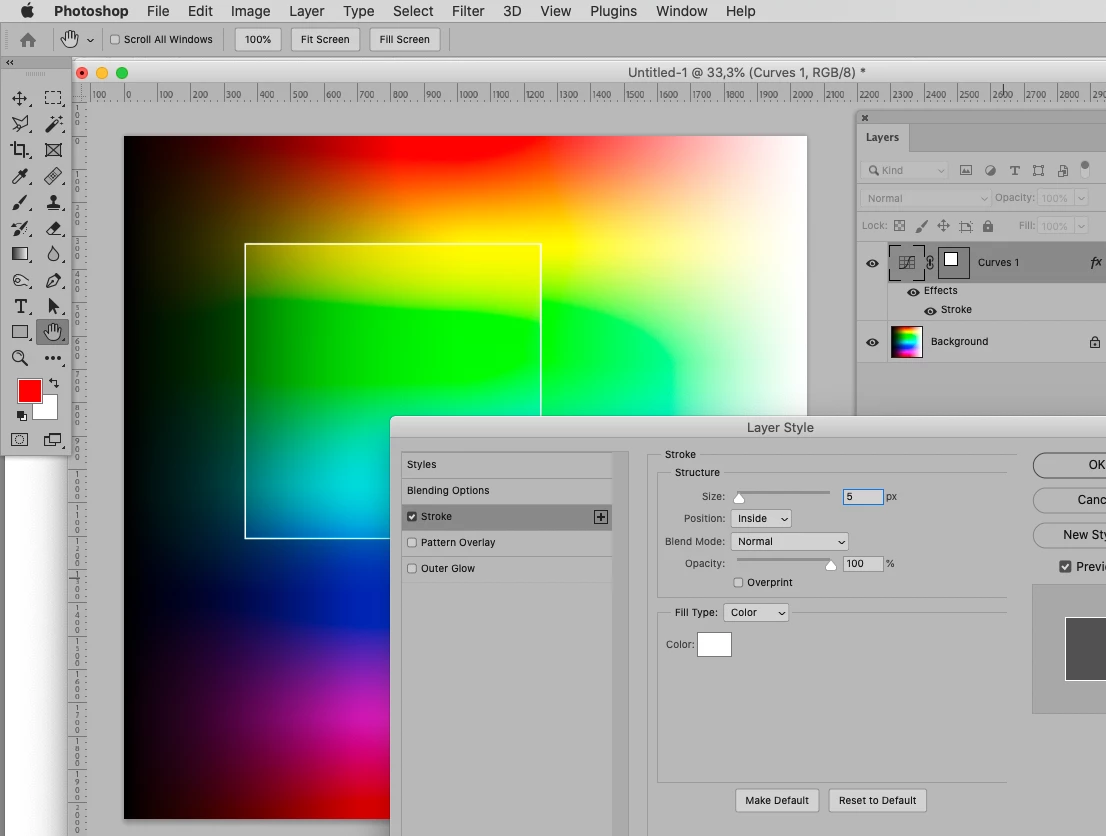
• Use the Rectangle Tool to create a rectangular Path,
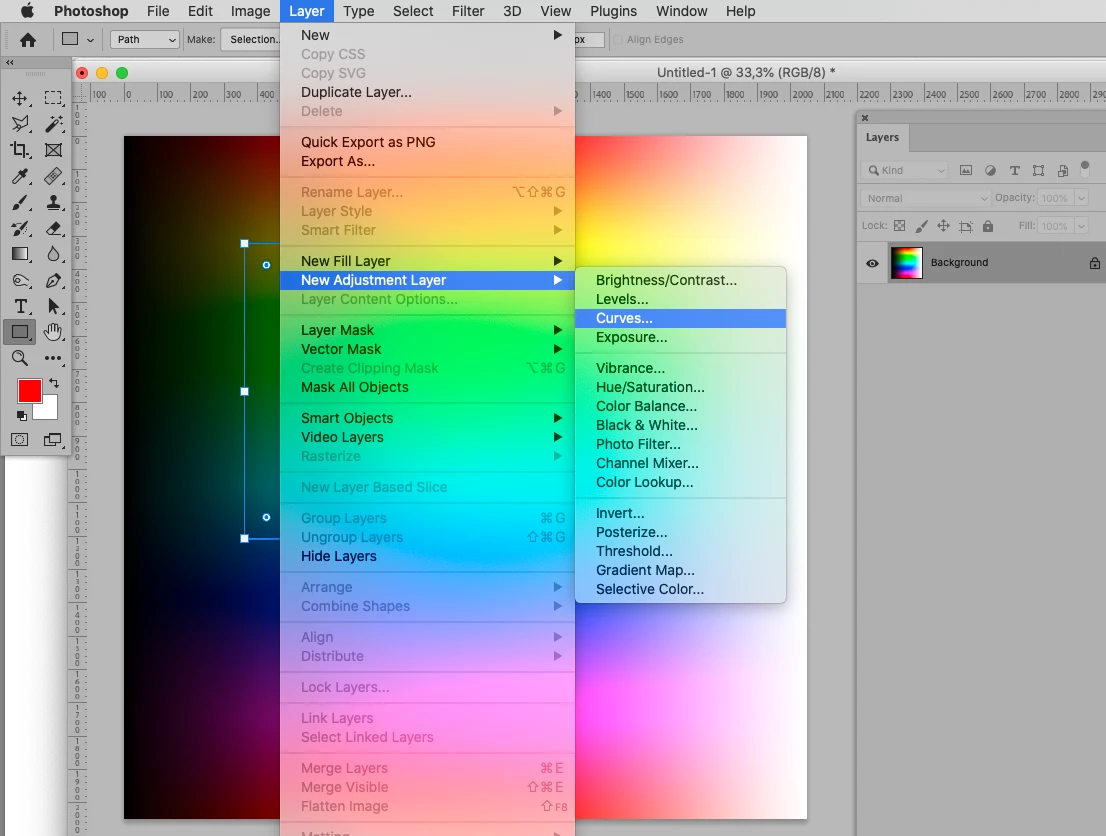
• then create a Curves Layer (Layer > New Adjustment Layer > Curves)
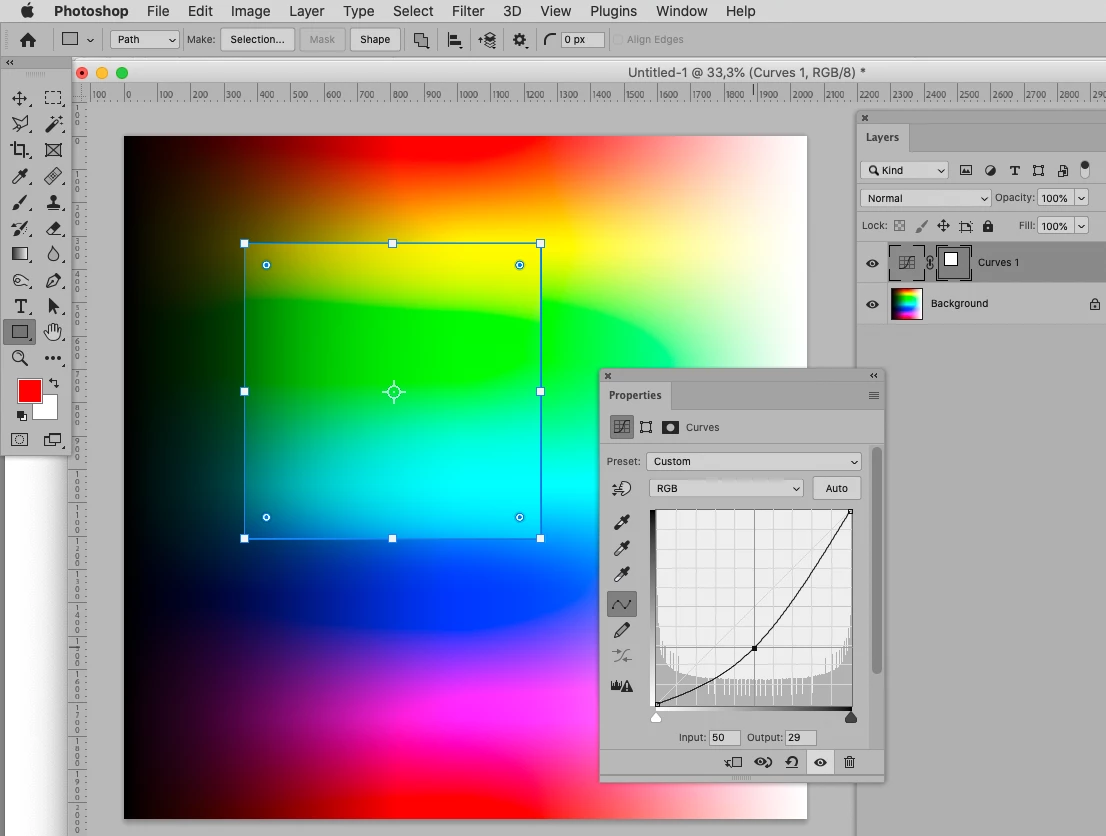
• and change the Curve accordingly.
Edit:
• The white contour can be achieved with Layer > Layer Style > Stroke.
Already have an account? Login
Enter your E-mail address. We'll send you an e-mail with instructions to reset your password.
 AdChoices