
muetzle_
Participant
December 18, 2017
Answered

Assets Generator: How to embed color profiles?

  • December 18, 2017
  • 3 replies
  • 2759 views

Hey Guys,

I want to use the assets image generator plugin in photoshop CC 2018 for the employee's pictures for a website.

The pics are generated without a color profile, do I have to embed the color profile manually or is there a way to automatize this step too?

Thanks in advance!
This topic has been closed for replies.
Correct answer mark@headTrix

hi!

As far as I know, I don't think Generate Assets exports the color profile... which in most instances is probably a good thing for web graphics since it will help reduce the file size. However with showing Products or clothing where EXACT color is necessary, then the Color Profile could prove useful.

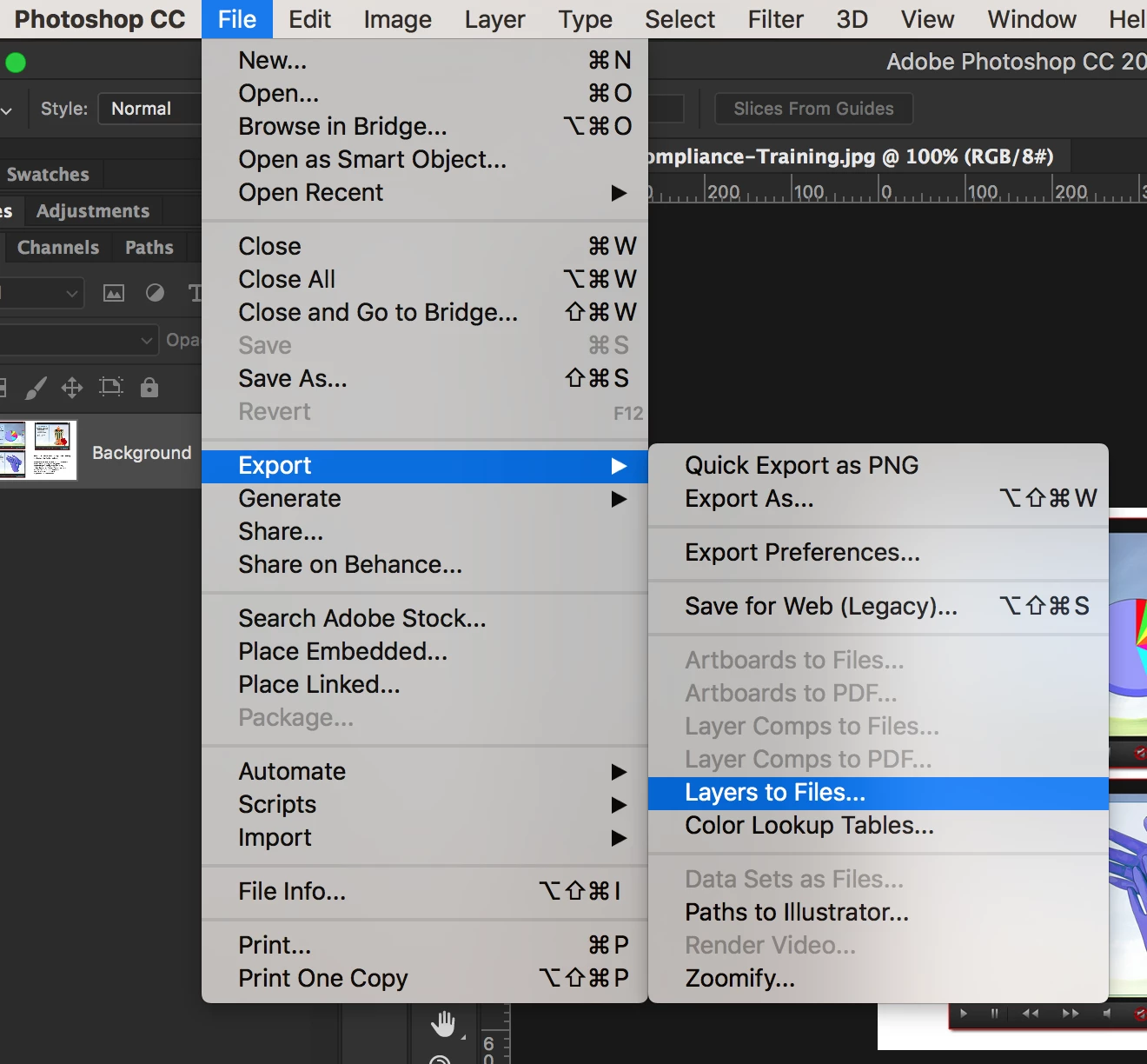
Another shortcut for exporting your images (where you can INCLUDE the Color Profile, is File>Export>Layers to Files..)

or you can also convert your profiles by going to Edit>Convert to Profile...

this article also talks about how in most instances you would NOT want the Color Profile

https://goo.gl/nDfwy9

Hope that helps!

Cheers!

mark

3 replies

Stephen Marsh
Community Expert
Community Expert
March 25, 2020

There is a third-party configurator available to tweak the default Generator settings:


https://github.com/adobe-photoshop/generator-assets/wiki/Configuration-Options

https://github.com/adobe-photoshop/generator-assets
Participating Frequently
March 25, 2020

Thanks for layers to files, saved me a lot of valuable time. 

mark@headTrixCommunity ExpertCorrect answer
Community Expert
December 18, 2017

hi!

As far as I know, I don't think Generate Assets exports the color profile... which in most instances is probably a good thing for web graphics since it will help reduce the file size. However with showing Products or clothing where EXACT color is necessary, then the Color Profile could prove useful.

Another shortcut for exporting your images (where you can INCLUDE the Color Profile, is File>Export>Layers to Files..)

or you can also convert your profiles by going to Edit>Convert to Profile...

this article also talks about how in most instances you would NOT want the Color Profile

https://goo.gl/nDfwy9

Hope that helps!

Cheers!

mark

headTrix, Inc. | Adobe Certified Training & Consulting
D Fosse
Community Expert
Community Expert
December 18, 2017

An sRGB profile is 3 kilobytes. If you think that increases file size unacceptably, by all means. But I think it's cheap insurance - considering that all major web browsers today have full color management.

If 3 kB extra file size is no consideration, there is absolutely no reason whatsoever to strip the profile. None. Zero. All downside and no upside.

But yes, it seems to be the case that Generator strips the profile and there's no way to change that.