
Answered
"Assign working rgb" as default choice when missing color profile
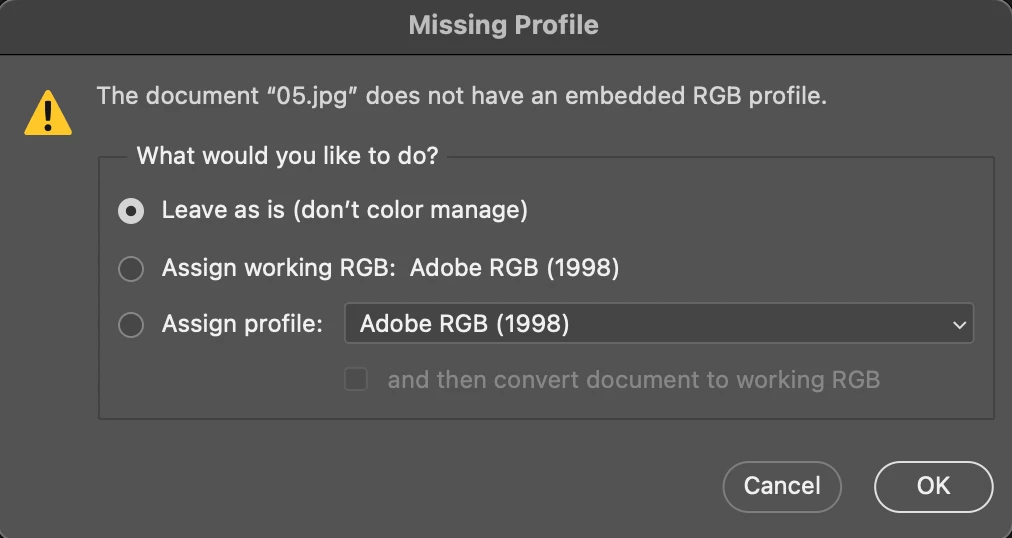
When opening files with missing color profile in photoshop, it gives you a panel with three choice:
- Leave as is
- Assign working RGB
- Assign profile
The default choice is "Leave as it", but my workflow always requires to assign color profile of my working space, so every time I have to click on the second choice before clicking the OK button, which is kind of cumbersome. Is there any method that I can make the default choice become "Assign working RGB"?
I am now using photoshop 25.3.1 on macOS sonama, and this problem only happens on this version. Before I was using photoshop 2022 on my old iMac with macOS Catalina, and the default choice was "Assign working RGB" instead of "Leave as it".
 AdChoices