
Auto-detecting or OCR of non text or rasterized text layers
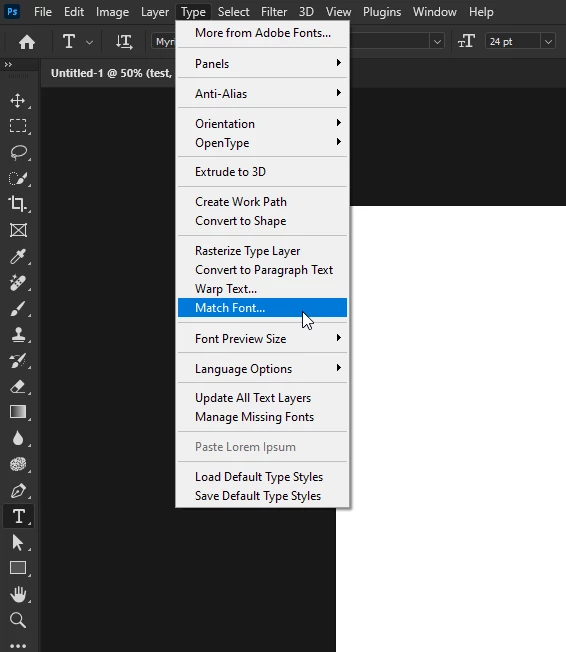
Does photoshop have the ability to detect or guess the font used in a layer that is not a text layer? For example, if you open up a jpg and want to edit the text, I would want some sort of Photoshop ability to maybe right click and choose "detect font" or something.... or even better, just automatically let me change the text right there. It would also be nice to be able to copy and paste the text.
I've searched the forums with queries such as "copy text from non text layer", "copy rasterized text" but can't find anything on this topic, which just shocks me. Even in my cheesy android gallery phone app I can copy and paste text from a photo. If this is not standard, is there a plugin or extension that exists?
I am using 25.3.1 Windows 11 (Home),
 AdChoices