
Participant
April 19, 2018
Question

Auto-select problem Photoshop 2018

  • April 19, 2018
  • 2 replies
  • 524 views

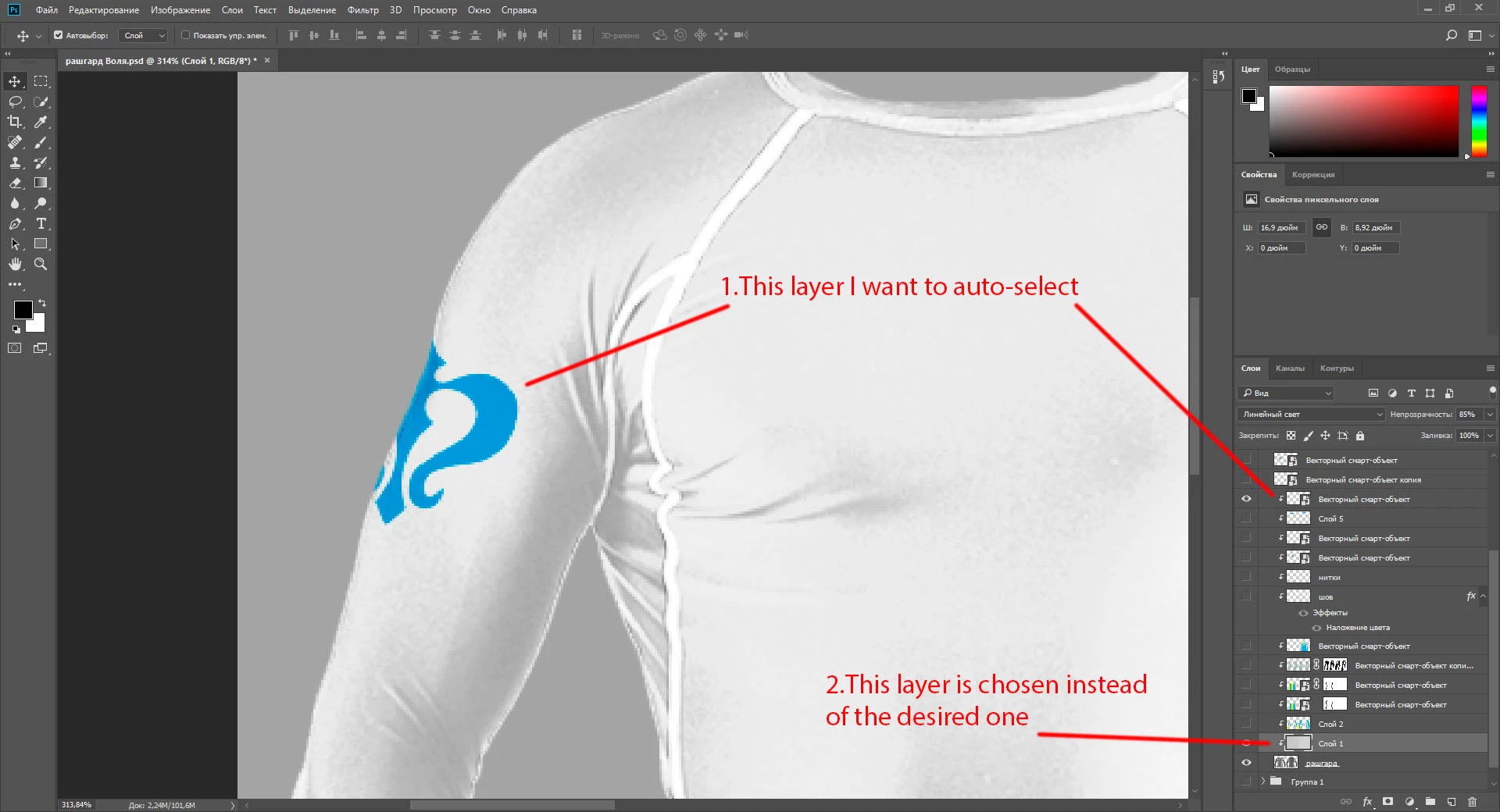
Auto-select does not work with the masked object if there are invisible layers between it and the mask.

If there are no invisible layers, or they are enabled, auto-selection works.

Sorry for my English, I'll try to show in the picture what I need.
This topic has been closed for replies.

2 replies

PECourtejoie
Community Expert
Community Expert
April 19, 2018

Ah, ok, those layers are part of a clipping group, I had looked too quickly...

I'm trying to replicate, but the machine I have to use now as an older version that does not have the same behavior...

PECourtejoie
Community Expert
Community Expert
April 19, 2018

If someone with CC 2018 can replicate, you should report it at http://feedback.photoshop.com

PECourtejoie
Community Expert
Community Expert
April 19, 2018

Hello! Before someone comes with a possible solution, here is a tip: right-click to select the layer by its name...

Korshun-mAuthor
Participant
April 19, 2018

Hello! Thanks for the hint, but this layer does not appear in the list