November 25, 2015
Answered

automate image with previous editions

  • November 25, 2015
  • 1 reply
  • 506 views

Hi everyone thanks for your time .

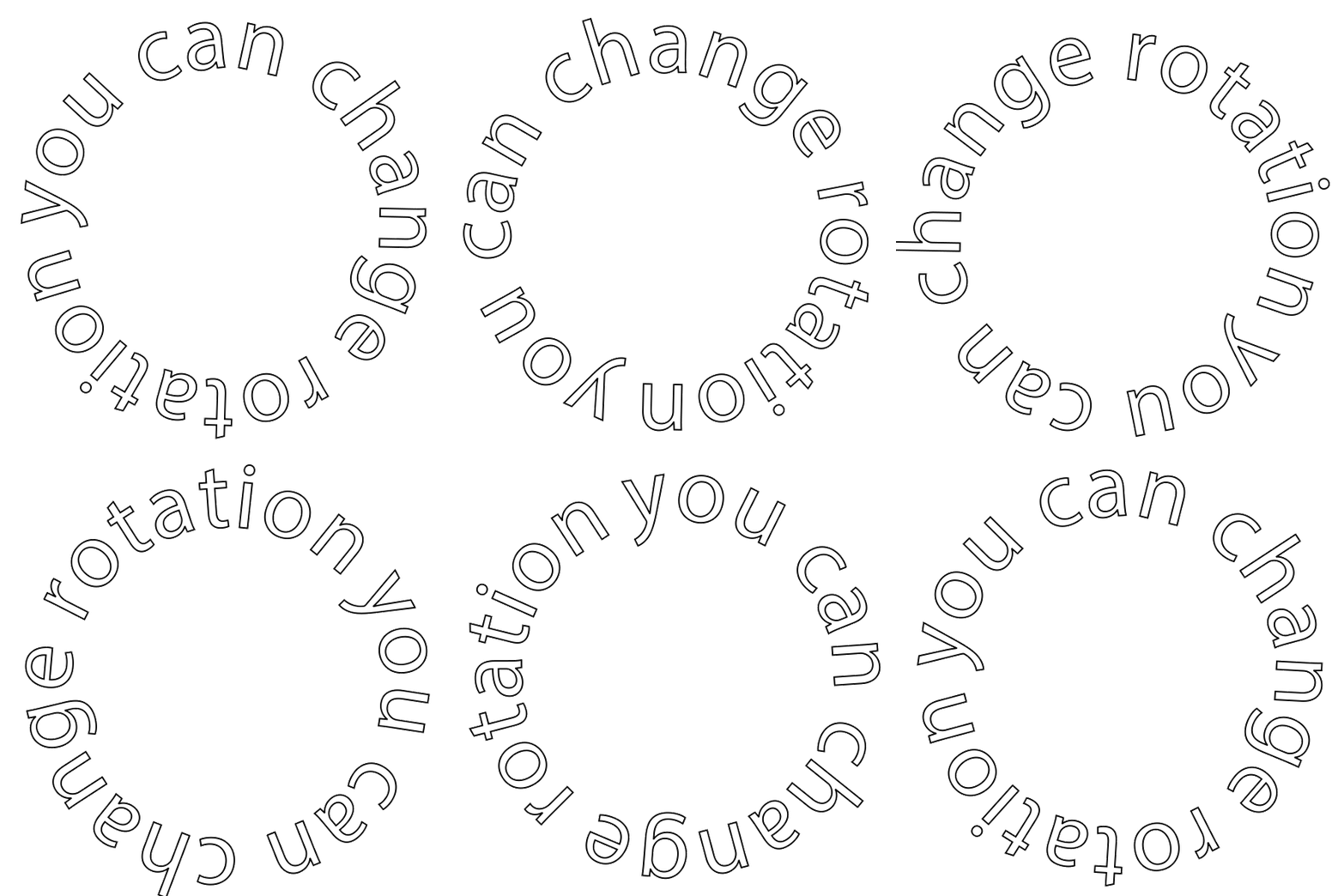
I need to make a very difficult task for me , i have a circle text , i need to create an action to rotate the circle text 1.8 degrees , save it and then rotate 1.8 degrees de previous saved image , this needs to be done 200 times , in a few words , rotate de image 1.8° save , rotate de previous saved 1.8° , rotate de previous saved 1.8° ,rotate de previous saved 1.8° ................. till it reach 200 rotations .

thank you very much .

This topic has been closed for replies.
Correct answer JJMack

You can also create text on a path perhaps convert it to a shape to stroke and fill it.  Rotate that layer with a script I posted. The move the 200 layer out of the layer group the script put them in delete the layer group and background layer. Create a frame animation and make frames from the 200 layers.   If tween does not work for you. I never tried tween and Transform rotation. Do not make the canvas size large this 800x800px gif is 4MB in size. I used the script I posted to create the 200 layers. Rendered out as am MP4 it was also 4MB rotated faster on a black background video does not support transparent backgrounds. So the video is white letters on a black background. You do not see the black stroke around the letters or any white ghosting that you see when you click the below animated gif and jive displays the gif in its pop-up image window. Also 200 frames in and gif animation is a lot of frames. If each frame is completely different image that a lot of unique pixels and most likely you will too many colors for making a good Gif animation. Gif only supports 256 mapped colors.  If your frame size is 800x800px all told  you will have 800x800x200px 128MP that something like 380MB in Photoshop. The smaller 600x600 animated gif here is BW and transparent still the gif file size is 5MB+

1 reply

JJMack
Community Expert
Community Expert
November 25, 2015

360/1.8=200 so you want a full 360 rotation.  The transform rotation point can be moved. This script should give you some food for thought it rotate about the bottom center of the layer bounds. 200 rotations will take some time.

// enable double-clicking from Mac Finder or Windows Explorer

#target photoshop // this command only works in Photoshop CS2 and higher

// bring application forward for double-click events

app.bringToFront();

// ensure at least one document open

if (!documents.length) alert('There are no documents open.', 'No Document');

else {

  cTID = function(s) { return app.charIDToTypeID(s); };

  sTID = function(s) { return app.stringIDToTypeID(s); };

  // Save the current preferences

  var startRulerUnits = app.preferences.rulerUnits;

  var startTypeUnits = app.preferences.typeUnits;

  var startDisplayDialogs = app.displayDialogs;

  // Set Photoshop to use pixels and display no dialogs

  app.preferences.rulerUnits = Units.PIXELS;

  app.preferences.typeUnits = TypeUnits.PIXELS;

  app.displayDialogs = DialogModes.NO;

  main(); // at least one document exists proceed

  // Return the app preferences

  app.preferences.rulerUnits = startRulerUnits;

  app.preferences.typeUnits = startTypeUnits;

  app.displayDialogs = startDisplayDialogs;

}

function main() {

  // Save selected layer to variable:

  var originalStem = app.activeDocument.activeLayer;

  // Ask user for input by showing prompt box and save inputted value to variable:

  var stemsAmount = prompt ("Processing '" + originalStem.name + "'\nHow many stems do you need?\nFrom 2 to 360", 12);

  // Check that user entered a valid number and, if invalid, show error message and ask for input again

  while(isNaN(stemsAmount) || stemsAmount <= 1 || stemsAmount > 360){

  // If user clicks "Cancel" button, then exit loop

  if(stemsAmount == null) break;

  // …and ask for input again

  stemsAmount = prompt("Processing '" + originalStem.name + "'\nHow many stems do you need?\nFrom 2 to 360", 12);

  };

  // Run the copying process

  app.togglePalettes();

  if(stemsAmount != null){

  // Calculate the rotation angle

  var angle = 360 / parseInt(stemsAmount);

  // Create a group for stems

  var stemsGroup = app.activeDocument.layerSets.add();

  stemsGroup.name = originalStem.name + " ("+stemsAmount+" stems)";

  // Place original layer in group

  originalStem.move(stemsGroup, ElementPlacement.INSIDE);

  // Duplicate and rotate layers:

  for(var i = 1; i < stemsAmount; i++){

  // Duplicate original layer and save it to the variable

  var newStem = originalStem.duplicate();

  // Rotate new layer

  //newStem.rotate(angle * i);

  newStem.rotate(angle * i, AnchorPosition.BOTTOMCENTER);

  // Add index to new layers

  newStem.name = originalStem.name + " " + (i+1);

  // Place new layer inside stems group

  newStem.move(stemsGroup, ElementPlacement.PLACEATEND);

  };

  // Add index to the original layer

  originalStem.name += " 1";

  };

  app.togglePalettes();

}

JJMack
November 25, 2015

Thank you very much for your quick response I appreciate a lot you have spent your time to help me. 

I'm sorry if I couldn't expressed clearly but what you kindly did is not what I need. 

I need to create from only one image with a closed circle text,  200 different images but each of them has to be the previous one just rotated 1.8°,  this is to create a gif animation with circle text moving circularly. 

I continued investigating and if you could teach me the next procedure I will be able to reach the goal.

My idea is to record de action to rotate(I already know how to do it) , save the image rotated and here comes my trouble,  I don't know how to increment the file name in the field save as,  I mean I need other action to perform the file name increment. 

I hope you could understand,  thanks again friend for your help. 

JJMack
Community Expert
Community Expert
November 25, 2015

You want to make a frame animation.  The 200 image part is easy.  You use menu File>Scripts>Load Files into a Stack....  You Point is to a folder with 200 images that are the size..  Onec loaded into the stack use the timeline Palette to create a frame animation and use the frames Animation Fly-out menu items Make frames from layers.  Select all the frames and set a frame duration for all the frame like a half second.

You now have your image animation.  What need now is a second set of layer on top of these layers perhaps an other 200 layers for the rotating text.

You be able to have Photoshop generate these.

Create as second document  with the same size canvas but transparent.  Create the text layer and a frame animation. Rotate the text layer some number of degrees about the center of the the canvas and creat as second frame then use the fly-out menu tween item to create additional frames between the two frames you created.  Rotate the text more create a frame and use tween again  repeat again till you have a complete rotation and 200 frames.

At this point you have 1 layer and 200 frames.  Save for web an animated gif of the rotating text. Next open the saved animated gif you just saved in Photoshop.  The document you open should open with 200 layers the rotating text. Target all 200 layer and drag and drop them on the top 200 image document layers stack open in Photoshop with the shift key held down.  You should now have the 400 layer you need. You need to add to second 200 layer into the 200 frames starting with the first frame add in one of of the upper text later repeat 199 more times for the rest of the frames.

JJMack