Participant
January 17, 2025
Answered

Automatic mask replacement in Photoshop

  • January 17, 2025
  • 1 reply
  • 1400 views

Вопрос к знатокам. Я часто работаю с ретушью архитектурной визуализации. Обычно у меня все объекты в фотошопе разбросаны по папкам и на папку назначена маска. Например, папка стена кирпича и его маска, а здесь стена бетонная. Внутри папки просто корректируем цвет. Папки 10-20 на проект. Но после того, как ретушь закончена, клиент часто просит изменить геометрию объекта. Кирпичная стена увеличивается, бетонная стена уменьшается, все маски меняются после рендеринга. По сути, ретушь остается, но нужно поменять все маски. Вопрос, можно ли организовать это автоматически в фотошопе. Чтобы все маски вели в общее хранилище. Я просто заменяю все файлы в этом хранилище и все. Есть ли такая возможность в фотошопе?
Correct answer c.pfaffenbichler

Thanks for your help, but I'm having trouble understanding the process.
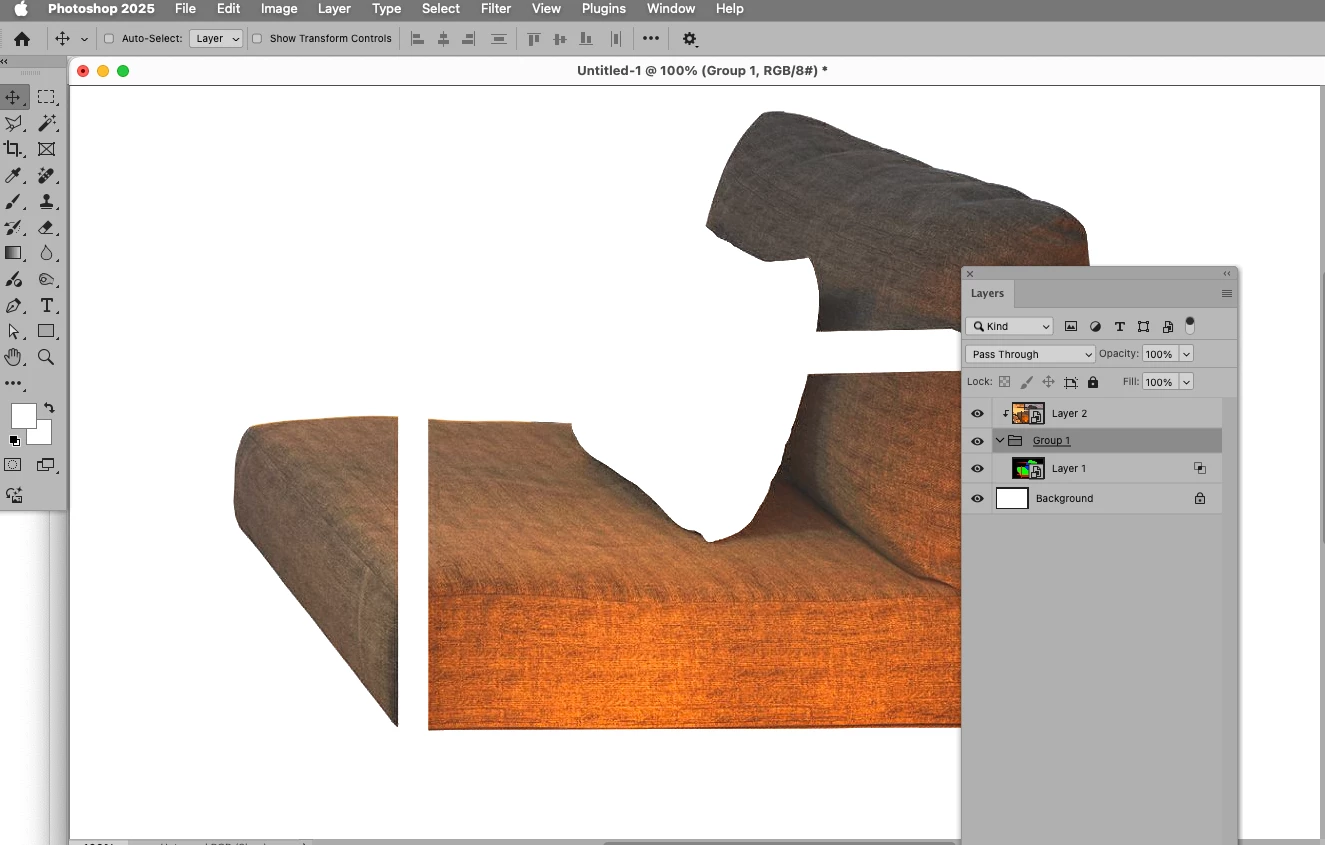
I made a scheme of 6 pictures on which you can see the sequence of my actions.
1 frame. I opened the RGB image.
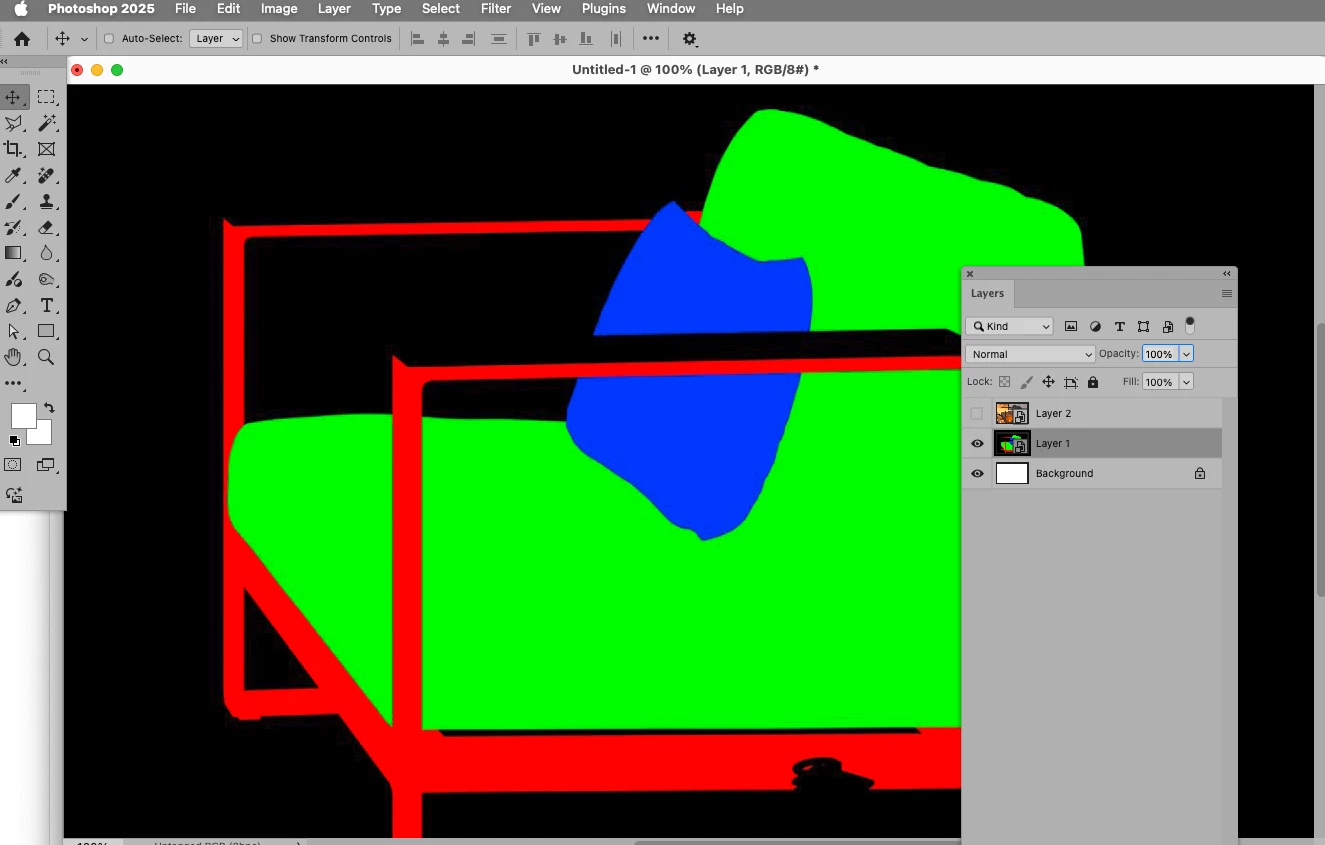
2 frame. I inserted a “Smart object” with the image of my masks on the RGB channels.
3 frame. I right click on the Smart object and use the “Create clipping Mask” command
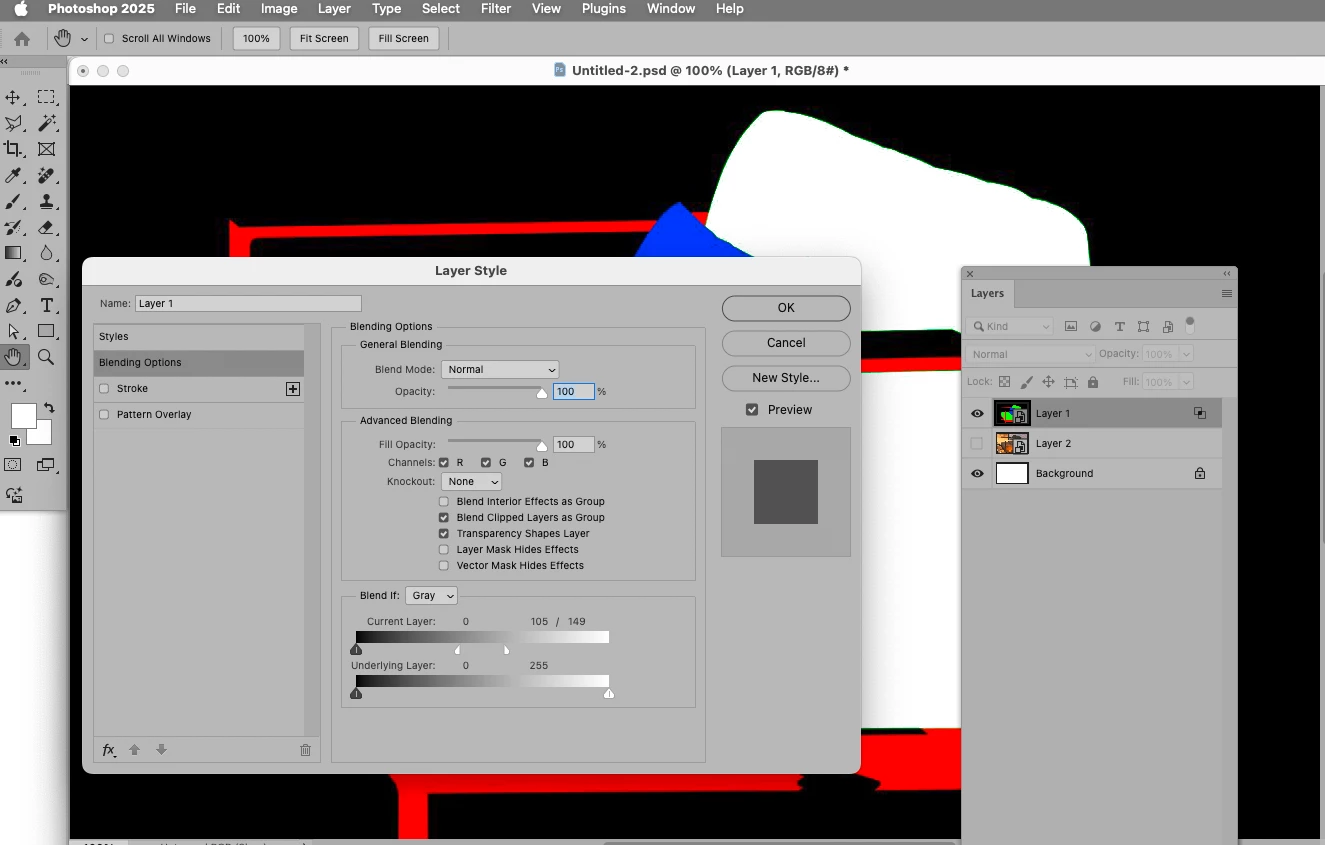
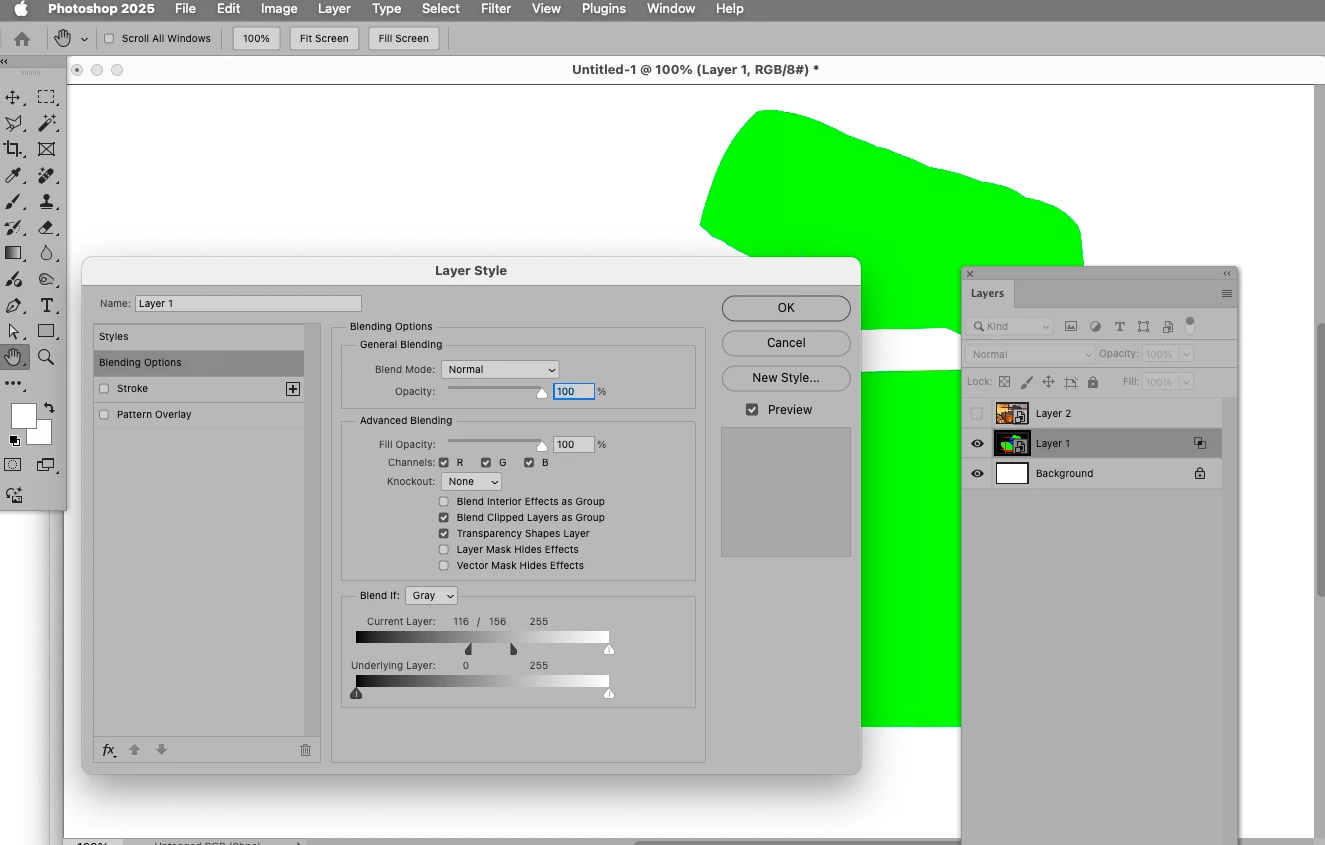
4 frame. Right-clicking on the “Smart object” and using the “Blending Options” command.
5 frame. In the “Blending Options” settings in the “Blend if” line I choose “Green”. I set the “Blend if” to about 233/255.
6 frame. Here you can see the result. I was able to get a green mask, but was unable to get it to work as a mask for the RGB layer.


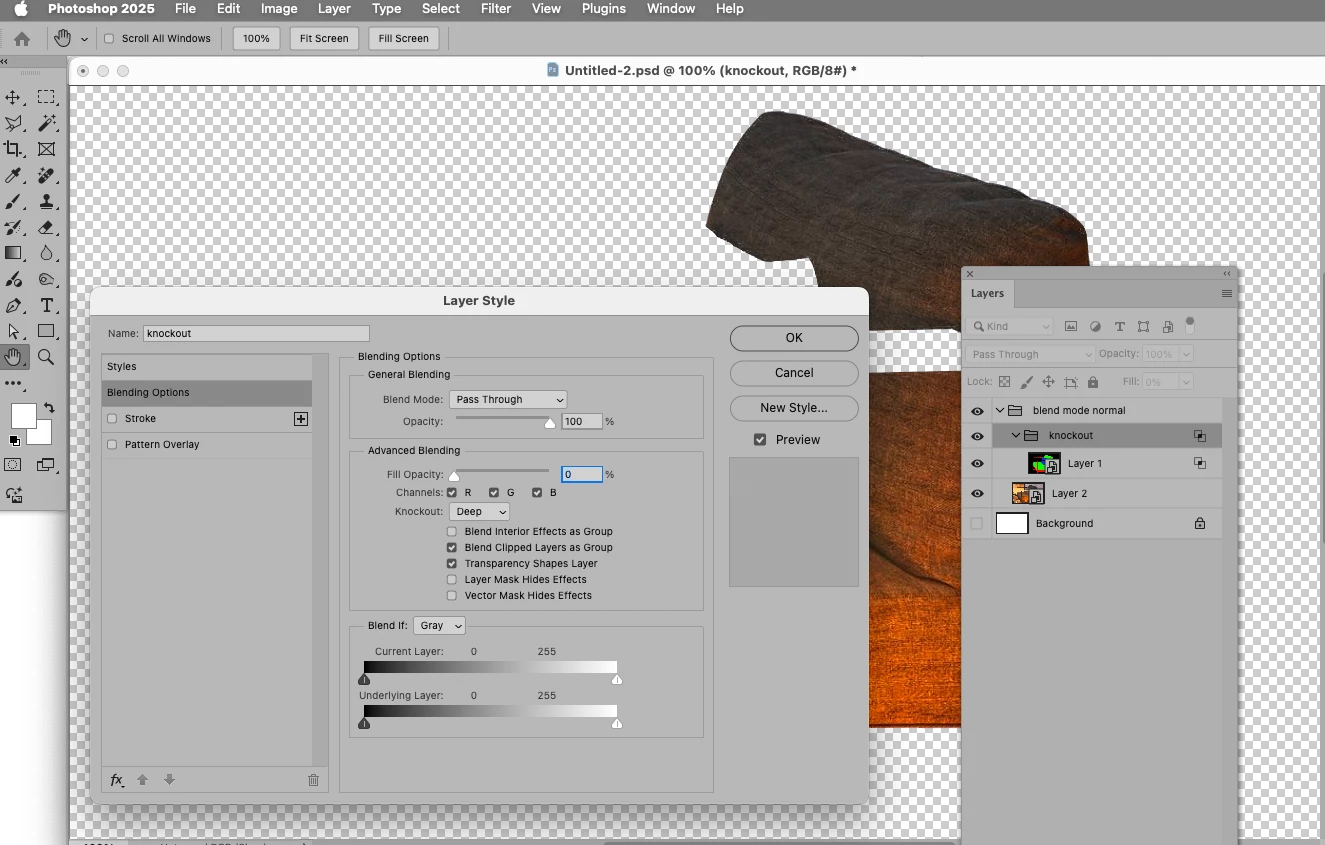
Knock out: 

1 reply

Peter Villevoye
Community Expert
Community Expert
January 17, 2025

If i understand it correctly (and if any crucial details didn't get lost in translation), you want to keep the masks in sync with the geometry of the layer's image ? That's odd, because that's the standard way how layers and masks are handled (moved and scaled), unless this chain (link) between the image and mask icon is switched off


But somehow, I think something else might be bothering you.

Could you supply a screenshot of your Layers panel of such a complex design ?

And perhaps a visual impression (image or screenshot) of what's going wrong ?

Participant
January 18, 2025

I want Photoshop to take the mask from this folder on the computer.
Is it possible to make it so that when I replace the mask file on my computer, the mask will automatically change in Photoshop ?

Peter Villevoye
Community Expert
Community Expert
January 21, 2025

Thank you, following your instructions I was able to create a mask from the “Smart object”. It is strange that there are no videos on youtube about this issue. Or maybe I searched wrong. This is a very useful fine-tuning for masks. I think I can save a lot of time at work using Smart object masks. Thanks again.


Well, the typical use of 3D renditions for object selections, converting them into editable and automatically updating masking files, is not really something very common ! There are already 1001 workflows available in Photoshop, and it depends on you to come up with an undocumented workflow number 1002 !

Photoshop is just a huge toolkit. Imagination and ingenuity is the real wizardry...