Automatic placement which I do not want - how do I stop it?
I cannot open more than one image in Photoshop. If I open a second image it automatically is placed on top of the first image. How do I stop this happening?

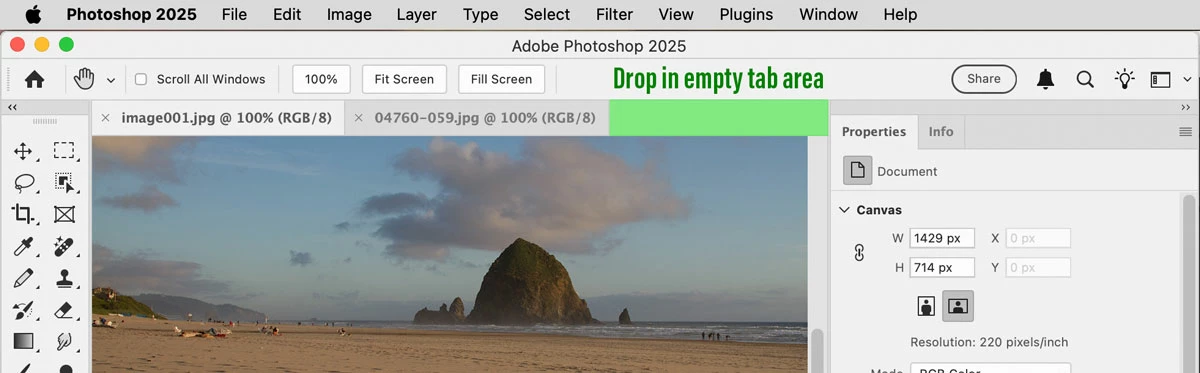
It’s OK to use drag-and-drop, but you have to drop the new file in specific places.
If you drop inside the Photoshop workspace, the file opens as a separate document tab if you drop it into the empty part of the tab strip highlighted in the picture below. If you drop a file inside the window of an open document, Photoshop assumes you want to add it to that document. So you can control how the new file comes in by choosing where you drop it:

Another way that opens a dropped file as a separate document (at least on macOS) is to drop the file on the Photoshop application icon, such as in the Dock or on any shortcut/alias of the Photoshop application icon.
Already have an account? Login
Enter your E-mail address. We'll send you an e-mail with instructions to reset your password.