
Participant
September 28, 2022
Question

Automating Different Batch Actions with JavaScript

  • September 28, 2022
  • 3 replies
  • 334 views

Hey guys, so I have a bunch of different batch actions that work by selecting an action, with the corresponding folder (see below)
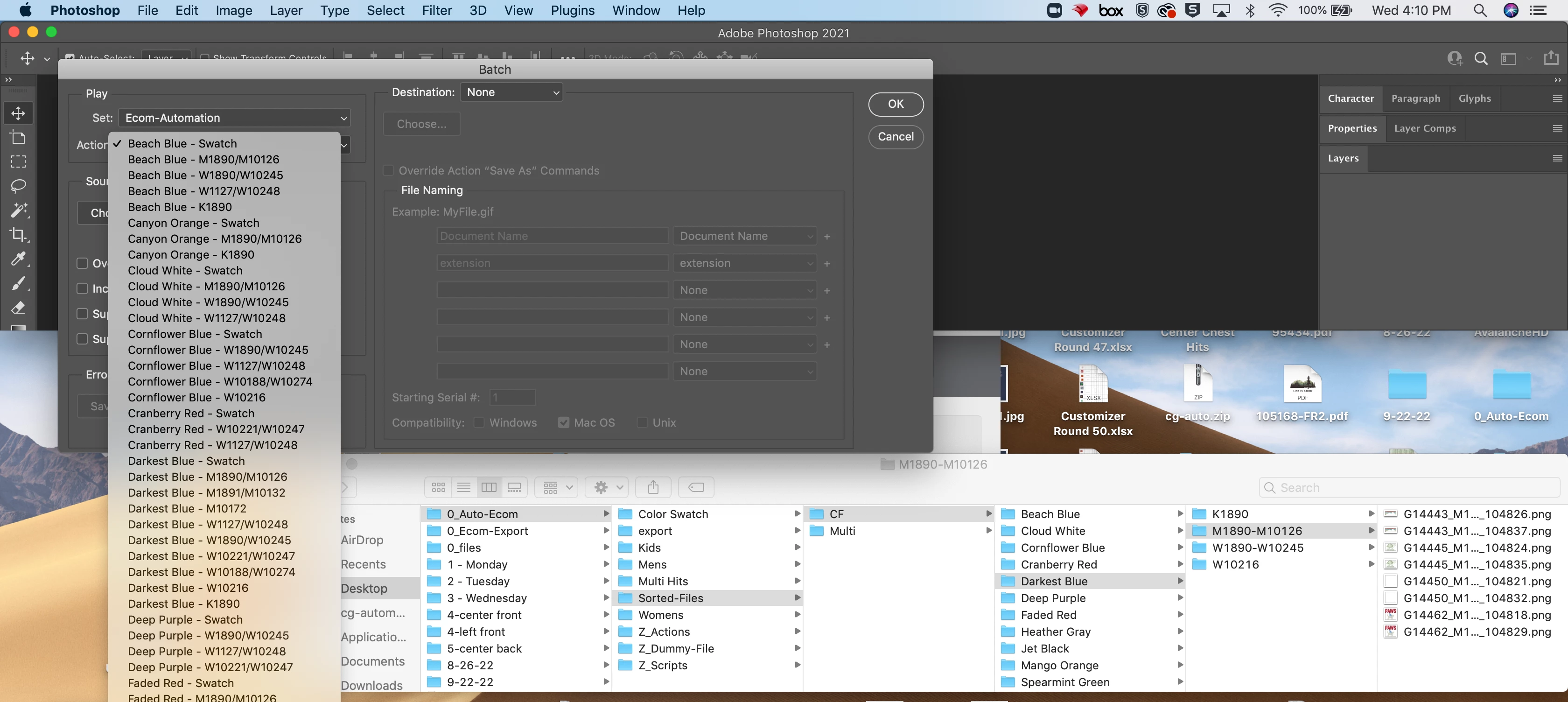


is there a way to write a script that will automatically pair an action up with the correct file path and run through all of these batch actions with one click?? THANKS!!:)

This topic has been closed for replies.

3 replies

Legend
September 28, 2022

You can use my Auto find action script.

It allows you to match the name of one of the document properties to find the appropriate action. The only problem is that I did not take into account the possibility of using the nested directories (however, I think this problem can be easily solved by renaming folders)


or you can use a simple script to change the name of the active layer as needed (when saved as a png, it will be automatically deleted)

activeDocument.activeLayer.name = decodeURI(Folder(activeDocument.path.parent).name) + ' - ' +decodeURI(activeDocument.path.name);


Legend
September 28, 2022

I would create a CSV file with paired action/folder path and then write a script to read the file and run each pair in sequence. If you look through scripting posts you should find some good examples to get you started.

Participant
September 28, 2022

I'll do that and keep you guys updated! Any continued help on this is greatly appreciated since I don't really know how to write scripts.

Mylenium
Legend
September 28, 2022

If you're 100% certain the names match this could probably be achieved relatively easy. It would just be a simple loop that retrieves the folder names and calls the action by extracting the relevant string from the folder path. I'm just not too much into PS scripting and can't point you to relevant examples and code references without looking it up myself. Perhaps one of the PS scripting gurus can chime in and whip up the code.


Mylenium 

Participant
September 28, 2022

Thank you!!