AutoRecover Folder not in location despite AutoRecover Files open in PS
Hey all,
Photoshop became unresponsive after waiting over 20 minutes, I force-closed it via Task Manager.
When I reopened Photoshop, I expected to see AutoRecover files waiting for me... like it always does. And of the 3 files, only 2 were [not the one I was working on].
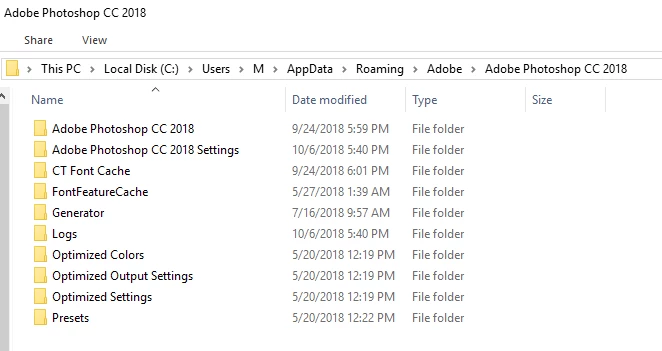
When I tried to go look up the AutoRecover folder, it's not there. "C:\Users\M\AppData\Roaming\Adobe\Adobe Photoshop CC 2018"
But I'm staring at 2 files in that AutoRecover state... so where are these files? One is untitled, so I don't know where that would be. But the other was an opened file. I checked the folder location to see if there's a "locked" file there hidden or anything. Nope.
So where is this folder? I REALLY want to get that 3rd document recovered  So much work will be lost otherwise.

 AdChoices