Known Participant
February 14, 2020
Answered

Background eraser not completely erasing??

  • February 14, 2020
  • 2 replies
  • 1201 views

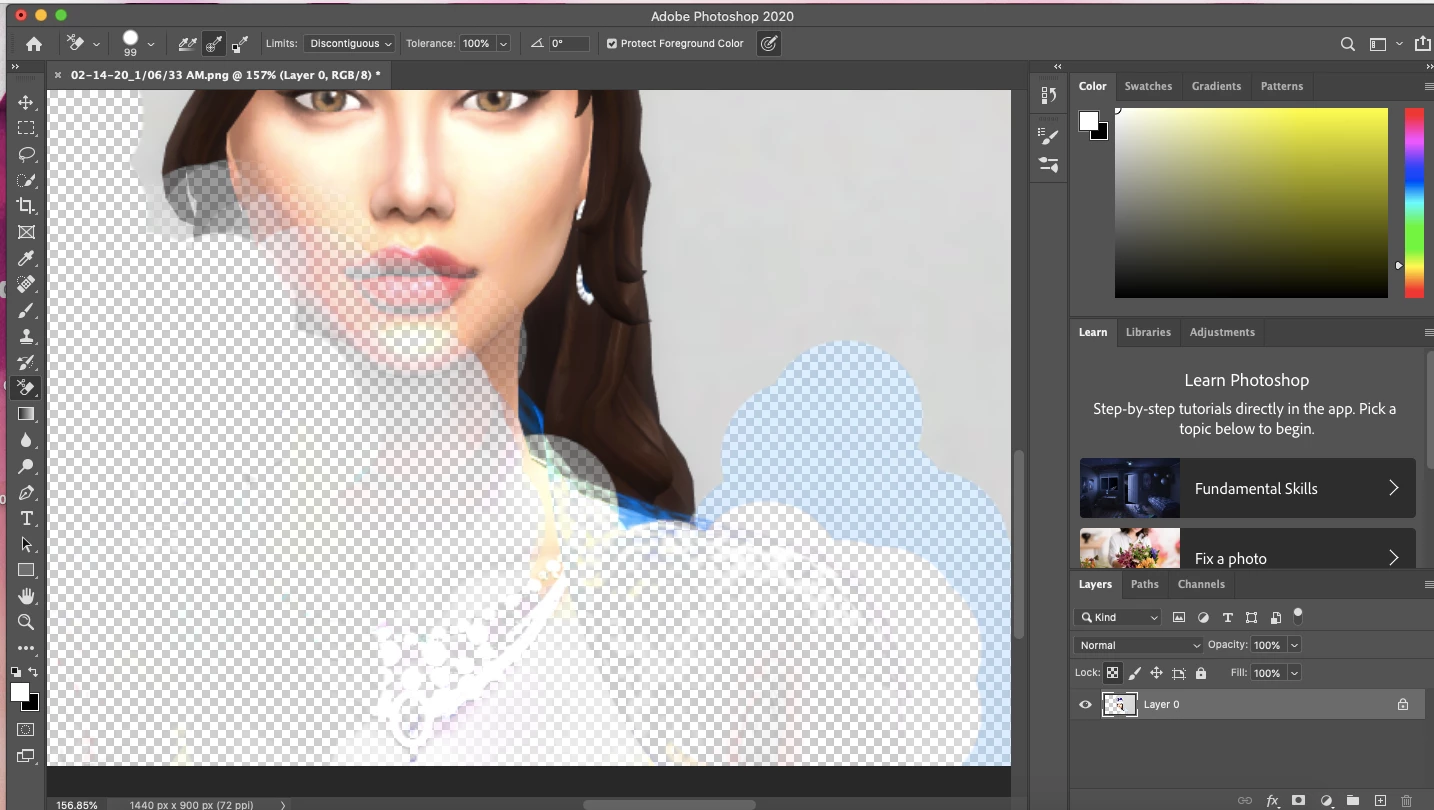
For some reason, my background eraser won't erase everything I go over. In this picture, the character was wearing a necklace, and I was trying to erase the character except for her hat (not pictured). However, when I go over a spot, it dosen't completley erase it. As you can see, the shine of her necklace is still left behind. No matter how many times I go over it, it won't go away. Hardness is at 100%. I've tried playing with all the little buttons at the top, and still can't figure it out 😞 Thank you.
This topic has been closed for replies.
Correct answer

Hi

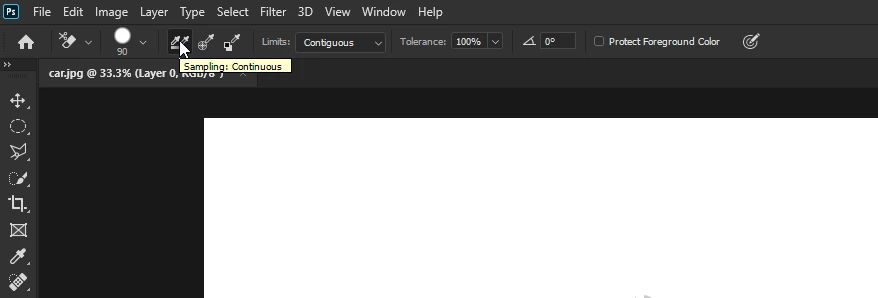
Try using Sample Continuous, you have it set to Sample Once

2 replies

lambiloon
Community Expert
Community Expert
February 14, 2020

Hi check the following video hope it helps you....Regards


https://youtu.be/0ve6JhrZBC4

Ali Sajjad / Graphic Design Trainer / Freelancer / Adobe Certified Professional
Correct answer
February 14, 2020

Hi

Try using Sample Continuous, you have it set to Sample Once

Known Participant
February 14, 2020

Thank you, unfortantly it's still leaving a lot of white spots behind. 

Known Participant
February 14, 2020