
Participant
August 3, 2022
Answered

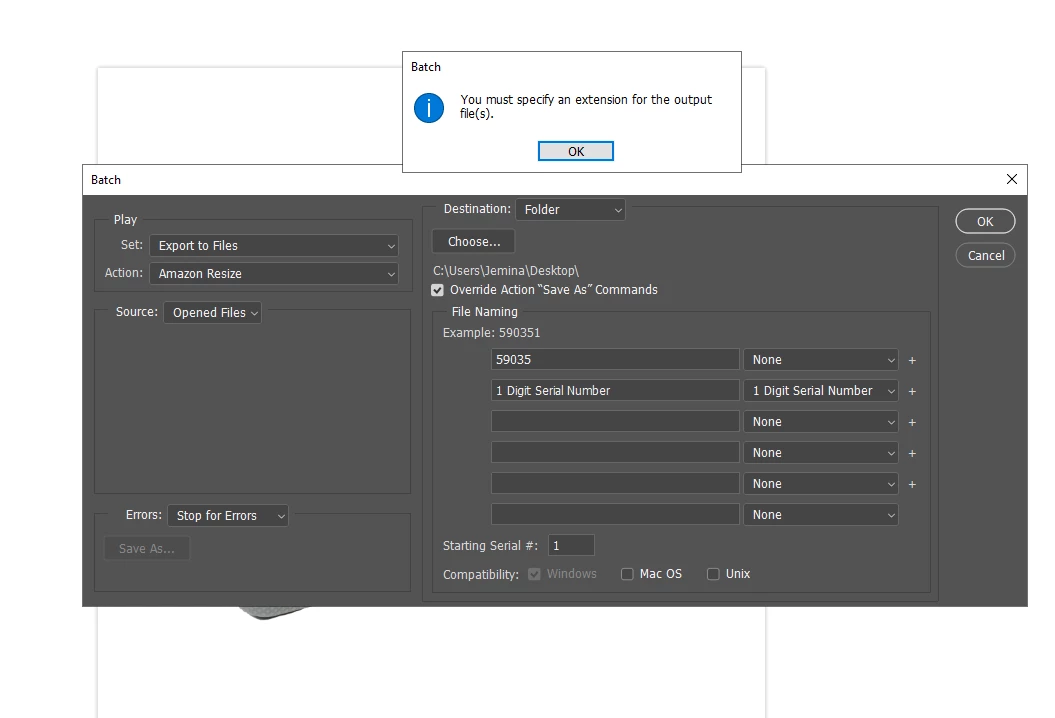
Batch Export - You must specify an extension for the output files(s)

  • August 3, 2022
  • 2 replies
  • 3982 views


Hi guys! I hope you can help me with this one. We are trying to do batch export with photoshop and this happens. 

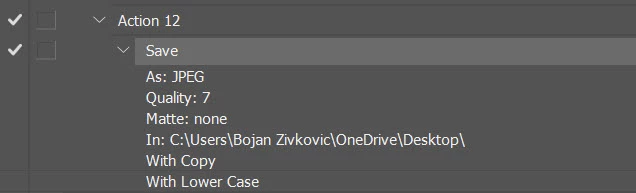
My Recorded action for amazon resize here is:
Layers> Flatten Image>
Image Size>3000x300 Pixels 240 dpi>
Save As>Desktop

Then we do Automate > Batch>Source folder>opened files>Destination>Folder>Choose>Override> and you can see the rest if what i've change in file naming
 

This topic has been closed for replies.
Correct answer Bojan Živković11378569

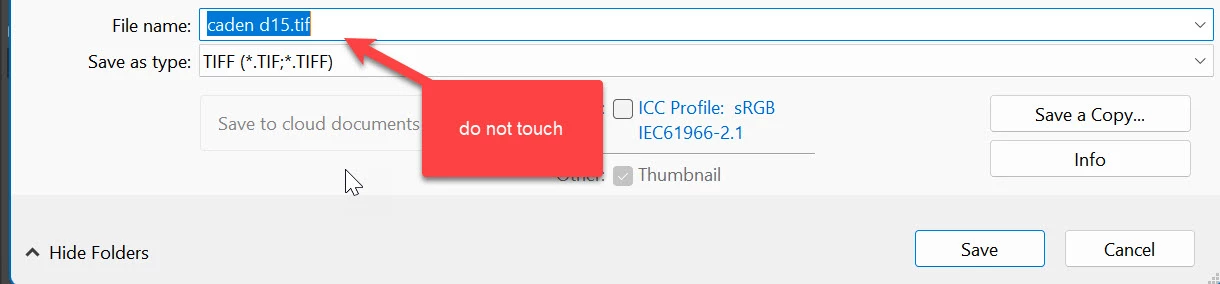
Or record step to save in desired destination but do not touch name field when recording step. You can easily batch rename files later as needed using Bridge and Batch Rename function.

2 replies

Stephen Marsh
Community Expert
Community Expert
August 4, 2022

Another option would be to remove any open/save steps from the action and use the Image Processor script that ships with Photoshop to run the action and open/save for you.


The same for the Image Processor Pro script which offers more file formats and features.

Stephen Marsh
Community Expert
Community Expert
August 3, 2022

As the error window notes - add a file extension at the end of the rename using the third + field dropdown as per the screenshot below:


Bojan Živković11378569
Community Expert
Community Expert
August 4, 2022

Or record step to save in desired destination but do not touch name field when recording step. You can easily batch rename files later as needed using Bridge and Batch Rename function.