Answered
batch processing image size reduction in percent
In Photoshop 2020 how can I reduce the size of a batch of images by percent. I have images of different dimensions. I could do this in elements. Thanks

In Photoshop 2020 how can I reduce the size of a batch of images by percent. I have images of different dimensions. I could do this in elements. Thanks
You would record an action using the Image > Image Size command:
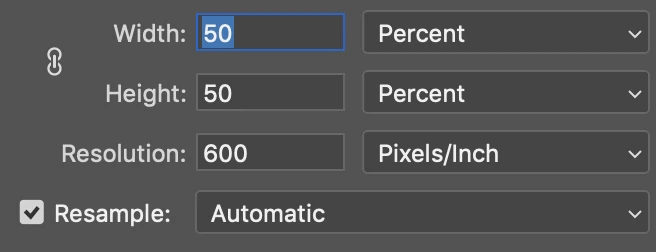
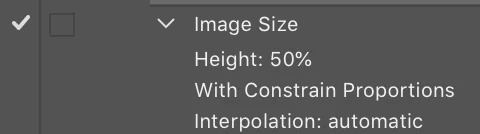
You would then use the File > Automate > Batch command to run the action over your images (probably working on a copy of the originals).
https://helpx.adobe.com/au/photoshop/using/creating-actions.html
https://helpx.adobe.com/au/photoshop/using/processing-batch-files.html#process_a_batch_of_files
Already have an account? Login
Enter your E-mail address. We'll send you an e-mail with instructions to reset your password.
 AdChoices