Barry23053734dbr6
Inspiring
January 29, 2024
Answered

Batch replace a smart object AND a text layer in the same action/script

  • January 29, 2024
  • 2 replies
  • 4019 views

I'm aware that it's possible to use scripts to batch replace smart objects on a template.

I'm also aware there is a way to batch replace text and images(but not smart objects) using data variables.

I'm after a way to do both in the same action/script. Is this possible?


Thanks

This topic has been closed for replies.
Correct answer c.pfaffenbichler

edited


// select folder, replace smart object content and use part of their name to create new files;
// 2024, use it at your own risk;
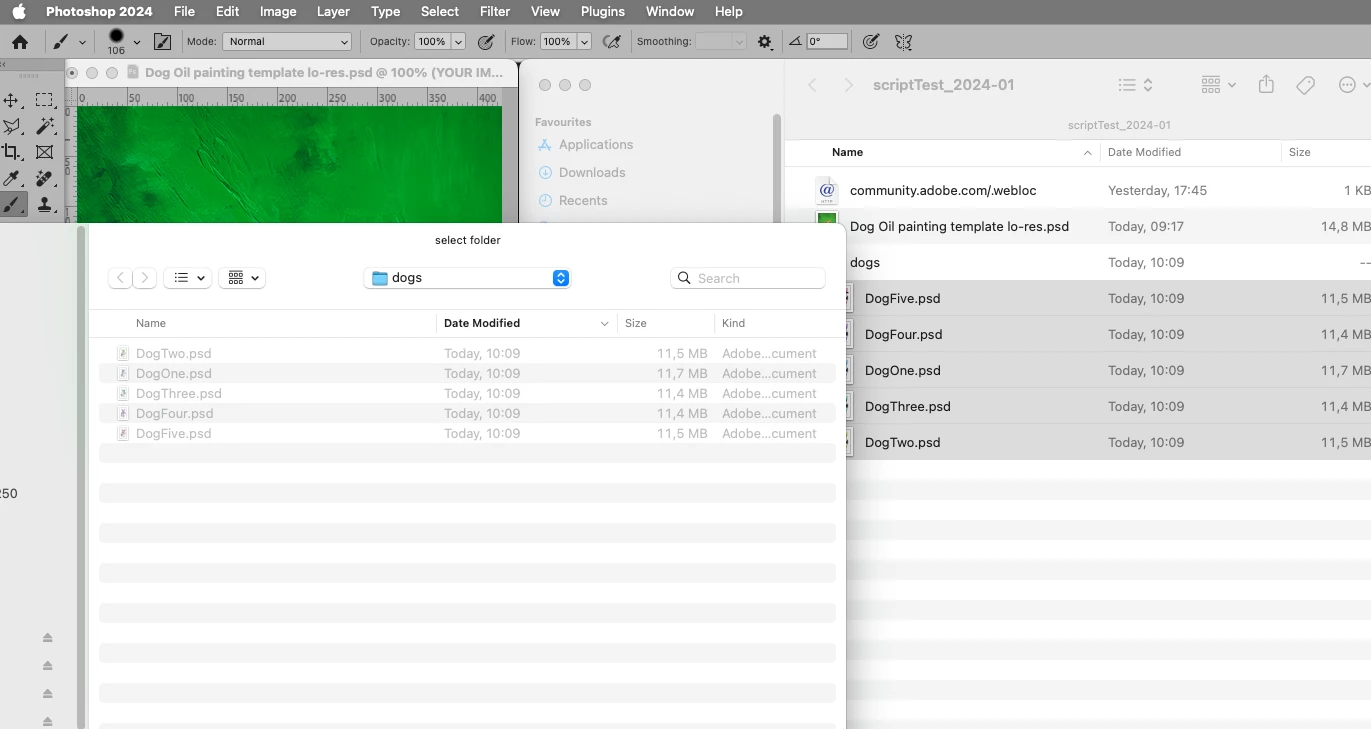
var theFolder = Folder.selectDialog ("select folder");
if (theFolder) {
var theFiles = theFolder.getFiles(/\.(jpg|tif|eps|psd|psb)$/i);
if (theFiles.length > 0) {
var myDocument = app.activeDocument;
var docName = myDocument.name;
try {
var basename = docName.match(/(.*)\.[^\.]+$/)[1];
var origDocPath = myDocument.fullName;
var docPath = myDocument.path;
}
catch (e) {
var basename = myDocument.name;
var docPath = "~/Desktop"
};
// get layers;
var theSO = collectLayersByName (/YOUR IMAGE/i);
var theTypeLayer = collectLayersByName (/NAME HERE/i);
// process files;
for (var m = 0; m < theFiles.length; m++) {
    var theName = theFiles[m].name.match(/(.*)\.[^\.]+$/)[1];
    theName = theName.split("_");
    selectLayerByID(theSO[0][1], false);
    replaceContents (theFiles[m]);
    selectLayerByID(theTypeLayer[0][1], false);
    myDocument.activeLayer.textItem.contents = theName[theName.length-1];
    savePsd (myDocument, docPath, basename+"_"+theName[theName.length-1], true, true, false)
}
}
};
////////////////////////////////////
////// get psds, tifs and jpgs from files //////
function getFiles (theFile) {
if (theFile.name.match(/\.(jpg|tif|psd|psb|pdf)$/i)) {
return true
};
};
////// collect layers //////
function collectLayersByName (theReg) {
// get number of layers;
var ref = new ActionReference();
ref.putEnumerated( charIDToTypeID("Dcmn"), charIDToTypeID("Ordn"), charIDToTypeID("Trgt") ); 
var applicationDesc = executeActionGet(ref);
var theNumber = applicationDesc.getInteger(stringIDToTypeID("numberOfLayers"));
// process the layers;
var theLayers = new Array;
for (var m = 0; m <= theNumber; m++) {
try {
var ref = new ActionReference();
ref.putIndex( charIDToTypeID( "Lyr " ), m);
var layerDesc = executeActionGet(ref);
var layerSet = typeIDToStringID(layerDesc.getEnumerationValue(stringIDToTypeID("layerSection")));
var isBackground = layerDesc.getBoolean(stringIDToTypeID("background"));
// if group collect values;
if (layerSet != "layerSectionEnd" && layerSet != "layerSectionStart" && isBackground != true) {
var theName = layerDesc.getString(stringIDToTypeID('name'));
var theID = layerDesc.getInteger(stringIDToTypeID('layerID'));
if (theName.match (theReg) != null) {theLayers.push([theName, theID,])};
};
}
catch (e) {};
};
return theLayers
};
// based on code by mike hale, via paul riggott;
function selectLayerByID(id,add){ 
add = undefined ? add = false:add 
var ref = new ActionReference();
    ref.putIdentifier(charIDToTypeID("Lyr "), id);
    var desc = new ActionDescriptor();
    desc.putReference(charIDToTypeID("null"), ref );
        if(add) desc.putEnumerated( stringIDToTypeID( "selectionModifier" ), stringIDToTypeID( "selectionModifierType" ), stringIDToTypeID( "addToSelection" ) ); 
        desc.putBoolean( charIDToTypeID( "MkVs" ), false ); 
    try{
    executeAction(charIDToTypeID("slct"), desc, DialogModes.NO );
}catch(e){
alert(e.message); 
}
};
////// replace SmartObject contents //////
function replaceContents (newFile) {
var desc3 = new ActionDescriptor();
desc3.putPath(charIDToTypeID("null"), new File(newFile));
desc3.putInteger(charIDToTypeID("PgNm"), 1);
executeAction(stringIDToTypeID("placedLayerReplaceContents"), desc3, DialogModes.NO);
};
////// save psd //////
function savePsd (theCopy, docPath, basename, layers, alpha, overwrite) {
/* check for existing file */
if (overwrite == false && File(docPath+'/'+basename+'.psd').exists == true) {
var theConfirm = confirm("overwrite existing file");
if (theConfirm == false) {return false}
};
/* make copy and save */
if (app.documents.length > 0) {
try {
/* psd options */
saveOpts = new PhotoshopSaveOptions();
saveOpts.embedColorProfile = true;
saveOpts.alphaChannels = false;
saveOpts.layers = true;
saveOpts.spotColors = true;
/* duplicate */
//var theCopy = thedoc.duplicate("thecopy", true);
if (theCopy.bitsPerChannel != BitsPerChannelType.ONE) {theCopy.bitsPerChannel = BitsPerChannelType.EIGHT};
/* remove paths */
for (var x = theCopy.pathItems.length - 1; x >= 0; x--) {
var thePath = theCopy.pathItems[x];
if (thePath.kind != PathKind.CLIPPINGPATH) {thePath.remove()}
};
/* save */
theCopy.saveAs((new File(docPath+'/'+basename+'.psd')),saveOpts,false);
//theCopy.close(SaveOptions.DONOTSAVECHANGES)
}
catch (e) {docName+" failed"}
}
};




2 replies

c.pfaffenbichler
Community Expert
c.pfaffenbichlerCommunity ExpertCorrect answer
Community Expert
February 1, 2024

edited


// select folder, replace smart object content and use part of their name to create new files;
// 2024, use it at your own risk;
var theFolder = Folder.selectDialog ("select folder");
if (theFolder) {
var theFiles = theFolder.getFiles(/\.(jpg|tif|eps|psd|psb)$/i);
if (theFiles.length > 0) {
var myDocument = app.activeDocument;
var docName = myDocument.name;
try {
var basename = docName.match(/(.*)\.[^\.]+$/)[1];
var origDocPath = myDocument.fullName;
var docPath = myDocument.path;
}
catch (e) {
var basename = myDocument.name;
var docPath = "~/Desktop"
};
// get layers;
var theSO = collectLayersByName (/YOUR IMAGE/i);
var theTypeLayer = collectLayersByName (/NAME HERE/i);
// process files;
for (var m = 0; m < theFiles.length; m++) {
    var theName = theFiles[m].name.match(/(.*)\.[^\.]+$/)[1];
    theName = theName.split("_");
    selectLayerByID(theSO[0][1], false);
    replaceContents (theFiles[m]);
    selectLayerByID(theTypeLayer[0][1], false);
    myDocument.activeLayer.textItem.contents = theName[theName.length-1];
    savePsd (myDocument, docPath, basename+"_"+theName[theName.length-1], true, true, false)
}
}
};
////////////////////////////////////
////// get psds, tifs and jpgs from files //////
function getFiles (theFile) {
if (theFile.name.match(/\.(jpg|tif|psd|psb|pdf)$/i)) {
return true
};
};
////// collect layers //////
function collectLayersByName (theReg) {
// get number of layers;
var ref = new ActionReference();
ref.putEnumerated( charIDToTypeID("Dcmn"), charIDToTypeID("Ordn"), charIDToTypeID("Trgt") ); 
var applicationDesc = executeActionGet(ref);
var theNumber = applicationDesc.getInteger(stringIDToTypeID("numberOfLayers"));
// process the layers;
var theLayers = new Array;
for (var m = 0; m <= theNumber; m++) {
try {
var ref = new ActionReference();
ref.putIndex( charIDToTypeID( "Lyr " ), m);
var layerDesc = executeActionGet(ref);
var layerSet = typeIDToStringID(layerDesc.getEnumerationValue(stringIDToTypeID("layerSection")));
var isBackground = layerDesc.getBoolean(stringIDToTypeID("background"));
// if group collect values;
if (layerSet != "layerSectionEnd" && layerSet != "layerSectionStart" && isBackground != true) {
var theName = layerDesc.getString(stringIDToTypeID('name'));
var theID = layerDesc.getInteger(stringIDToTypeID('layerID'));
if (theName.match (theReg) != null) {theLayers.push([theName, theID,])};
};
}
catch (e) {};
};
return theLayers
};
// based on code by mike hale, via paul riggott;
function selectLayerByID(id,add){ 
add = undefined ? add = false:add 
var ref = new ActionReference();
    ref.putIdentifier(charIDToTypeID("Lyr "), id);
    var desc = new ActionDescriptor();
    desc.putReference(charIDToTypeID("null"), ref );
        if(add) desc.putEnumerated( stringIDToTypeID( "selectionModifier" ), stringIDToTypeID( "selectionModifierType" ), stringIDToTypeID( "addToSelection" ) ); 
        desc.putBoolean( charIDToTypeID( "MkVs" ), false ); 
    try{
    executeAction(charIDToTypeID("slct"), desc, DialogModes.NO );
}catch(e){
alert(e.message); 
}
};
////// replace SmartObject contents //////
function replaceContents (newFile) {
var desc3 = new ActionDescriptor();
desc3.putPath(charIDToTypeID("null"), new File(newFile));
desc3.putInteger(charIDToTypeID("PgNm"), 1);
executeAction(stringIDToTypeID("placedLayerReplaceContents"), desc3, DialogModes.NO);
};
////// save psd //////
function savePsd (theCopy, docPath, basename, layers, alpha, overwrite) {
/* check for existing file */
if (overwrite == false && File(docPath+'/'+basename+'.psd').exists == true) {
var theConfirm = confirm("overwrite existing file");
if (theConfirm == false) {return false}
};
/* make copy and save */
if (app.documents.length > 0) {
try {
/* psd options */
saveOpts = new PhotoshopSaveOptions();
saveOpts.embedColorProfile = true;
saveOpts.alphaChannels = false;
saveOpts.layers = true;
saveOpts.spotColors = true;
/* duplicate */
//var theCopy = thedoc.duplicate("thecopy", true);
if (theCopy.bitsPerChannel != BitsPerChannelType.ONE) {theCopy.bitsPerChannel = BitsPerChannelType.EIGHT};
/* remove paths */
for (var x = theCopy.pathItems.length - 1; x >= 0; x--) {
var thePath = theCopy.pathItems[x];
if (thePath.kind != PathKind.CLIPPINGPATH) {thePath.remove()}
};
/* save */
theCopy.saveAs((new File(docPath+'/'+basename+'.psd')),saveOpts,false);
//theCopy.close(SaveOptions.DONOTSAVECHANGES)
}
catch (e) {docName+" failed"}
}
};


Barry23053734dbr6
Inspiring
February 2, 2024

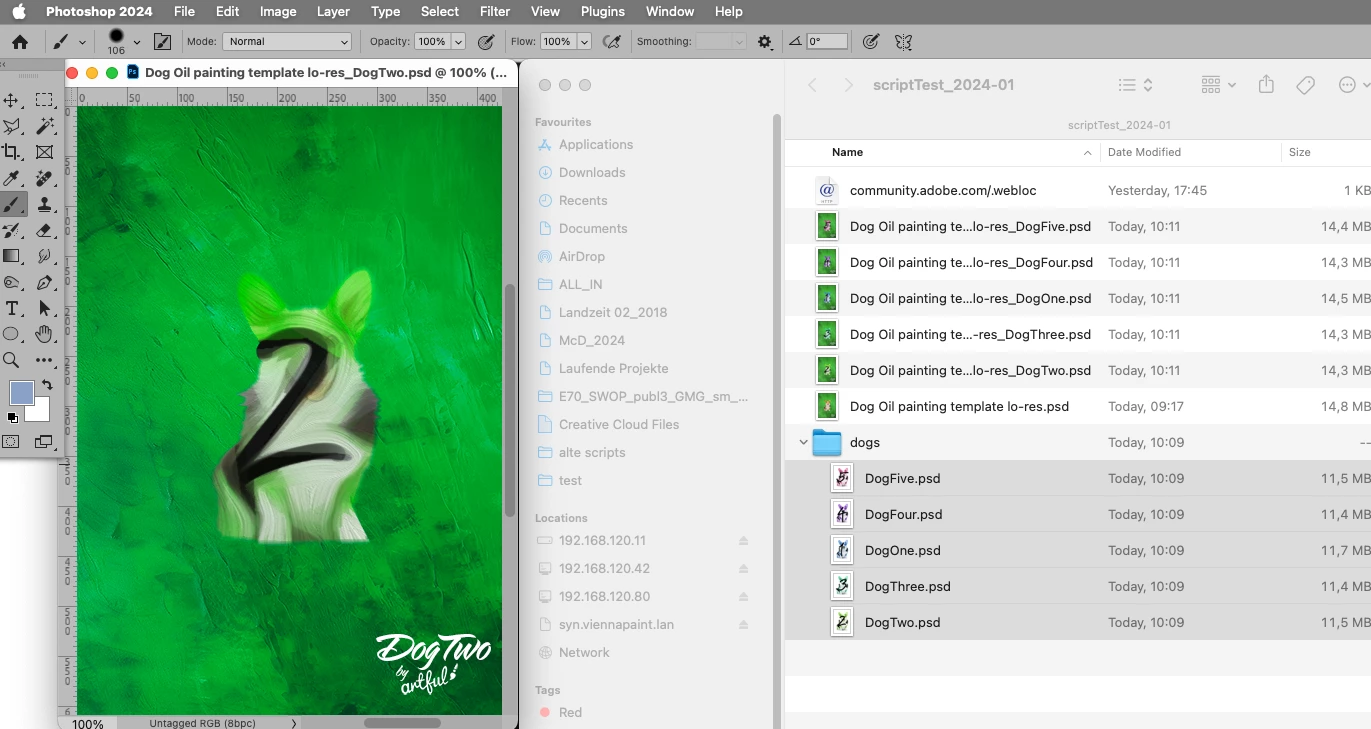
I've tried this on my high res versions and, once I'd changed the replacement files to .psd's it worked a treat (see attached)


Thanks very much! 🙂

c.pfaffenbichler
Community Expert
Community Expert
February 2, 2024

The function getFiles should also accept psb … not sure what the issue is. 

c.pfaffenbichler
Community Expert
Community Expert
January 29, 2024

Yes. 

Barry23053734dbr6
Inspiring
January 29, 2024

Great to know thanks.
Next question, how is this possible?

c.pfaffenbichler
Community Expert
Community Expert
January 29, 2024

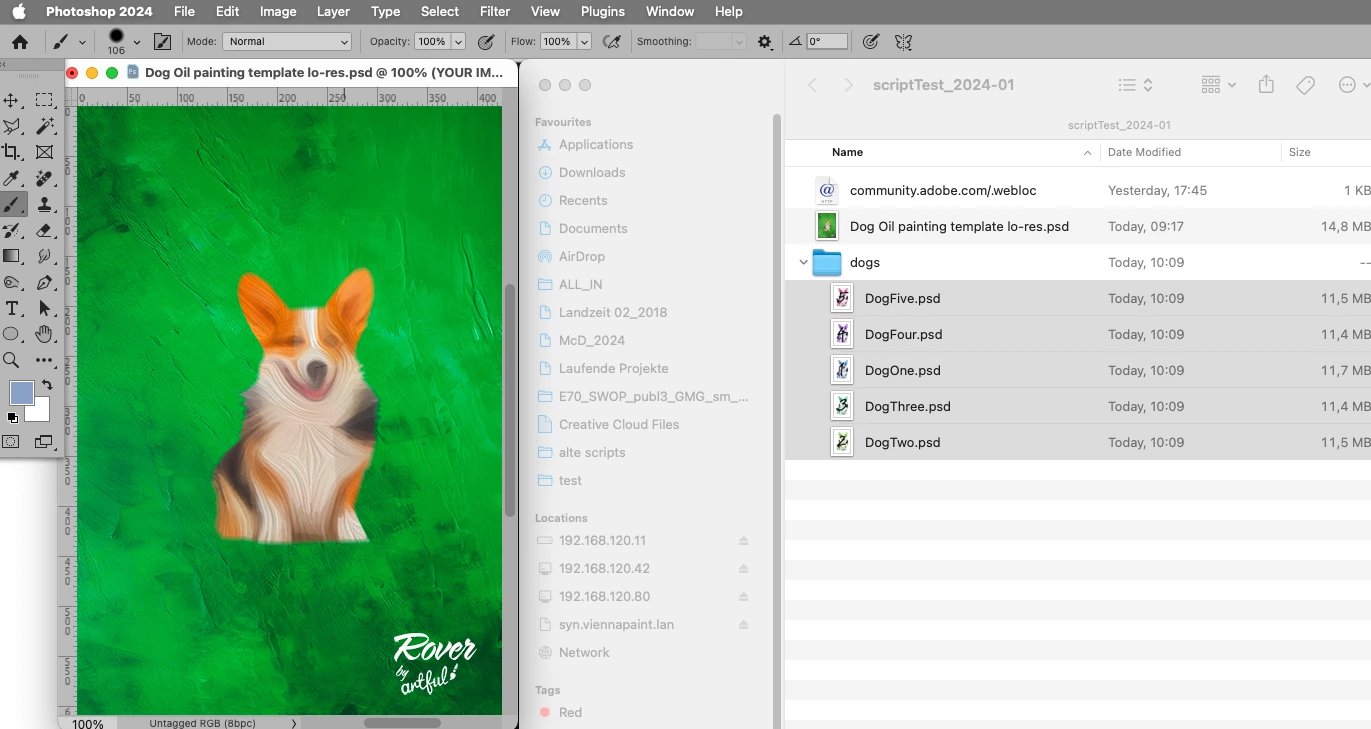
You omitted to provide a meaningful description of the actual process (ideally with sample images, at the very least with screenshots illustrating the file and layer structures).