krystalm31347849
Participant
April 20, 2018
Answered

Big Giant Crosshair Won't Go Away (CC2018 Newest Version)

  • April 20, 2018
  • 4 replies
  • 1014 views

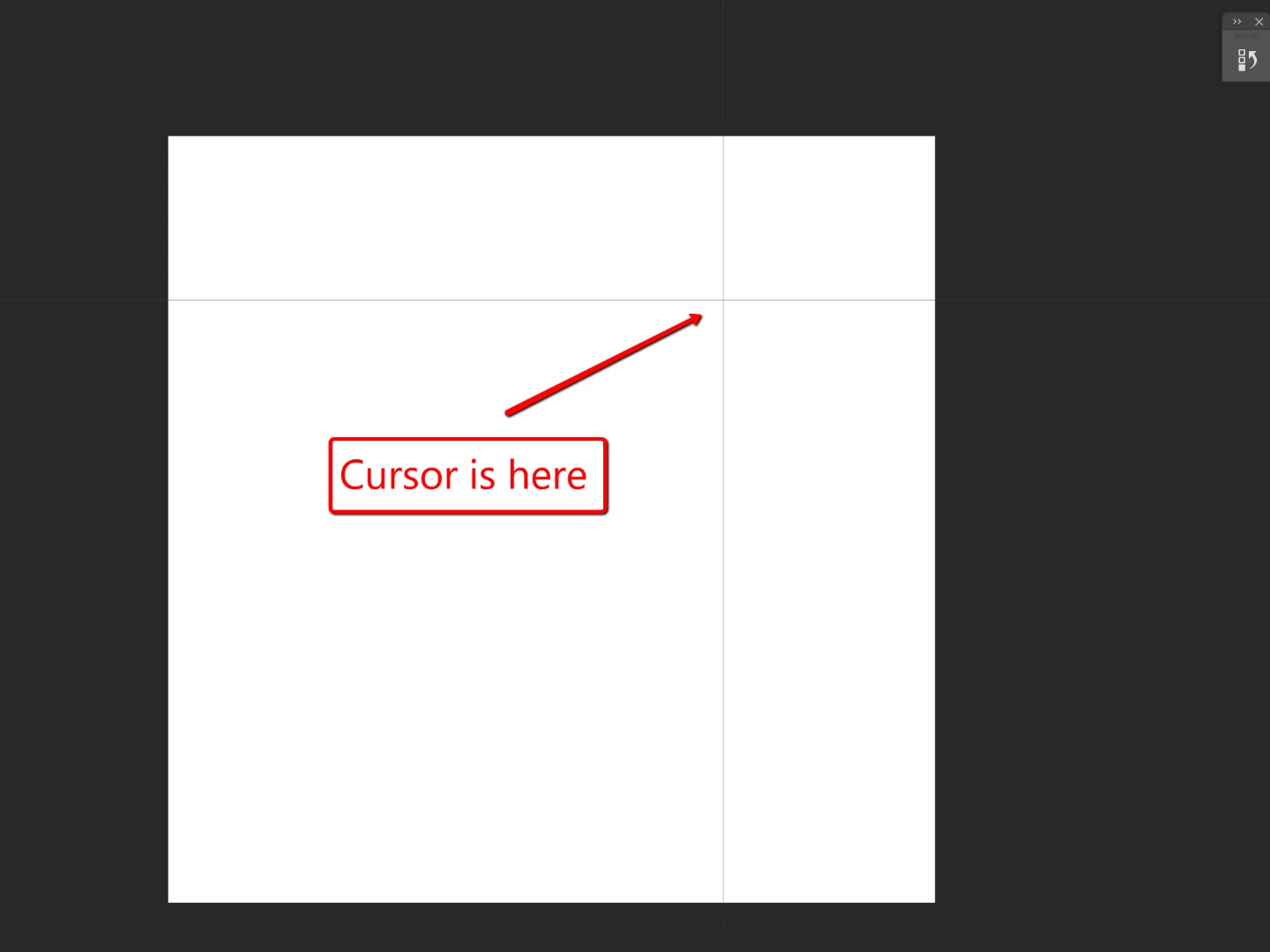
I've looked in the other threads but haven't seen one about this BIG crosshair with a vertical and horizontal cross that follows my cursor. I had the 2017 version installed, and recently updated to the newest version today and this crosshair is here. Any suggestions? Thanks!
This topic has been closed for replies.
Correct answer Trevor.Dennis

That's a new one on me.  Do you have any plugins installed?  Lazy Nezumi Pro can produce a big cursor like that, but only with a preset that would be obvious.  Starting Photoshop with the Shift key held down would eliminate plugins or extensions causing the big cursor.

Can you be specific about what tool you are using, and what circumstances the big cursor is apparent?

What operating system are you using?

Any other information that might help us to help you?  JJ's suggestion of a screen shot would help a lot.  Just copy to clipboard, and paste here with Ctrl V (Cmd V)

4 replies

Participant
November 25, 2020

I have PS CC 2021 ver. 22.0.1 and no plug ins and just a big black cross with the same image in the corners

Participant
November 25, 2020

That' my problem too - no plugins installed just that weird screen

Trevor.Dennis
Community Expert
Trevor.DennisCommunity ExpertCorrect answer
Community Expert
April 20, 2018

That's a new one on me.  Do you have any plugins installed?  Lazy Nezumi Pro can produce a big cursor like that, but only with a preset that would be obvious.  Starting Photoshop with the Shift key held down would eliminate plugins or extensions causing the big cursor.

Can you be specific about what tool you are using, and what circumstances the big cursor is apparent?

What operating system are you using?

Any other information that might help us to help you?  JJ's suggestion of a screen shot would help a lot.  Just copy to clipboard, and paste here with Ctrl V (Cmd V)

krystalm31347849
Participant
April 20, 2018

Oh!! You were spot on with the Lazy Nezumi Pro! Since I changed from CC2017 to 2018, the Nezumi Pro plugin was still only synced with the older version, so I'm guessing that's why it created the giant cursor. Thanks a lot guys!

JJMack
Community Expert
Community Expert
April 20, 2018

Post the rest of the screen capture that shows Photosh UI so we can get some idea as to what you may be doing.

JJMack