Known Participant
April 10, 2019
Answered

Bizarre Photoshop behaviour/display today

  • April 10, 2019
  • 2 replies
  • 1082 views

Hi All,

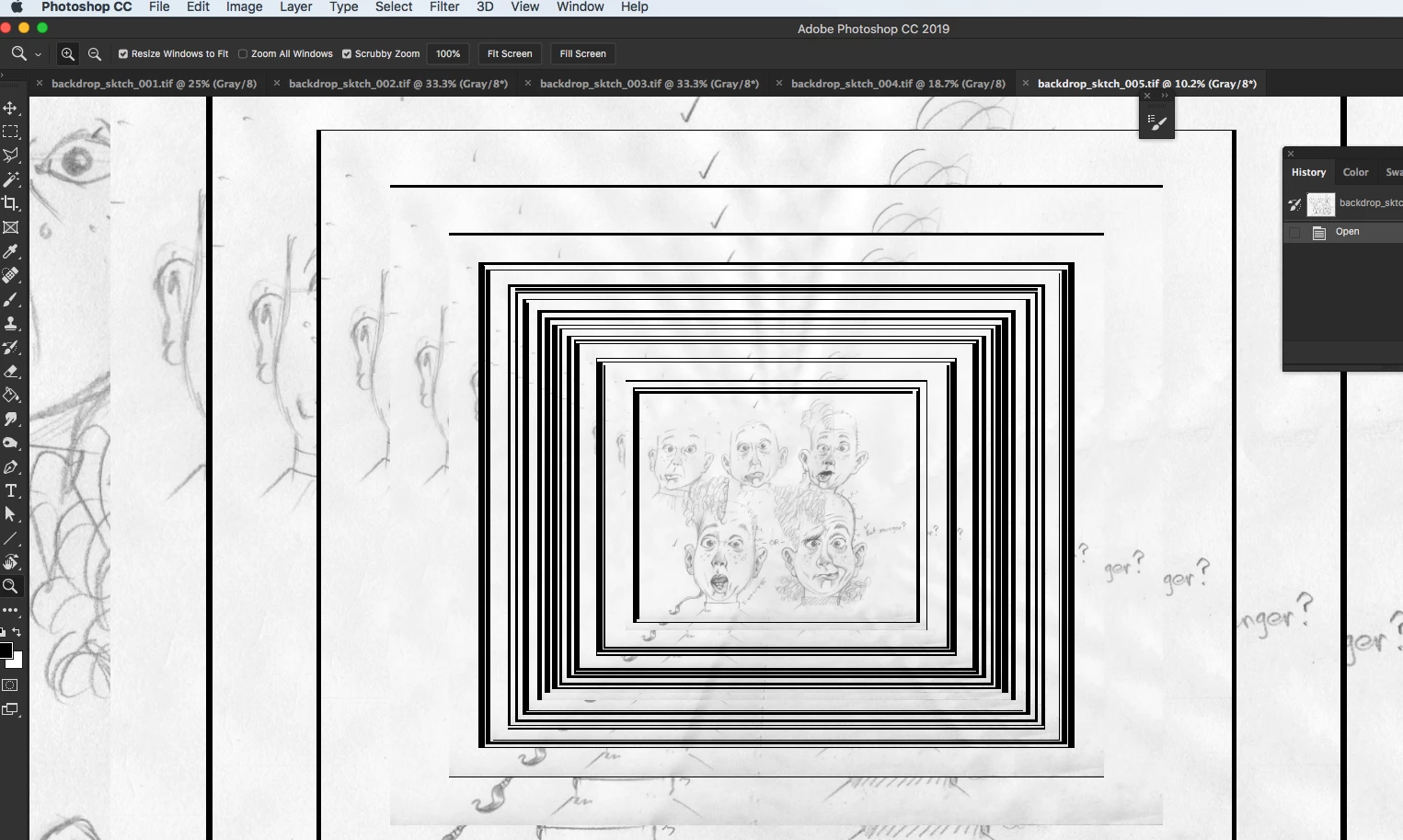
I'm in the middle of an illustration job right now with a deadline, and something very strange is happening that i can't work with. It's like a Display adapter issue or something. I've attached a screenshot. When I try to zoom out or in I end up with these duplicated images one inside the other, repeating over and over.

I'm on Mac OS 10.13.6 high Sierra,

with a 2.7 GHz procesor Intel core i5.

16 GB memory

Graphics (card?) Intel Iris Pro 1536 MB

The files I'm opening are 5—12 MB tiffs.

Hoping someone can advise! Help!

Thanks,

John

Below: Zooming in and out does this:
This topic has been closed for replies.
Correct answer

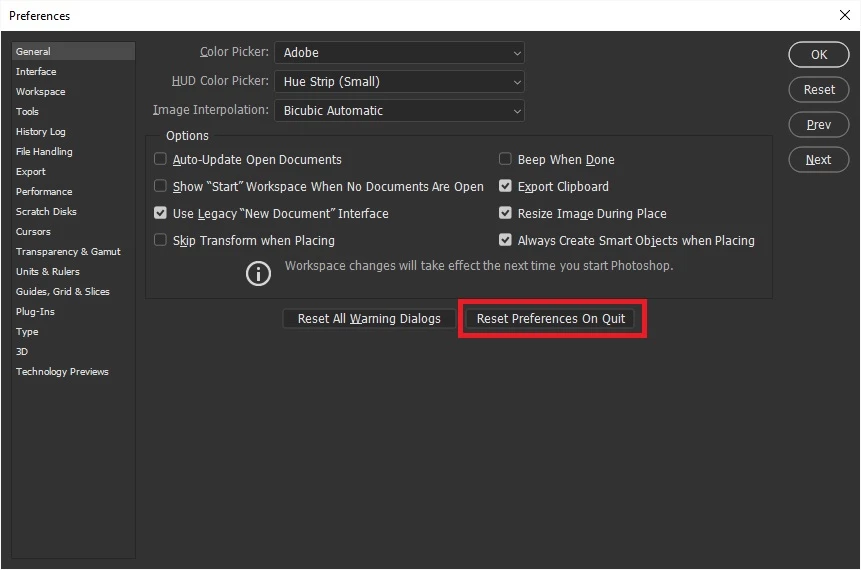
Just a thought but have you tried resetting Photoshop preferences

2 replies

Known Participant
April 10, 2019

Still no go. Only unticking 'Use Graphics Processor' makes the problem fgo away.

This has actually happened since I did a system security update and restart at lunchtime today. I’m reluctant to update to the latest OS, but maybe I'll have to, in order to update the display driver.

God, once I update, I'm fearful of my iMac slowing down horribly—or things not working anymore, like my scanner.

JohanElzenga
Community Expert
Community Expert
April 10, 2019

GPU = Graphics Processor Unit.

-- Johan W. Elzenga
JohanElzenga
Community Expert
Community Expert
April 10, 2019

Try this. Go to Preferences - Performance and turn off the use of the GPU, or play with the Advanced settings.

-- Johan W. Elzenga
Known Participant
April 10, 2019

Hi Johan,

Thanks for replying.

I brought history states down from 50 to 25. I can't see anything about GPU though. Screenshot attached.

John