
Participant
March 22, 2023
Answered

black outline vector objects in ps2023

  • March 22, 2023
  • 2 replies
  • 249 views

hello,


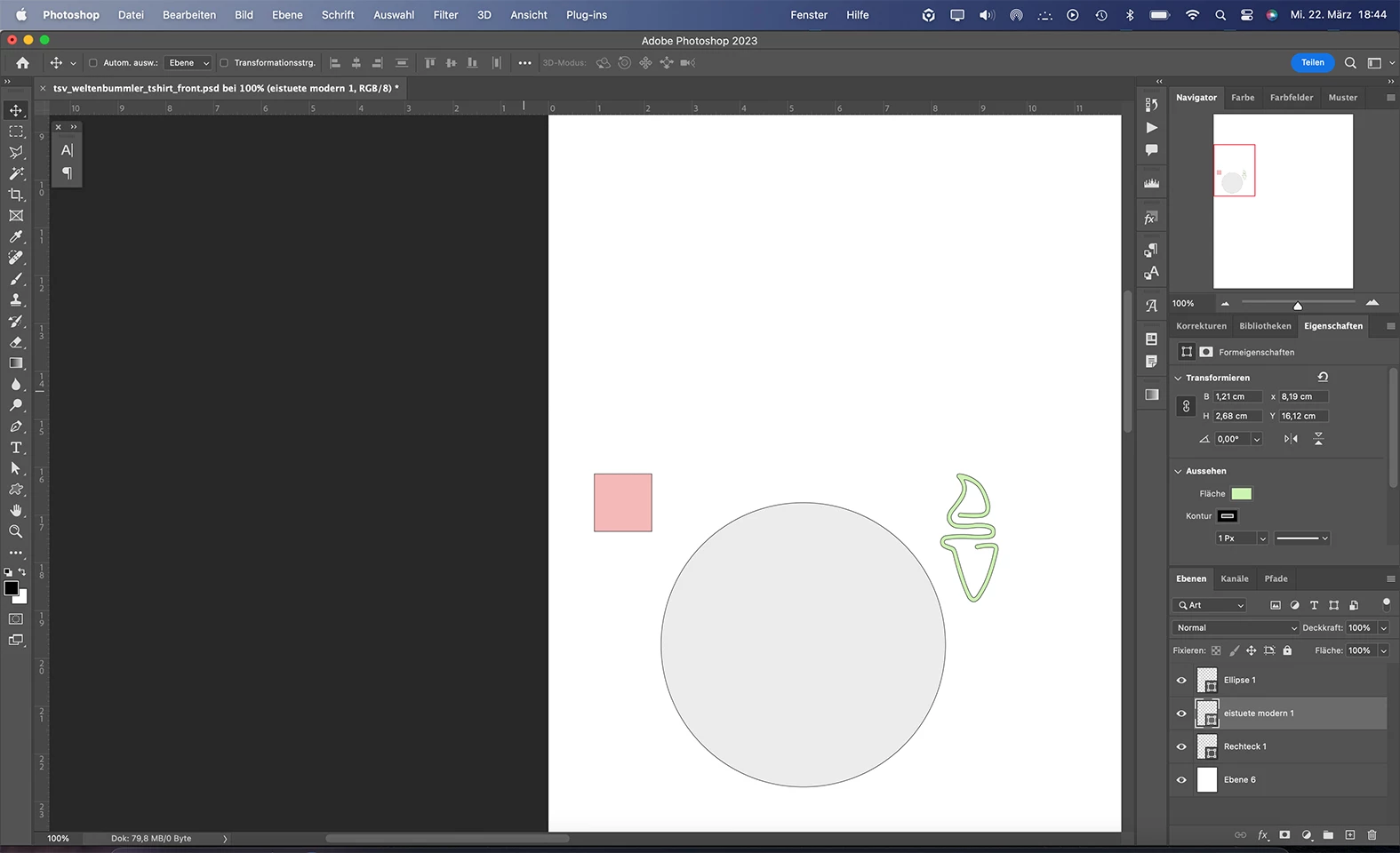
i have a prob with an automatic black outline around every vector object i create.

have the latest update installed (2023 macbook pro m2).

how can i get rid of this automatic outline? Help please!
This topic has been closed for replies.
Correct answer Kevin Stohlmeyer

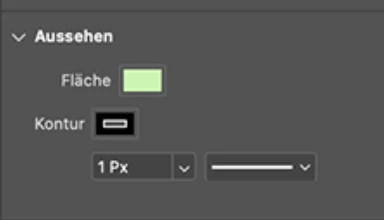
HI @Snoo1405 check your properties panel. You have a 1 pt black stroke applied.


2 replies

c.pfaffenbichler
Community Expert
Community Expert
March 23, 2023

With which exact Tools did you create the Shape Layers? 

Have you reset the Tools yet? 


If you select something other than a Shape Layer the Tools should display the default settings they use when you create a Shape Layer in the Options Bar. 

There you can change those settings before creating a new Shape Layer. 

Kevin Stohlmeyer
Community Expert
Kevin StohlmeyerCommunity ExpertCorrect answer
Community Expert
March 22, 2023

HI @Snoo1405 check your properties panel. You have a 1 pt black stroke applied.


Snoo1405Author
Participant
March 23, 2023

@Kevin Stohlmeyer ich danke dir, i say thank you.


manchmal verstellt sich nach einem update so viel, sometimes settings changed automatically after installing an update...