
Doc_Pit
Inspiring
September 20, 2019
Question

Blend mode default for groups

  • September 20, 2019
  • 3 replies
  • 976 views

"Pass through" is the default blend mode for groups.  I would prefer "normal" as my group default.  Can anyone tell me how to set that?


Also, before posting, I googled this question and found the following:
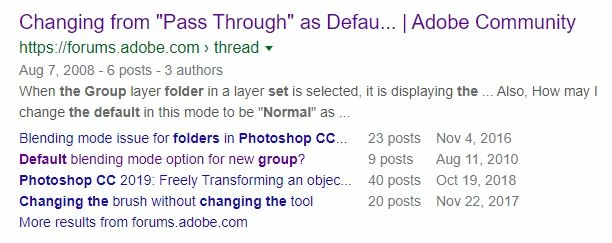
When I clicked on "Default blending mode option for new group?", I expected to arrive at that discussion.  Instead,  I landed on the forum sign-in page.  When I searched for that string, I didn't find anything.  Is that the result of the new format?


This topic has been closed for replies.

3 replies

Stephen Marsh
Community Expert
Community Expert
September 21, 2019

Create an action or script to create a new layer group and change the blend mode. Assign a keyboard shortcut to the action or script if you want greater efficiency.


app.activeDocument.layerSets.add();
app.activeDocument.activeLayer.blendMode = BlendMode.NORMAL;


https://prepression.blogspot.com/2017/11/downloading-and-installing-adobe-scripts.html 

Doc_Pit
Doc_PitAuthor
Inspiring
September 22, 2019
Many thanks. I just assigned alt+shift+N to a button on my tablet. Works beautifully.
Chuck Uebele
Community Expert
Community Expert
September 20, 2019

Yes, many old threads were deleted or archived. I know of no way to change the default, other than the way Omar suggested or to create an action.

Omar.Fathy
Community Expert
Community Expert
September 20, 2019

I think no way to change that default. 
But you can use the shortcut to speed this process:
Option + Shift + N (Mac) | Alt + Shift + N (Win) to convert to normal quickly