
Blending effects just not working correctly on groups with layers which have its opacity below 100
I was using the Beta 2024 version and started encountering this issue as soon as I switched to the regular 2024 version. As said in the title, blending effects aren't working well when I apply them to a group which has layers with opacity values under 100.
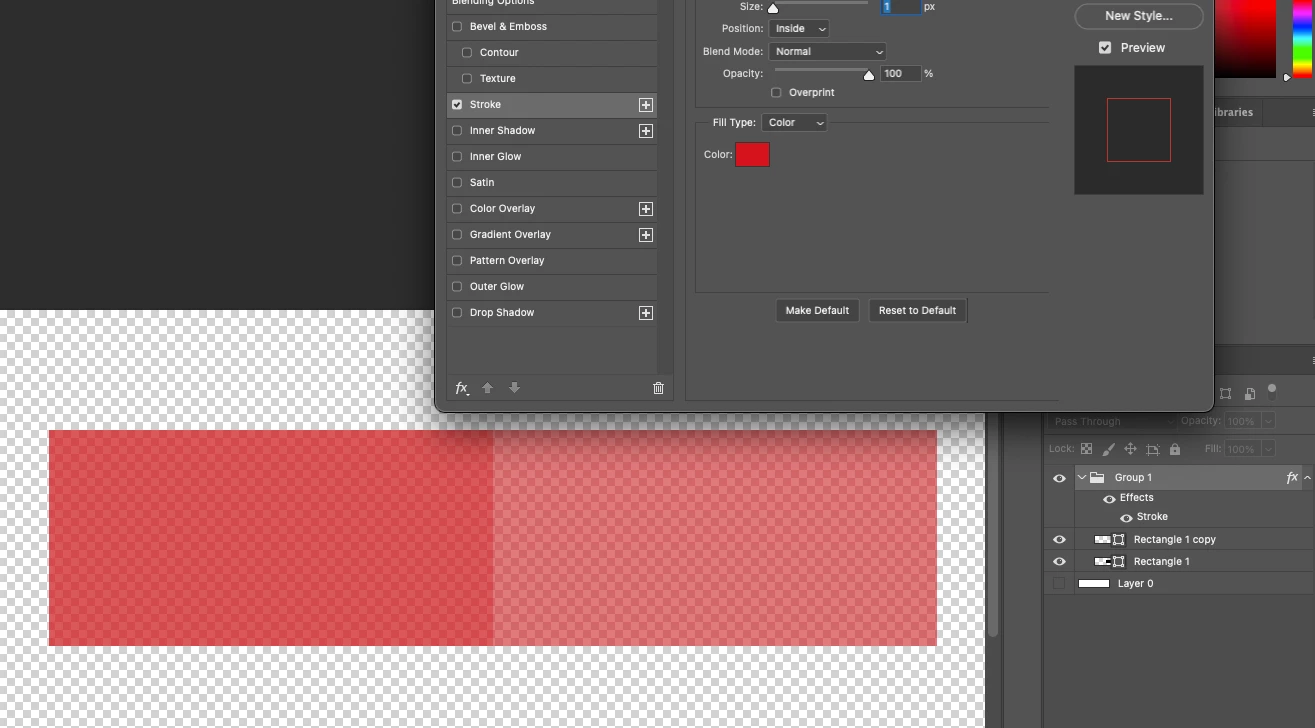
In this image, I have 2 rectangles (one with fill set to 90%, and the other one with fill set to 85%). They're both under a group which has the "stroke" effect with the size setting set to 1px and the position setting set to "inside". Both rectangles are black (#000) while the stroke color is fully red. In theory, an inside outline of 1 pixel around the 2 rectangles combined should show up, but for some reason it applies it to the entire thing.
Now here's what happens when I change the "position" setting to "Outside":
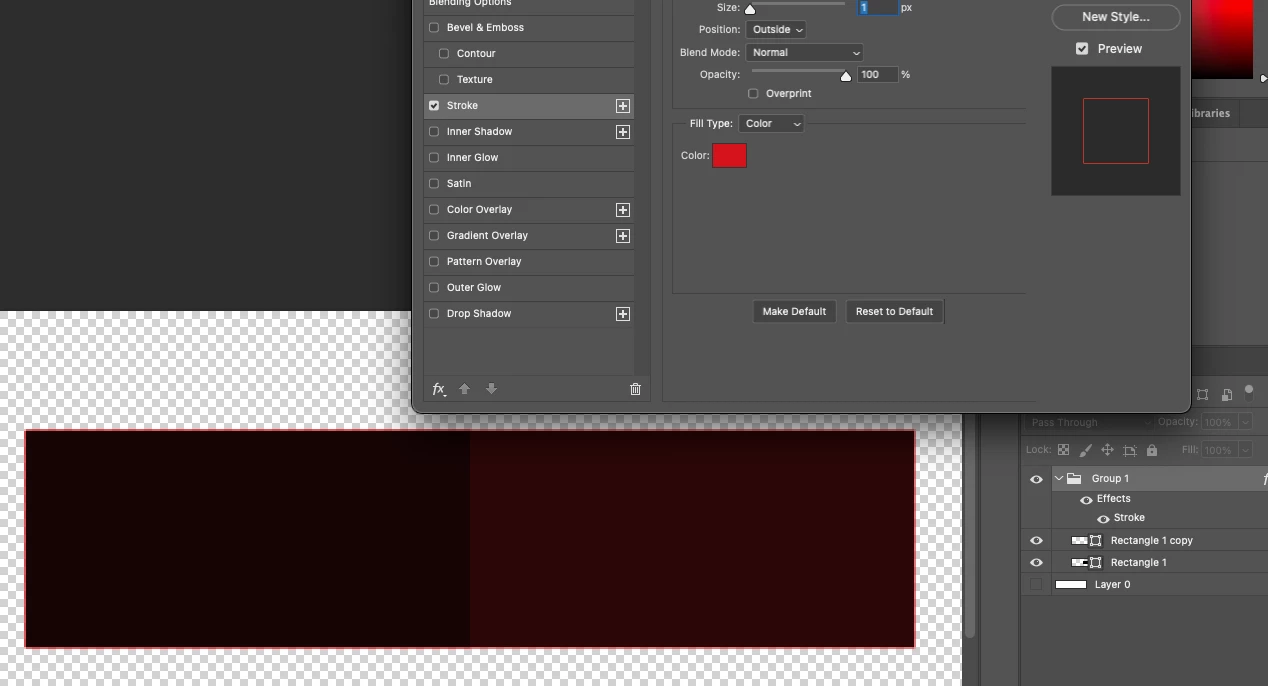
As seen here, while it is applying the 1px outline, it's also adding this red tint inside the 2 rectangles for some reason, when it should clearly just be applying the 1px outline
Here's another thing:
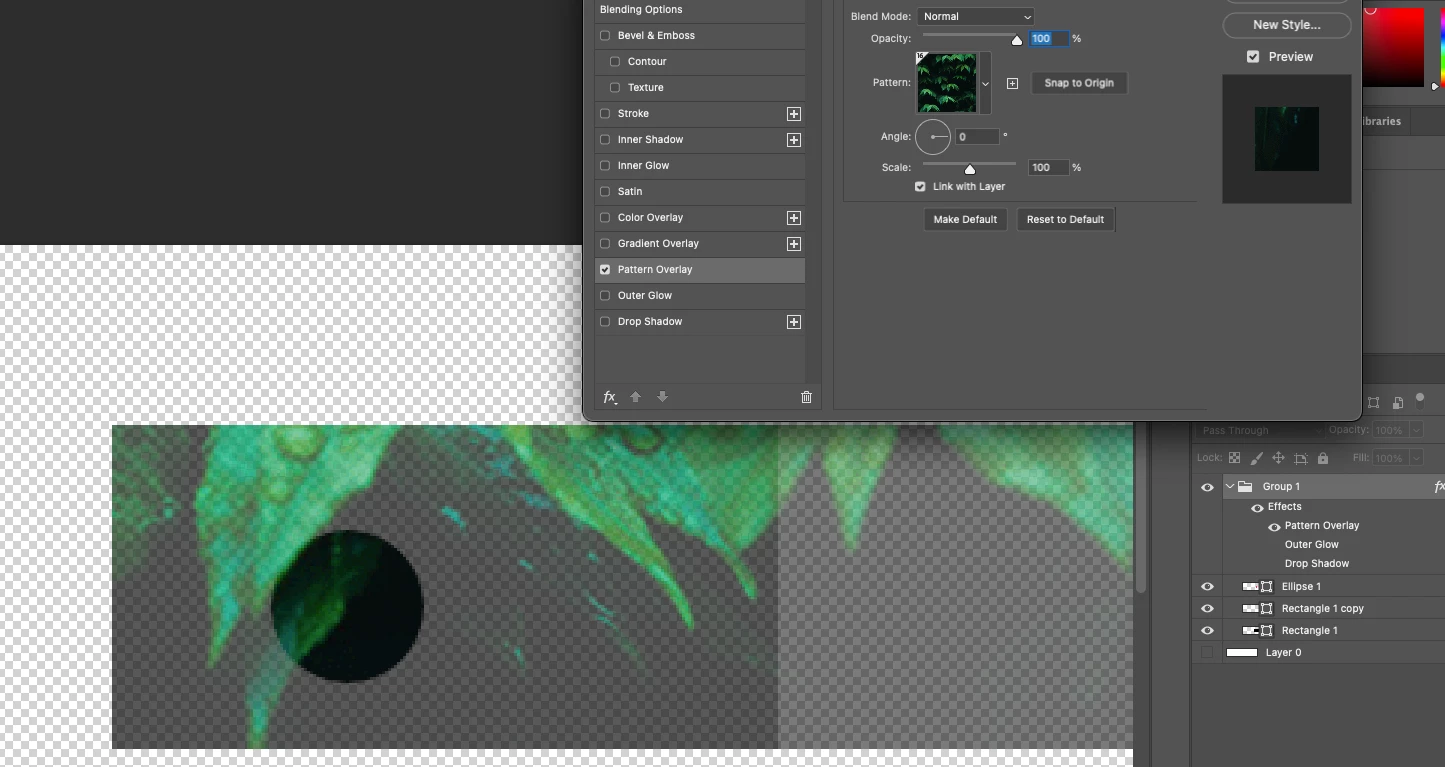
In this, I added a circle with its opacity set to 100% inside the same group. When I apply effects, it acts like it's applying the effects to every single layer inside the group instead of to the group itself.
I've never encountered this issue in 5/6 years with Photoshop. This started happening as soon as I updated my Photoshop version. The version I'm on right now is 25.1.0 Release.
Any help is appreciated. Thank you.
 AdChoices