Question
Blending Mode UI Dropdown Menu Placement Issue
Does anyone have this issue with the blending mode pop-up screen?
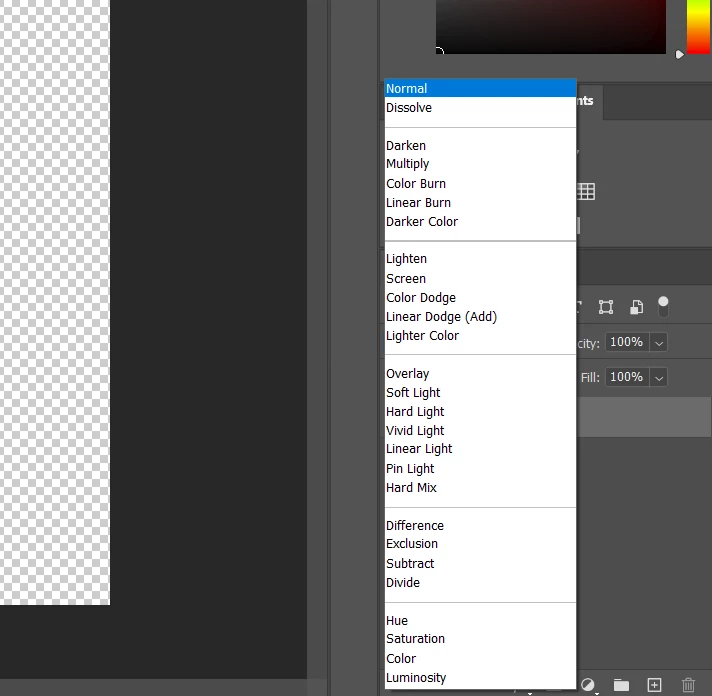
As you can see above, the pop-up menu is almost in the middle of where the blending mode button should be. It's hard to tell since the mouse isn't showing up in the screenshot. Does anyone know how to fix this? This is in Photoshop 21.2.4 on a new Windows computer. I apologize if this post was vague.
(Subject edited by Moderator for clarity)
 AdChoices