
christianl24051829
Participant
April 13, 2017
Answered

Blending question
  • April 13, 2017
  • 2 replies
  • 412 views

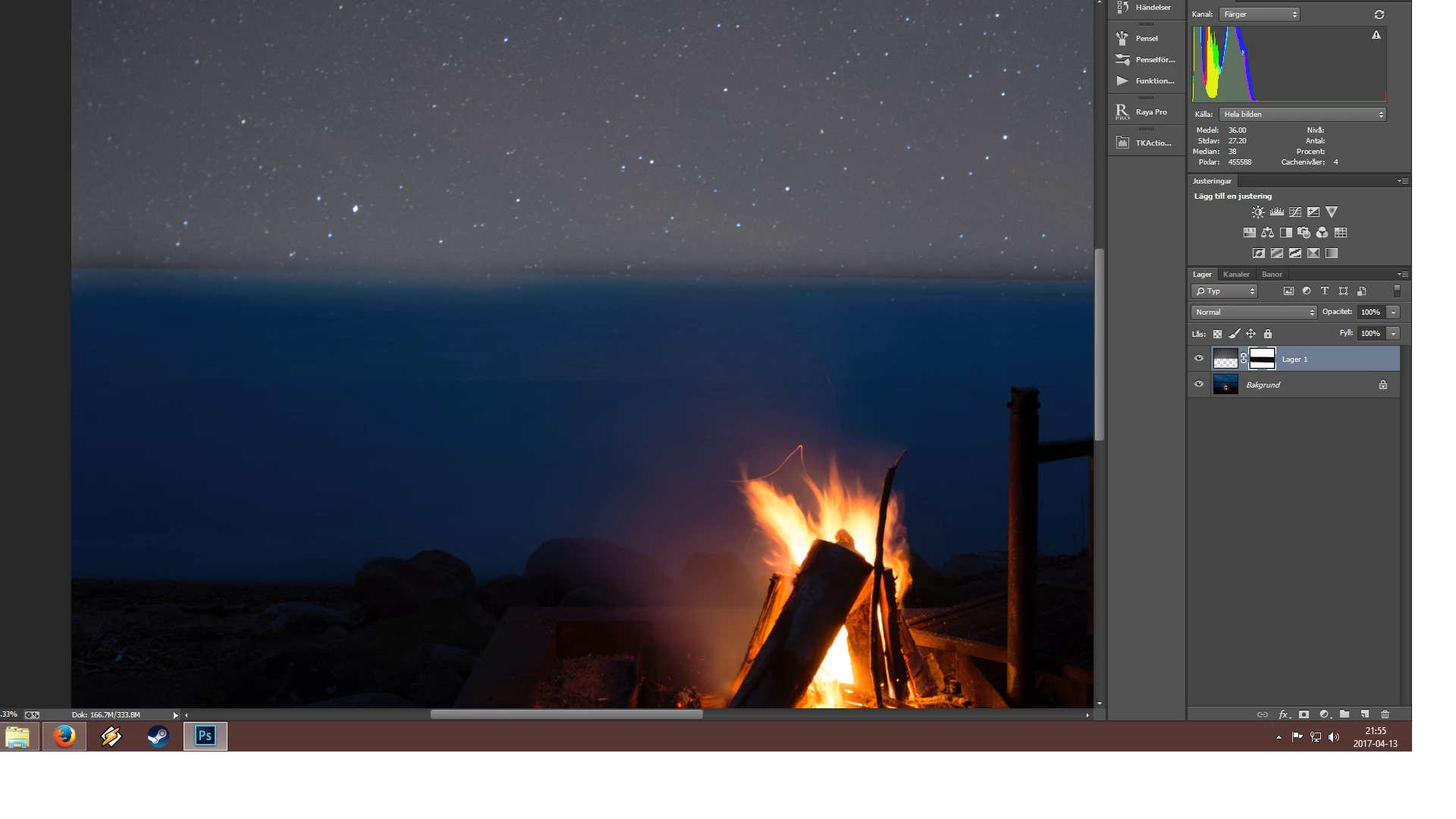
This is a very new problem for me. I tried to blend these 2 images together, and with 100 percent opacity and black brush i cant remove the layer completely, it leaves a line at the bottom as you can see in the middle of the image. This has happened a few times now, and iv tried different type of images and opening in both  jpeg and PS. Nothing works..

/Christian

This topic has been closed for replies.
Correct answer christianl24051829

I found the solution guys!! i made the top layer into a smart object, and then added a new mask and now i can remove the line!!! sucess

thanks for your input and help

2 replies

Norman Sanders
Legend
April 13, 2017

It looks as though the mask is not wide enough in depth and not feathered sufficiently.

christianl24051829
Participant
April 13, 2017

so how do I make it wide enough or fix the feather?

davescm
Community Expert
Community Expert
April 13, 2017

A couple of comments

It looks like your using too hard a brush on mask for the join and therefore getting a hard line.

Second you would be better to darken the black of the skyin the upper layer  (use a curves layer and clipped to the top layer) and  then try the screen blending mode - you will retain some of the bluer sky below but the stars will still show.

If you post the two separate images I will try it here and post the screenshots with of the layers, settings and result

Dave

christianl24051829
Participant
April 13, 2017

im not looking for advice on the sky blending, no offense, but i havent even started on that.. i just wanted to show the problem.. how do I fix this?