Participant
September 27, 2021
Question

Blue line in middle of image

  • September 27, 2021
  • 3 replies
  • 1895 views

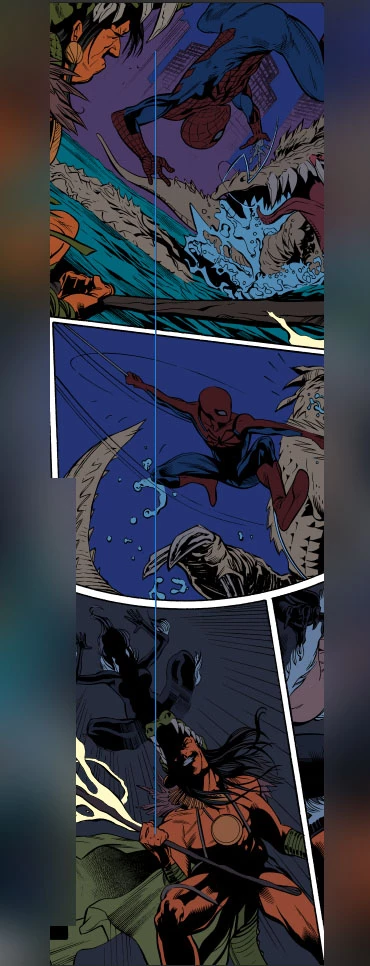
Adobe made me stop using CS6 so now I am on CC.  Fired it up today and I am getting this blue line in the middle of the image when I use the brush tool.  How do I get rid of it?  Thanks.

3 replies

Jeff Arola
Community Expert
Community Expert
September 28, 2021

Since you say you see that when using the paint tools, it looks the Brush Leash.


In photoshop go to Edit>Preferences>Cursors and uncheck Show Brush Lease While Smoothing


It also might be that you need to go to Edit>Preferences>Technology Previews and check Deactivate Native Canvas and restrt photoshop.


mglush
Community Expert
Community Expert
September 27, 2021

Hi!

I'm not sure why it is there, but if you cannot figure it out, I have a great way to fix it. I used to have this issue when I scanned something with an old scanner and found this technique to be really helpful.


Select the Marquee tool, and then down at the bottom of the Tool panel, click on the 3 dots that tell you there are additional tools.

Select the Single Column Marquee tool, and click on the column of pixels next to the blue line. Hit Copy and move over 1 pixel so that you are on top of the blue line and hit paste. It worked for me! If you can't figure out what and where it is, then try this technique.

Michelle

jane-e
Community Expert
Community Expert
September 27, 2021

@andrewc42757324 wrote:

Adobe made me stop using CS6


It almost looks like a guide except it fades out at the top and bottom.

  • Try toggling the visibility of the guides from the View menu or Control + ; 
  • Try turning each layer on one at a time to see if it's on a layer


Photoshop CS6 will still work if you have hardware and an OS that will run it. Adobe has not stopped you from using it. If you upgraded your OS you can blame Microsoft for the incompatibility. 😊


~ Jane


Participant
September 27, 2021

Its not on any layer.  It only shows up when I select my brush, eraser, pen, or path tools.  It's not a guide since all the guide options are grayed out in the view section.  


I can't use CS6 anymore becouse it wont connect to adobes servers to authenticate it on launch anymore.  So it wont start up.  I was on with customer service lastnight and they informed me they no longer support CS6.  So I am forced to switch to CC.  

jane-e
Community Expert
Community Expert
September 27, 2021

Hi @andrewc42757324 


Check the Paths panel to see if it might be a path?


The aging servers for CS2 and CS3 had to be shut down. You can still activate CS6. See this help page:


https://helpx.adobe.com/download-install/kb/activation-deactivation-help.html


You can try contacting Adobe Customer Care again and escalate if needed.


You might try sending a tweet to @AdobeCare instead.

~ Jane