
Participant
January 21, 2017
Answered

blue line on photo

  • January 21, 2017
  • 3 replies
  • 6136 views

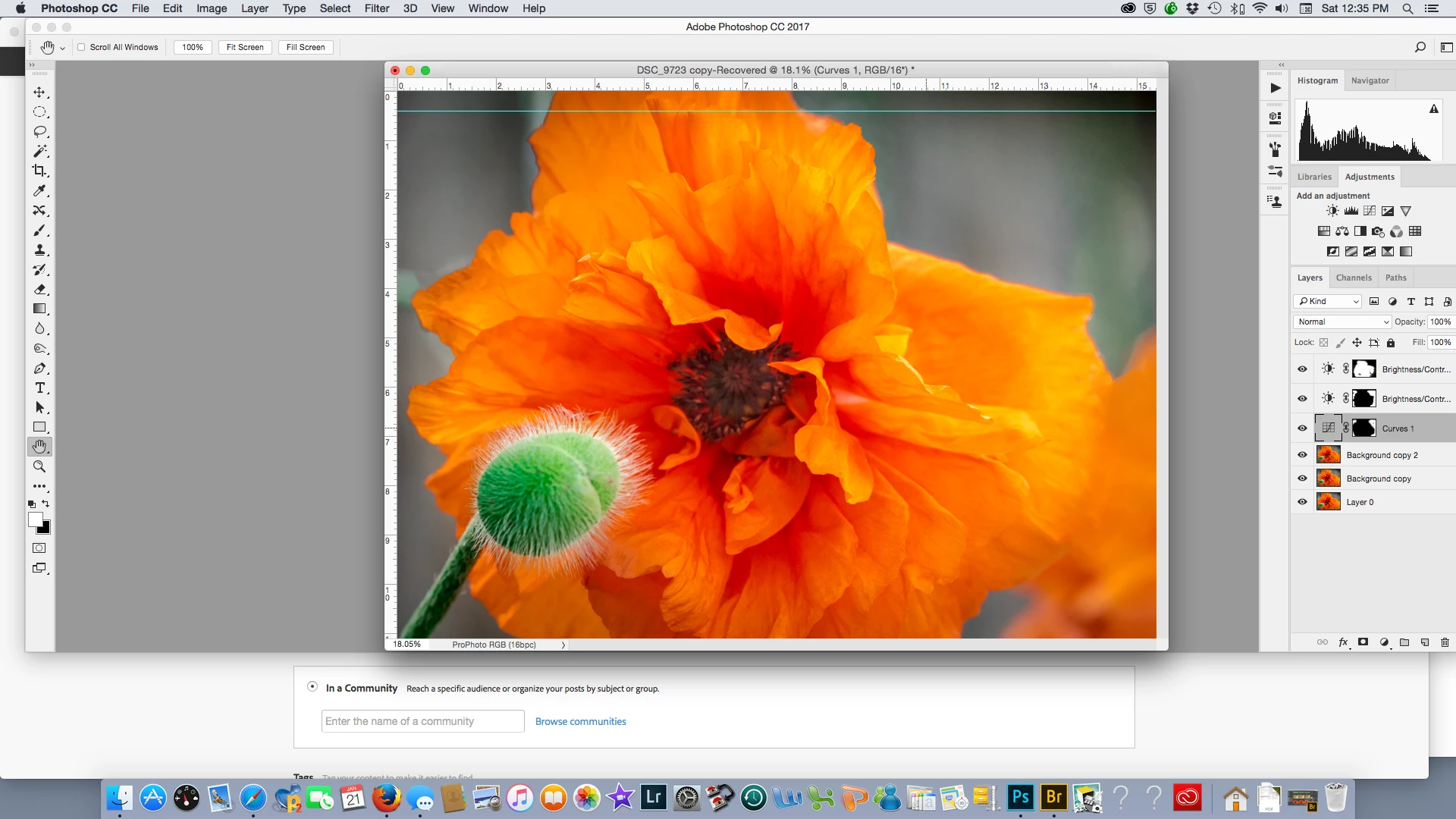
This blue line appeared as I tried to crop.  It does not move with the crop box.  It seems to be some sort of "ruler" line.  It sits about 1/4 inch from the top and goes all the way across.  I need to get rid of tis but don't know how  .
    This topic has been closed for replies.
    Correct answer Derek Cross

    View > Extras

    It's just a guide line pulled down (or across) from the ruler.

    3 replies

    jane-e
    Community Expert
    Community Expert
    January 21, 2017

    You got the non-printing guide by dragging from the Ruler.

    Other ways to get rid of it if you have just done it (as you have) include:

    Undo

    Step Backward

    History panel

    Also:

    Drag it back into the Ruler with the Move tool

    davescm
    Community Expert
    Community Expert
    January 21, 2017

    As Derek said, it is a guide.

    It is only visible in Photoshop and will not appear on the printed or exported photo. Guides are useful for aligning elements in a picture.

    You can remove it with View - Clear Guides

    Dave

    Derek Cross
    Community Expert
    Derek CrossCommunity ExpertCorrect answer
    Community Expert
    January 21, 2017

    View > Extras

    It's just a guide line pulled down (or across) from the ruler.