Known Participant
July 21, 2017
Answered

Blurring an Image?

  • July 21, 2017
  • 2 replies
  • 984 views

Hello!

I wanted to blur a section of an image that contained a serial code that I do not want to share. I followed the steps in the Adobe manuals as best as I could, but I could not get the blur tool to work at all. I eventually had to lasso select it and mosaic filter it. For future reference, is there some reason why I wasn't able to blur it out? I simply opened the image through photoshop. I unlocked it as the background layer. I also tried opening a brand new instance of photoshop and copying and pasting the image into it. It still didn't work. Thanks in advance!
This topic has been closed for replies.
Correct answer Trevor.Dennis

Yes the blur tool is way too subtle to obfuscate an area.  It's more useful for feathering too sharp edges.  You homed in on the best way to do it, and even used what is probably the best filter.

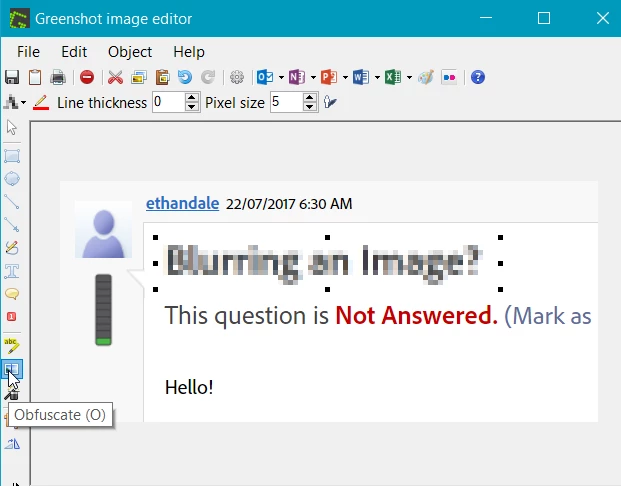
Other apps like the Greenshot screen grabber that a lot of use use, have an obfuscation tool built in if that's all you need to do

2 replies

Trevor.Dennis
Community Expert
Trevor.DennisCommunity ExpertCorrect answer
Community Expert
July 21, 2017

Yes the blur tool is way too subtle to obfuscate an area.  It's more useful for feathering too sharp edges.  You homed in on the best way to do it, and even used what is probably the best filter.

Other apps like the Greenshot screen grabber that a lot of use use, have an obfuscation tool built in if that's all you need to do

michelew83603738
Community Expert
Community Expert
July 21, 2017

I am not sure what happened, but you should be able to select a section of an image with a lasso tool and apply a blur filter like the gaussian blur applied here. You don't even have to unlock the background layer. Try it again to see if you are getting the same results and if so, post a screen shot so I can see what is going on.