Alessandro Vecchi
Inspiring
May 1, 2019
Answered

[ Branched ] Additional text changes in [JS] Script for border in %

  • May 1, 2019
  • 1 reply
  • 2281 views

SuperMerlin you are awesome.

Allow me to make one more question.

The text is huge, is not respecting the measure or the font type set in the

script and is not in a new layer.

I've tried to change the value on the script but nothing changes. Can you

please help me with this last one?

This is the entire script now:

    #target photoshop;

    if(documents.length) app.activeDocument.suspendHistory('Add Border',

'main()');

    function main(){

    var startRulerUnits = preferences.rulerUnits;

    app.preferences.rulerUnits = Units.PIXELS;

    var doc = activeDocument;

    var fivePercent = (Math.min(doc.height,doc.width)/100) * 20;

    var OffsetX = fivePercent;

    var OffsetY = fivePercent/4;

    var Black = new SolidColor();

    Black.rgb.hexValue = '696969';

    var White = new SolidColor();

    White.rgb.hexValue = 'ffffff';

    app.backgroundColor=White;

    doc.flatten();

    doc.resizeCanvas((doc.width + (fivePercent*2)), (doc.height +

(fivePercent*2)), AnchorPosition.MIDDLECENTER);

    var newTextLayer = activeDocument.artLayers.add();

    newTextLayer.kind = LayerKind.TEXT;

    newTextLayer.textItem.kind = TextType.POINTTEXT

    newTextLayer.textItem.color = Black;

    newTextLayer.textItem.font = "Source Sans Pro Regular";

    newTextLayer.textItem.size = 18;

    newTextLayer.textItem.contents = "www.alessandro-vecchi.com";

    var LB = doc.activeLayer.bounds;

    var LHeight = Math.abs(LB[3].value) - Math.abs(LB[1].value);

    var percentage = ((fivePercent/LHeight)*50);

doc.activeLayer.resize(percentage,percentage,AnchorPosition.MIDDLECENTER);

    LB = doc.activeLayer.bounds;

    var X = (activeDocument.width - (LB[2] - LB[0]))  / 2;

    var Y = (activeDocument.height - OffsetY) - LB[3];

    doc.activeLayer.translate(X -LB[0],Y);

    doc.flatten();

    preferences.rulerUnits = startRulerUnits;

    }

As usual, THANK YOU!

[ branched by moderator from Script for border in %  ]

Aktualisiert

Super Awesome Merlin,

as i can't see my last question I will post again.

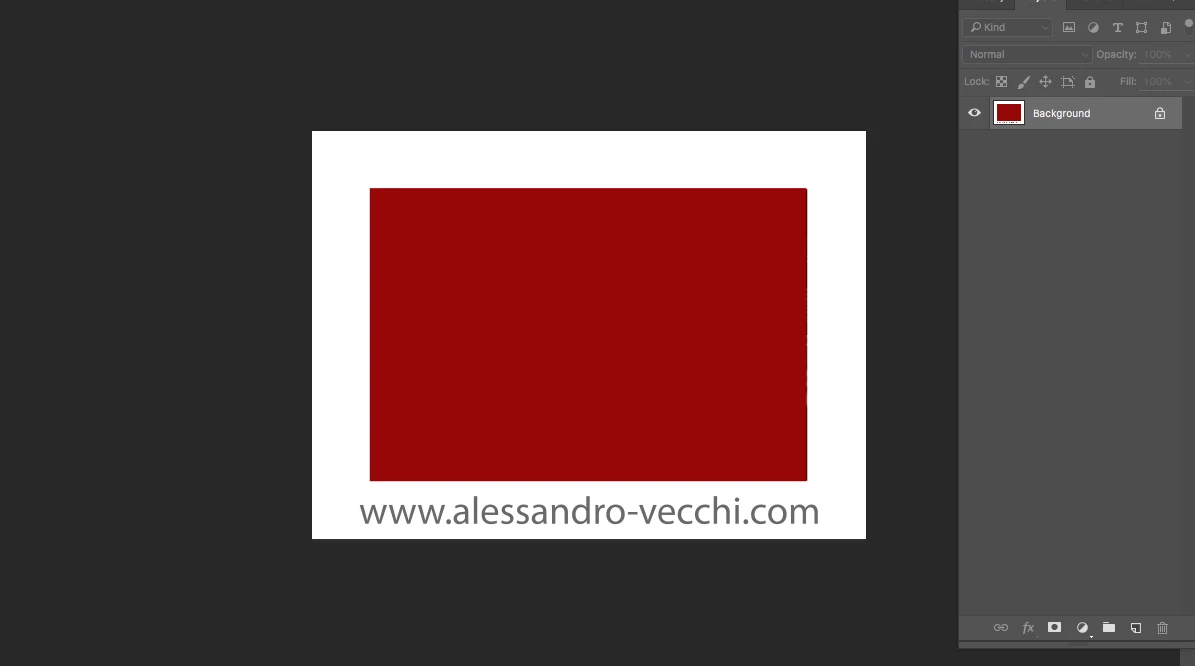
You made it and it works but the text doesn't follow the instructions of the script regarding size and font.

Also the text is not in a new layer.

I'm attaching an image so you can see. The canvas size is 4428 x 3263.

What I must do?

Thank you
This topic has been closed for replies.
Correct answer SuperMerlin

Hello Pixxxel,

Thank you for your help!

Everything perfect besides the positioning that before was absolute center and now is center but at the bottom

I've added the // and the result was the one of the image attached.

There's a way to achieve the absolute center of the bottom portion (W and H)?

Thank you


Change the font to suit...

#target photoshop;

if(documents.length) app.activeDocument.suspendHistory('Add Border', 'main()');

function main(){

var startRulerUnits = preferences.rulerUnits;

app.preferences.rulerUnits = Units.PIXELS;

var doc = activeDocument;

var fivePercent = (Math.min(doc.height,doc.width)/100) * 20;

var OffsetX = fivePercent;

var OffsetY = fivePercent/4;

var Black = new SolidColor();

Black.rgb.hexValue = '696969';

var White = new SolidColor();

White.rgb.hexValue = 'ffffff';

app.backgroundColor=White;

doc.flatten();

doc.resizeCanvas((doc.width + (fivePercent*2)), (doc.height + (fivePercent*2)), AnchorPosition.MIDDLECENTER);

var newTextLayer = activeDocument.artLayers.add();

newTextLayer.kind = LayerKind.TEXT;

newTextLayer.textItem.kind = TextType.POINTTEXT

newTextLayer.textItem.color = Black;

newTextLayer.textItem.font = "SourceSansRoman-Black";

newTextLayer.textItem.size = 18;

newTextLayer.textItem.contents = "www.alessandro-vecchi.com";

var LB = doc.activeLayer.bounds;

var LHeight = Math.abs(LB[3].value) - Math.abs(LB[1].value);

var X = (activeDocument.width - (LB[2] - LB[0]))  / 2;

var Y = activeDocument.height - ((fivePercent/2) - (LHeight/2));

newTextLayer.textItem.position = Array(X,Y);

preferences.rulerUnits = startRulerUnits;

}

1 reply

SuperMerlin
Inspiring
May 2, 2019

You have to use the postscript name of the font, I don't have the font on my machine that you want so please run this script to find yours...

#target photoshop

main();

function  main(){

var Dlog =

"dialog{text:'Script Interface',bounds:[100,100,500,270],"+

"FontName:DropDownList{bounds:[30,40,370,60]},"+

"PostScriptName:EditText{bounds:[30,100,370,120]},"+

"statictext0:StaticText{bounds:[40,10,200,30] , text:'Font Name'},"+

"statictext1:StaticText{bounds:[40,70,141,87] , text:'Postscript Name'},"+

"button0:Button{bounds:[140,130,240,150] , text:'Ok' }}";

win = new Window(Dlog,"Use the Postscript Name in your script.");

try{

for (var i=0,len=app.fonts.length;i<len;i++) {

     win.FontName.add ('item',  app.fonts.name); 

};

win.FontName.selection = 0 ;

win.PostScriptName.text = app.fonts[win.FontName.selection.index].postScriptName;

win.FontName.onChange = function() {

    win.PostScriptName.text = app.fonts[win.FontName.selection.index].postScriptName;

};

win.center();

win.show();

}catch(e){alert(e + e.line); return;}

}

If you want the text layer, comment out or remove the line

doc.flatten();

Alessandro Vecchi
Inspiring
May 2, 2019

Thank you for your answer but allow me to say that I didn't understand.

The font I'm willing to use is 'Source Sans Pro Regular'

The script you just sent me is to add to the original script?

Or is something to get the postscript name?

I that case I must make a new script with the code you just sent and insert in line 08 the 'Source Sans Pro Regular' instead of 'Font Name'?

Sorry once again but this is the first time i'm looking at codes.

Thank you

Tom Winkelmann
Inspiring
May 2, 2019

The above Script from Supermerlin is a separate Script to find out the postscript name of your font (e.g. Screenname: Arial Bold Italic = postscript name: Arial-BoldItalicMT)

The postscript name is the name you have to insert in your script...so if you want wo use the Font e.g. "Arial Bold Italic"

change:

newTextLayer.textItem.font = "Arial Bold Italic";

to:

newTextLayer.textItem.font = "Arial-BoldItalicMT";