Ken Nielsen
Legend
January 15, 2023
Answered

[Branched] How do you draw a rounded editable rectangle in Photoshop?

  • January 15, 2023
  • 2 replies
  • 1381 views

I see all of the answers are correct but I'm still stuck as I'm learning... where in the properties panel do I gain control of the roundness of corners?


[ branched from Where can I get basic vector shapes for paths in photoshop?  to Photoshop forum by moderator ]

[ title added by moderator ]
 

Correct answer jane-e

@Ken Nielsen 


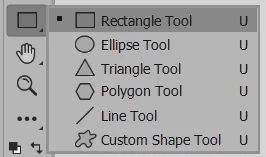
  • Use the Rectangle tool


  • Draw a rectangle


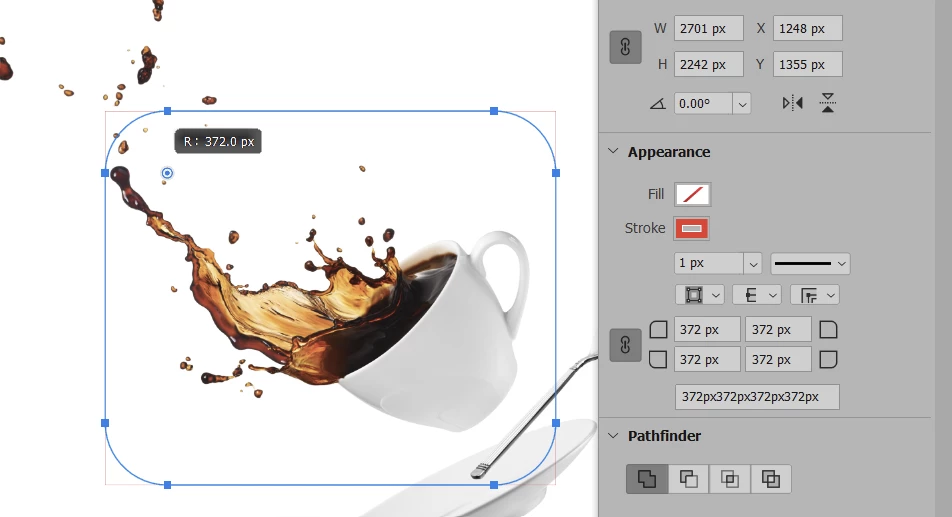
  • Either use the one of the widgets in the corner to resize the corners (circle with dot)


    or

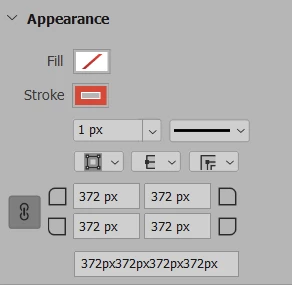
  • Use the Properties panel to type in a number


Note: If the Link button is on (chain link), all controls will be the same. If off, they can be different.


Jane


2 replies

Ken Nielsen
Legend
January 15, 2023

I am confused and need help. The path I made has a square but the rounded-corner shape on the same path seems to not have attachment to the original path, which is all one path. I see that I need to set the rounded corner dimension and THEN draw that path so the Rounded Corners are not something that can be changed dynamically. This whole area I can see is quite valuable, but learning it... I am not quite catching on. Where do I go from here to gain control over making paths like this?

jane-e
Community Expert
jane-eCommunity ExpertCorrect answer
Community Expert
January 15, 2023

@Ken Nielsen 


  • Use the Rectangle tool


  • Draw a rectangle


  • Either use the one of the widgets in the corner to resize the corners (circle with dot)


    or

  • Use the Properties panel to type in a number


Note: If the Link button is on (chain link), all controls will be the same. If off, they can be different.


Jane


Ken Nielsen
Legend
January 15, 2023

Thank You, This has been a 'passed over' capability of Photoshop through my years of working with paths, they have all been drawn by hand using the pen tool. Finally, I am learning about this and it is a exciting discovery for me. Thank You for your invaluable help with this Jane.

jane-e
Community Expert
Community Expert
January 15, 2023

Hi @Ken Nielsen 


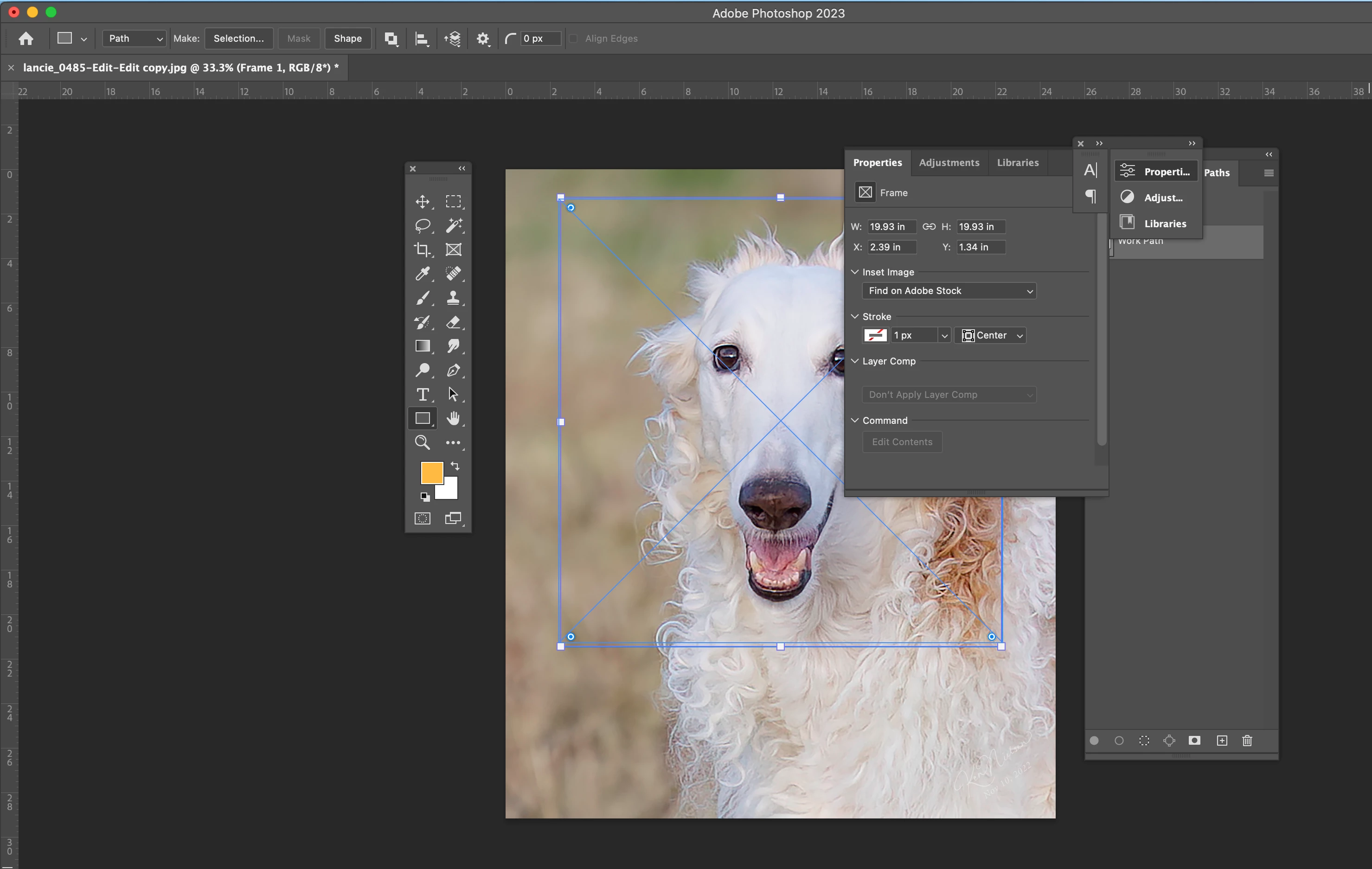
You drew a Frame and frames don't have rounded corners. Delete it.


Look at the screenshot from Pixxel where he has marked the correct tool for drawing rectangles and use that tool instead. The Properties panel will say "Rectangle" instead of "Frame" at the top.


Jane


Ken Nielsen
Legend
January 15, 2023

Okay, Fabulous to be learning about this and excellent help. Pixxel's images are in a foreign language so I wasn't quite sure what I was looking at and I don't see any tool selected... that is where I fell off of the boat learning about this. I will go back and study the images from Pixxel...


Ken Nielsen
Legend
January 15, 2023

Yes. The images from Pixxel are not in English so I need a translation. What is 'Form' is that 'Path' in English... I will get this but just can't read the language... is it German? I could go to a translator to find out the meanins of the important words here.