
Known Participant
April 7, 2017
Answered

Breaking Selection into different layers

  • April 7, 2017
  • 2 replies
  • 1461 views

If i had a segmented selection, is there a way to identify that the selection is not one concave shape?
i could then identify them and put each of them into different layers.

All these different shapes are  in one layer, and I've selected the active pixels in the layer.
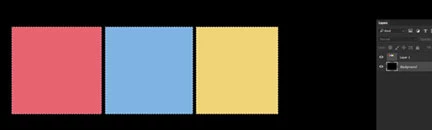
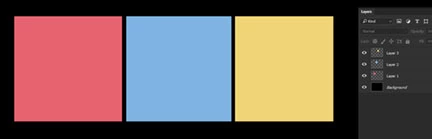
Is there a way to identify that they are separate them objects into separate them into different layers?
This topic has been closed for replies.
Correct answer SuperMerlin

This script should do it.

Split to Layers | Photoshop Scripts

2 replies

SuperMerlin
SuperMerlinCorrect answer
Inspiring
April 8, 2017

This script should do it.

Split to Layers | Photoshop Scripts

Jarda Bereza
Inspiring
April 8, 2017

Yes it should be possible.

I am not sure if can see it from DOM, in DOM are some things simplified, but in Action Manager code you can see:

- layer > shape > closed paths > points > x,y coordinates

Sometimes one shape can contain multiple squares as closed paths.

Sometimes layer can contain multiple shapes with only one closed rectangular path.

Or both.