Question
Bridge is looking for the PREVIOUS Photoshop executable file not the current one
Hi
I've just upgraded both photoshop and bridge and selected the remove old versions option. I'm now on Bridge 14.0.0.102 and Photoshop 25.0.0.
Photoshop is installed into the default folder C:\Program Files\Adobe\Adobe Photoshop 2024 and the Photoshop.exe file is there.
Photoshop is fine.
I'm able to open .psd files from Bridge but when I go to open a raw file (.CR3 in my case) I get the message shown in the attachment.
Something is very wrong since the upgrades. Everything was fine earlier in the day prior to the upgrades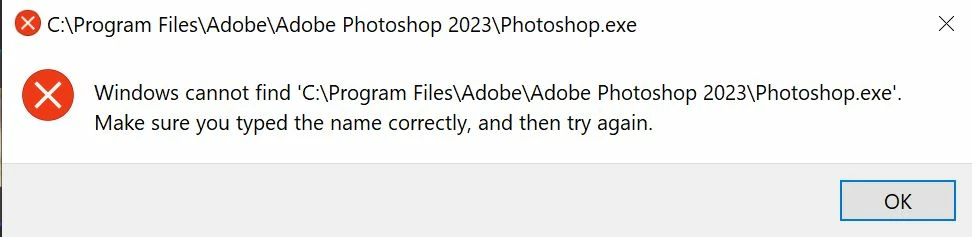 .
.
I'd appreciate a solution as I use Bridge all the time to browse and open my raw files.
Thanks
Gayle
 AdChoices