
Known Participant
January 4, 2024
Answered

Broken and Frustrating Popup: STOP TRYING TO FORCE US INTO CLOUD TRASH

  • January 4, 2024
  • 7 replies
  • 974 views

When saving in Photoshop there is this extremely annoying pop up that I HATE. There SHOULD be a way to choose to never see it again. But, it's like adobe really wants you to use their cloud so you can be trapped in their horrible cloud based nightmare. Not only is it adding extra clicks for simply saving it's buggy.

Look at the buttons at the bottom of this EXTREMELY ANNOYING POP UP. They implement new trash features and don't give you a [cursing removed] way to get [cursing removed] away from the trash like a simple "don't show again". I NEVER want to save to cloud. I HATE cloud. I NEVER ASKED FOR CLOUD. 
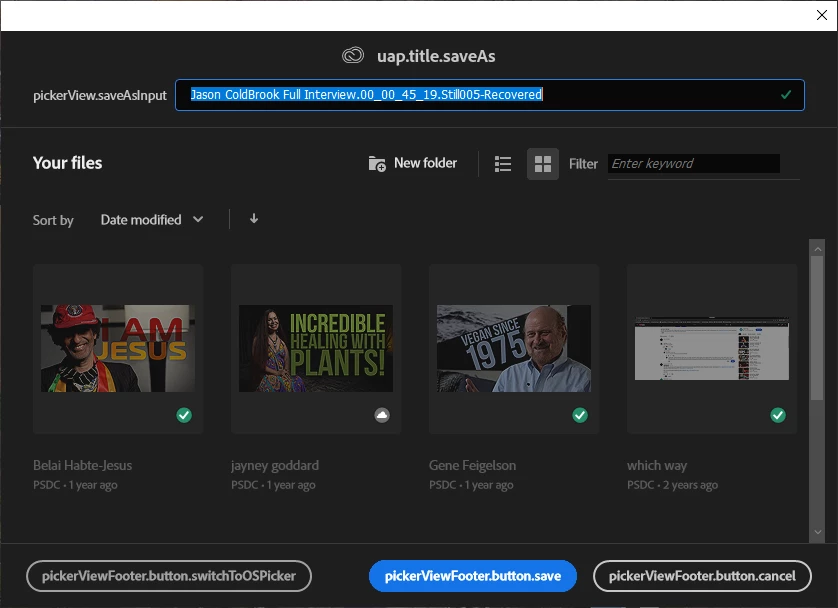


If I close this annoying [cursing removed] popup hell and try to save again then the adobe trash buttons appear correctly:
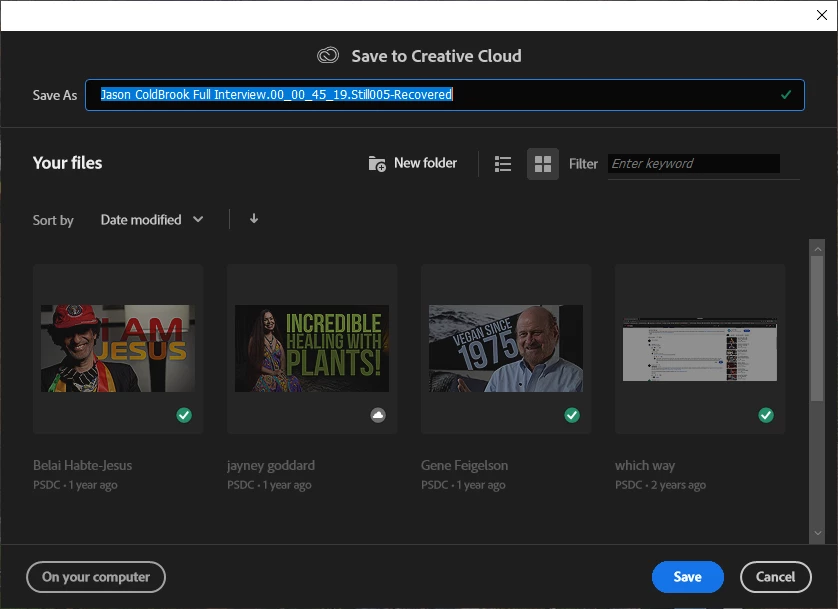
 

Now I have to select "on your computer" which is ALL THE [Profanity removed by moderator] I EVER WANT TO DO

This may seem minor, but these minor things add up A LOT and cause us to lose time being extremely frustrated and not inspired when we're suppose to be creative and inspired. Adobe is killing our inspiration big time. It's no wonder people are moving to way better and EXTREMELY more affordable programs like Davinci Resolve.  

Oh, and when posting here I DON'T WANT TO PICK from your irrelevant topics before hitting post. Adobe has some seriously out of touch people working over there. 


Please stop destroying my inspiration with your overpriced cloud based trash products that I am unfortunately stuck using because I already very unfortunately started too many projects using this expensive garbage they charge us to be their beta testers for while they get rich and waste our time. It's no wonder there's class action lawsuits against adobe and probably will be more. 

This topic has been closed for replies.
Correct answer Ged_Traynor

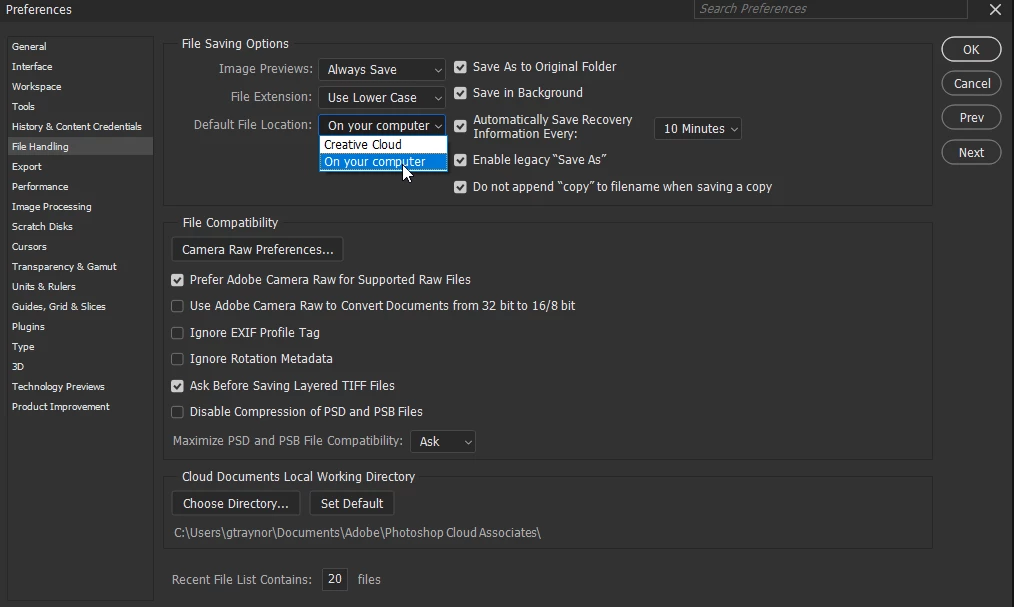
@JeffreyAdams do you have this option selected in preferences

7 replies

Participant
May 26, 2024

Very restrained and asccurate appraisal. Adobe does not hesitate to wreck your workflow and your peace of mind daily  in order to force-feed you useless garbage.

Derek Cross
Community Expert
Community Expert
May 26, 2024

Instead of ranting a description of your issue would be helpful.

davescm
Community Expert
Community Expert
January 4, 2024

I've never seen that first screenshot you show appear here (the one titled uap.title.saveAs) so cannot replicate it.

Dave

D Fosse
Community Expert
Community Expert
January 4, 2024

Nope, never seen that either. No idea what that is.

Known Participant
January 4, 2024

They still have the bug though with the buttons, but I don't care about their problems as long as they don't become mine lol. 

Derek Cross
Community Expert
Community Expert
January 4, 2024

Please note that in addition to the excellent advice offered to you by Dave and Ged, this is a user-to-user support forum – that is to say, you are not addressing Adobe on here.

Known Participant
January 4, 2024

No, didn't have that selected. Thanks so much! When they add a new pop up ideally, like other software, they would give you an option in the popup to not show again. But I guess that's too advanced for Adobe or they would rather waste your time while they try to brand cloud trash ultimately traps you into their ecosystem. 

Ged_Traynor
Community Expert
Ged_TraynorCommunity ExpertCorrect answer
Community Expert
January 4, 2024

@JeffreyAdams do you have this option selected in preferences

davescm
Community Expert
Community Expert
January 4, 2024

Preferences >File Handling > Default File Location > On your computer

Dave