Nyla_B
Participant
May 15, 2021
Question

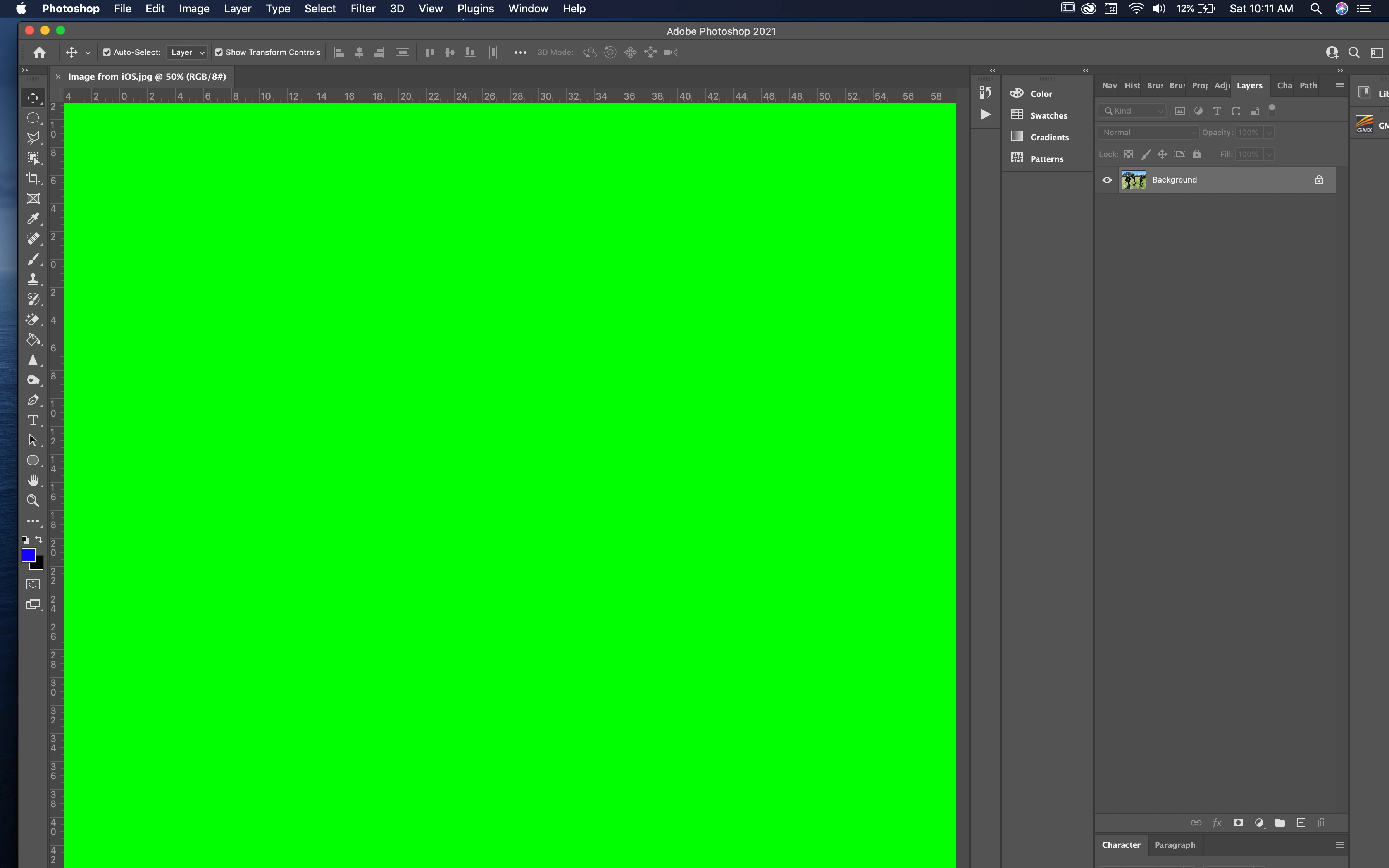
Broken Photoshop, Please help

  • May 15, 2021
  • 2 replies
  • 939 views

When opening any file in photoshop, this green screen occurs. I don't know what is going on. I'll give a picture below. When zooming out, this green block kind of flashes and I can see the file underneath. 

I've tried removing the graphics processor in the system preferences.
 

This topic has been closed for replies.

2 replies

Mike_Gondek10189183
Community Expert
Community Expert
May 15, 2021

Reset PrefsThoroughly (Mac)

  • Quit Illustrator (100% you must do this)
  • Finder >> Go (hold down option to show hidden) >> library 
  • Preferences >> Adobe  >> (Program Name) rename to (Program Name) .old
  • Library- >> Caches >> com.(Program Name) rename to (Program Name) .old
  • Library >> Application Support >> Adobe >> (Program Name) rename to (Program Name) .old
Nyla_B
Nyla_BAuthor
Participant
May 15, 2021

Just to be sure illustrator or photoshop? The first step says illustrator. 

JJMack
Community Expert
Community Expert
May 15, 2021

Have you tried installing Windows on your Mac just kidding. What Mac OS are you using?

JJMack
Nyla_B
Nyla_BAuthor
Participant
May 15, 2021

LOLL!! 

My computer just updated yesterday. So the latest update.