Participating Frequently
January 10, 2019
Answered

Brush crosshair in 2019

  • January 10, 2019
  • 2 replies
  • 363 views

After upgrading to PS 2019, my brush remains a crosshair.

I know that in previous versions of Photoshop, this was an issue with the caps-lock key being on, but I have it turned off. I also have "Show Only Crosshair While Painting" unchecked. I've also tried re-booting. Nothing works.

What might I be missing?
This topic has been closed for replies.
Correct answer

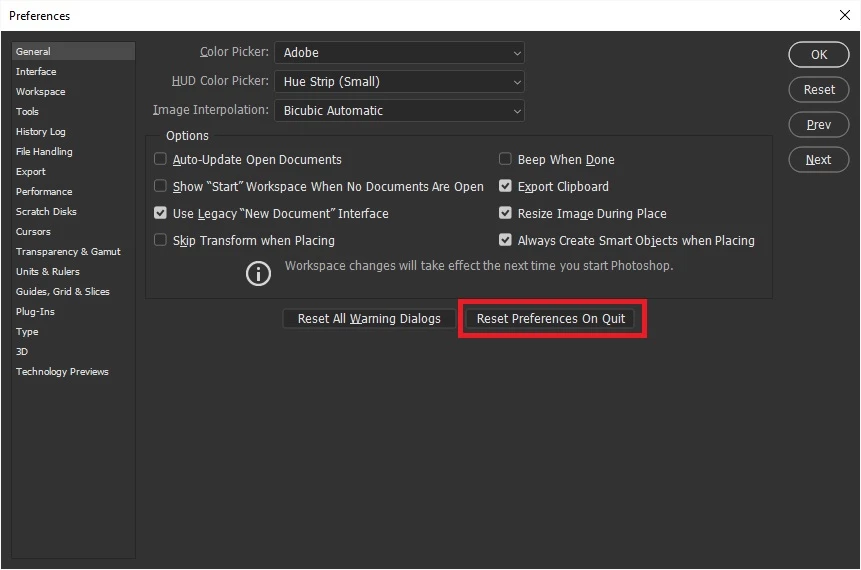
Try resetting your Photoshop preferences

2 replies

paulo75Author
Participating Frequently
January 10, 2019

I have, and the crosshair remains.

Correct answer
January 10, 2019

Try resetting your Photoshop preferences

paulo75Author
Participating Frequently
January 10, 2019

That did it - thank you!

January 10, 2019

Hi

Have you got the brush tip set to normal in preferences