
time flies
Inspiring
February 18, 2020
Answered

Brush Cursor

  • February 18, 2020
  • 2 replies
  • 1448 views

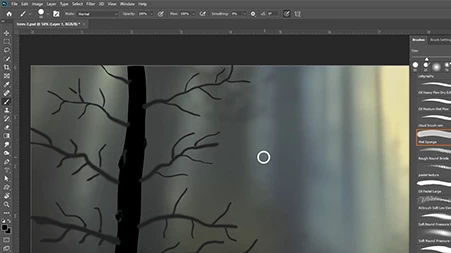
Everytime I touch the wacom pen to the tablet I get the brush circle which then brings up the menu. This only happens in PS, not any other app including AI. I've tried different wacom pen settings and different cursors, but nothing works. It's very annoying. Anyone else have this issue or know of a solution? 
 

This topic has been closed for replies.
Correct answer Rista12

On the Intuos 2  "Use Windows Ink"  must be unchecked on the PS Mapping setup to avoid this same behavior.  Perhaps there is a similar setting on your device.

2 replies

Rista12
Rista12Correct answer
Participating Frequently
February 18, 2020

On the Intuos 2  "Use Windows Ink"  must be unchecked on the PS Mapping setup to avoid this same behavior.  Perhaps there is a similar setting on your device.

time flies
Inspiring
February 18, 2020

That's it! Thank you Rista12. This does require  creating a text file & placing it in ...user\...adobe photoshop 2020 settings. Otherwise pen pressure feature is lost. Aaron Rutten has a video on how to fix the problem. Hot Diggity. Thank you again - this was so annoying.

https://www.youtube.com/watch?v=7nL10xGIA_s 

Grant H
Community Expert
Community Expert
February 18, 2020

Just to be clear, is it the "menu" popping up that bothers you or the cursor. Ie what are you expecting/wanting to happen? What you are getting is dependent on your preferences and how you have set up your workspace.

/G


time flies
Inspiring
February 18, 2020

Grant_H, thank you for taking the time to respond. It's the menu that is the problem. I would like the pen to respond like the mouse, i.e. left clk with mouse and apply brush stroke (or dab) - no menu. I don't doubt that it's a preference issue, but I don't know which one. I've tried various wacom settings and different cursors in preferences. I'm not sure how the Workspace is relevant though. But, how do I get rid of the menu popping up when I apply the pen tip to the tablet? Just hesitating for a second brings up the menu. Again, thank you.