Participant
April 17, 2019
Answered

Brush increase decrease shortcut

  • April 17, 2019
  • 2 replies
  • 6972 views

Okay, I have this problem since an eternity. I cant increase or decrease my brush tool with [ or ]. I know it is possible with the mouse but I draw with my tablet, an UGEE (it has buttons to increase/decrease but it doesn't work either). And changing the shortcut doesn't work because every damn shortcut is already taken. the only free ones are ü, ö or ä but of course my tablet doesn't know this letters. So how to I get this shortcut to work?

...and I have a Win 10 Laptop, using a German keyboard.
    This topic has been closed for replies.
    Correct answer Jeff Arola

    Hi Jeff,

    Decrease/increase brush softness/hardness  Alt + right-click + drag up or down.

    In my Windows-10 PC  Ps 20.0.4

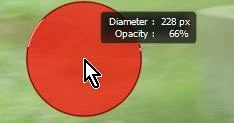
    This command with the mouse changes 'opacity' (not softness/hardness)

    A Right-click of the mouse  (without an option key) opens the Brush properties where I can change the slider,

    but do you know if the shortcut [Alt + right-click + drag up or down] can be altered to change its action?


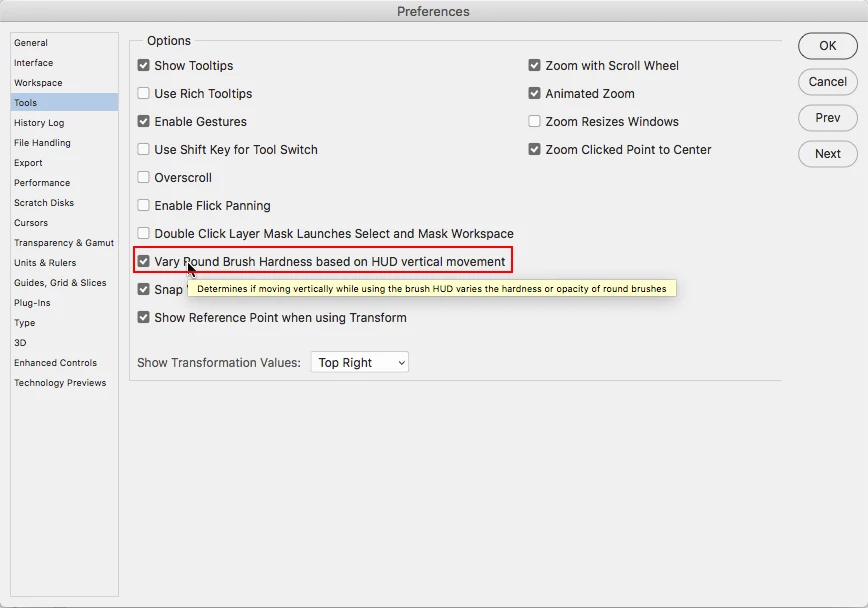
    Yes in Edit>Preferences>Tools>Vary Round Brush Hardness based on vertical HUD movement is unchecked, then the vertical movement changes Opacity.

    2 replies

    gener7
    Community Expert
    Community Expert
    April 17, 2019

    Under Edit > Keyboard Shortcuts, see if assigning the modifiers "Ctrl" "Shift" or "Alt" helps.  Shift + z/x, for example, or use one of the F keys, F11/F12. If a shortcut is not being used, just assign the brush tool increase/decrease to it.

    Participant
    April 17, 2019

    (CTRL, ALT or SHIFT) plus any key dont work with brush increase or decrease. I get an error if I try so, same goes for F keys or numpad keys... or certain signs like +.

    gener7
    Community Expert
    Community Expert
    April 17, 2019

    Is it practical to change the keyboard layout in Windows to English while you are using the UGEE?

    lambiloon
    Community Expert
    Community Expert
    April 17, 2019

    Hi in Photoshop go for Preferences there you see how to edit shortcut...thanks

    Ali Sajjad / Graphic Design Trainer / Freelancer / Adobe Certified Professional