
BarryWhitelaw
Known Participant
November 13, 2020
Answered

Brush intersections

  • November 13, 2020
  • 3 replies
  • 423 views

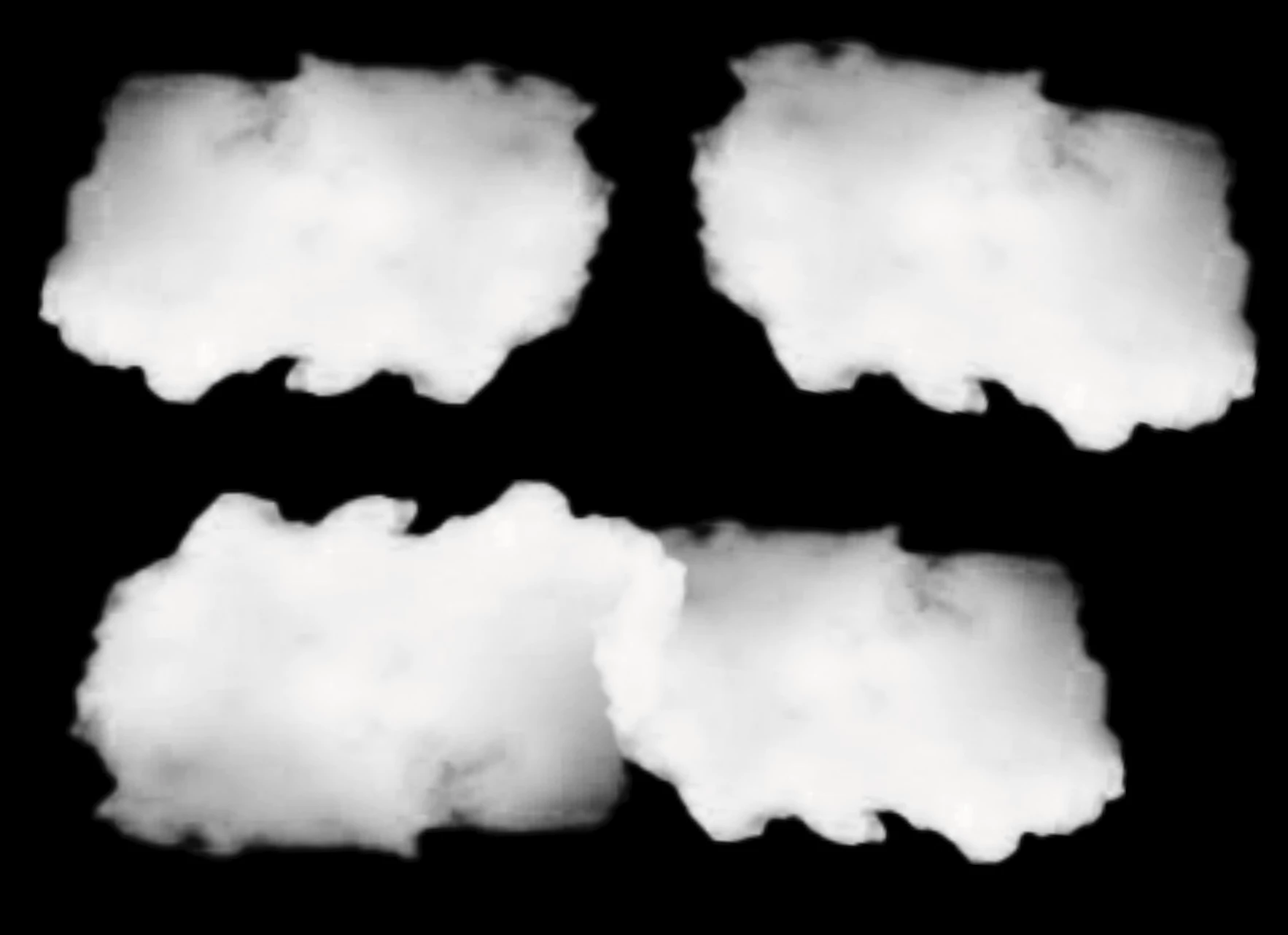
I have created a brush which is a cloud.  When I stamp this twice, where they meet there is an obvious change of colour (as per the bottom of the picture here)


Opacity is 100%, and set to Normal.  Any ideas?  It's obvious where they meet..how can I avoid this?


many thanks
 

This topic has been closed for replies.
Correct answer Chuck Uebele

A brush isn't shades of color, it's one color and transparency. So the dark areas of the cloud is just the bg showing through. So when you stamp the brush again. It tightens it, until it will become pure white, or whatever color you're using.  

3 replies

Chuck Uebele
Community Expert
Community Expert
November 13, 2020

One way that I make clouds it to take a brush, like yours and make several stamps in the shape of the Cloud that I want on a new layer. I then lock tje pixels on tje layer and fill it will the darkest color in the cloud. Then I take the brush with white at a low opacity and paint in the highlights in the Cloud. This is usually around tje edges of the Cloud. Here's an example of clouds that I created.

Chuck Uebele
Community Expert
Chuck UebeleCommunity ExpertCorrect answer
Community Expert
November 13, 2020

A brush isn't shades of color, it's one color and transparency. So the dark areas of the cloud is just the bg showing through. So when you stamp the brush again. It tightens it, until it will become pure white, or whatever color you're using.  

lambiloon
Community Expert
Community Expert
November 13, 2020

Hi what result you want to achieve please explain....regards

Ali Sajjad / Graphic Design Trainer / Freelancer / Adobe Certified Professional
BarryWhitelaw
Known Participant
November 13, 2020

Hi there. 

I would like the top brush not to change the colour of the brush underneath. On the image there is an obvious whiteness where they meet. In my mind, the top brush should literally block out the bottom one, where they crossover. 

it's almost like there is a hidden opacity level somewhere that I can't find. 

many thanks.