
Participating Frequently
March 4, 2024
Question

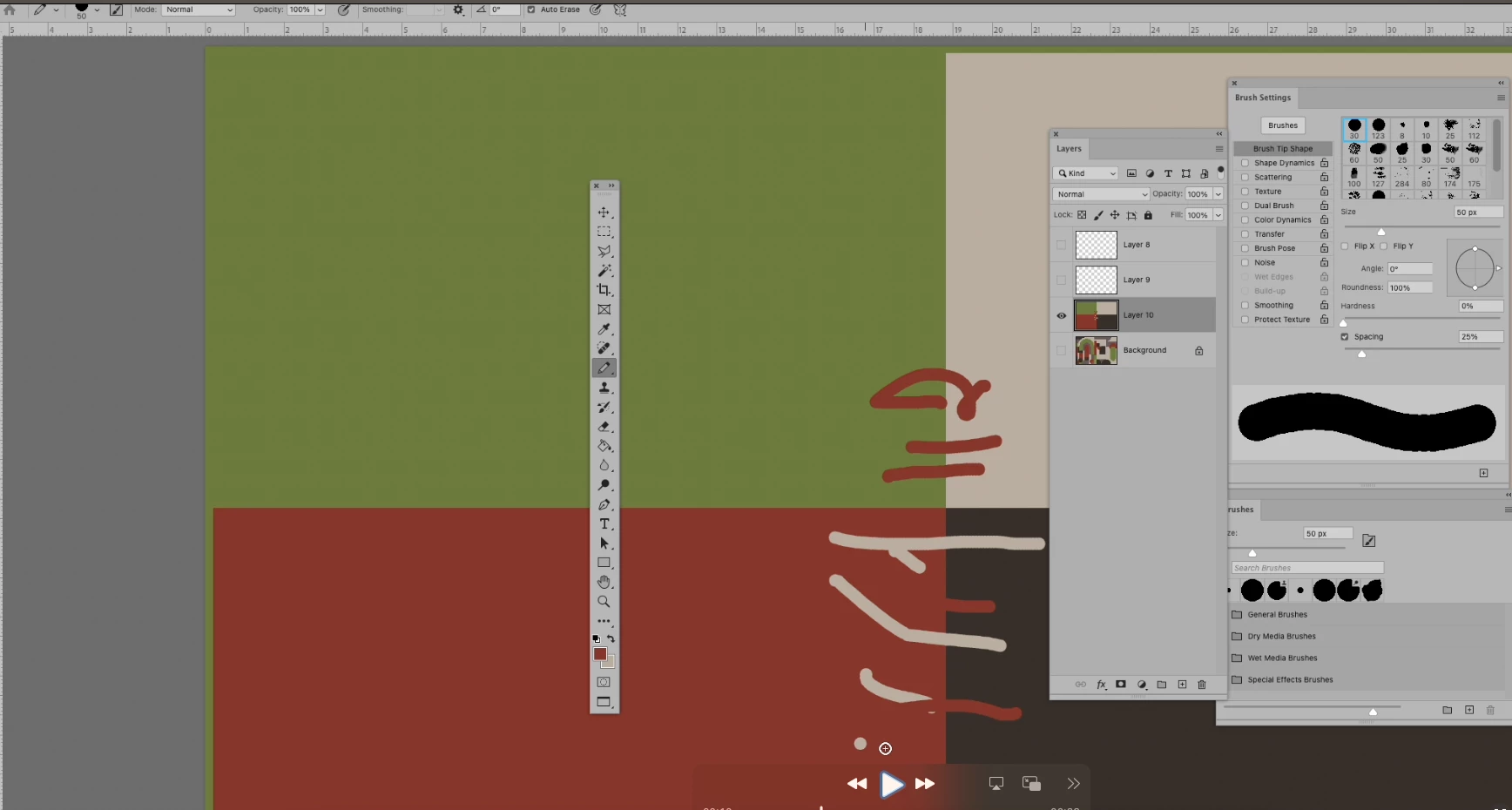
Brush is changing colour based on the background colour.

  • March 4, 2024
  • 1 reply
  • 208 views

I have reset my brushes and this continue to happen, no matter what brush I. am using , hope someone can help.

Did a screen recording I posted here:https://community.adobe.com/t5/fresco-discussions/help-brush-color-keeps-defaulting-to-white-for-each-stroke/m-p/14441721?attachment-id=188143#M12450


This topic has been closed for replies.

1 reply

Jeff Arola
Community Expert
Community Expert
March 4, 2024

You have the Pencil Tool selected.

In the Tool Options Bar uncheck Auto Erase


more info under

Auto Erase with the Pencil tool

https://helpx.adobe.com/photoshop/using/erasing-parts-image.html

Participating Frequently
March 4, 2024

Thank you!!!  In my 15 years of using Photoshop daily, I never knew that!