
Question
Brush keeps settings from former brush
Hi guys,
i recognised the following issue, which is quite annoying for me, since the CC2019 update:
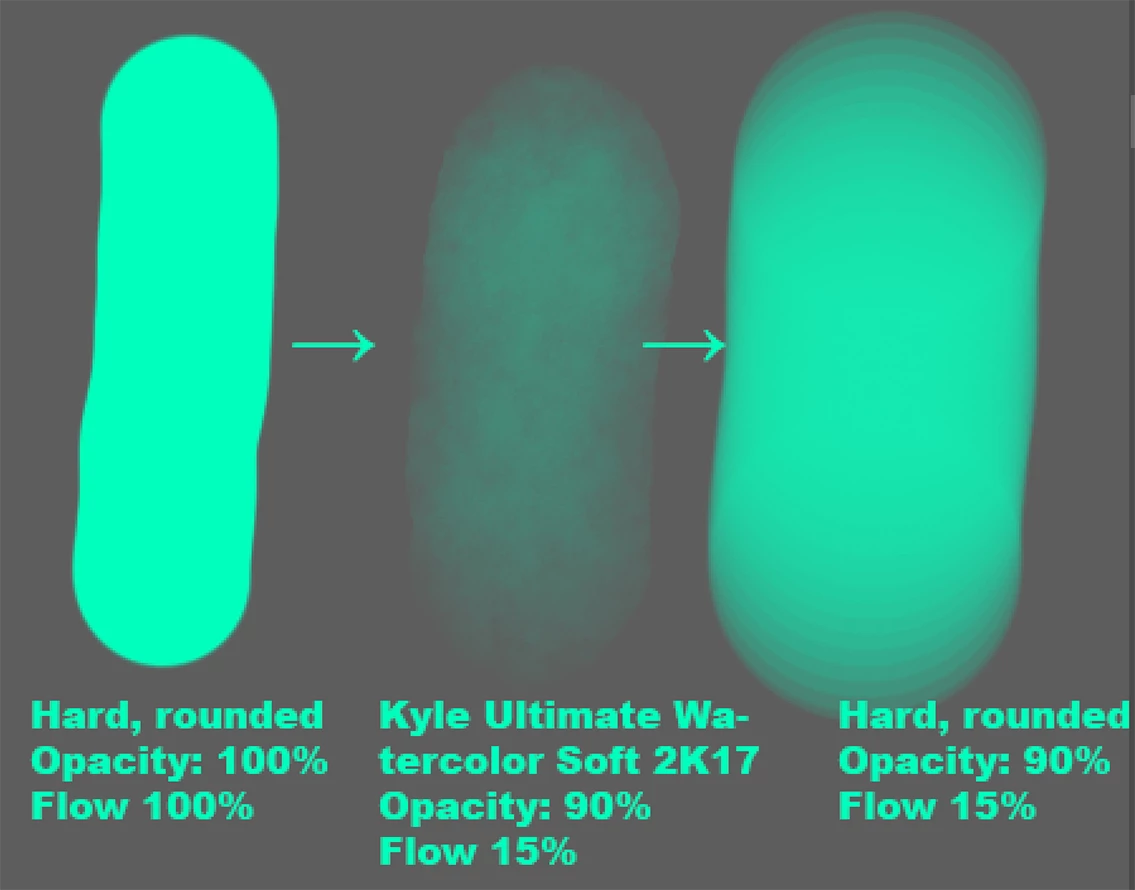
1) I start painting with one of these standard brushes, Mode: Normal, Hard rounded, 100% Opacity, 100% Flow, in the bar right under the menu
2) I change the brush to another one with e.g. 90% Opacity and 15% Flow
3) I select the standard, hard rounded brush again. Instead of getting 100% Opacity and 100% Flow, this Brush has now 90% Opacity and 15% Flow, too.
The attached file shows the effect.
The only solution i got so far is wildly clicking around through my different brushes, so that the settings go back to normal... until i start painting and changing the brush again, so this solution is totally random.
Thanks for a helping hand.
 AdChoices