
Question
brush name and thumbnail size panel
I'd like to see brush's tip and its name on thumbnail size panel but since I've updated to 2022 ver I can't not see them at the same time.
when I only choose [show brush tip] option, panel is thumbnail size but you don't see brush name. ok, I understand this.
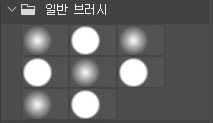
so I checked both [show brush tip] and [show brush name], and the panel size became longer like this.
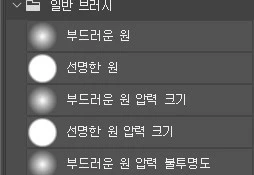
so then I adjusted the slide thing on the bottm and the result is like this:
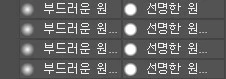
I wanted a simple thing... thumbnail size brush tip and its name... why, photoshop, why?!
before the 2022 update it was not an issue. this question might sound stupid but please help me, photoshop geniuses! thank you!!!
 AdChoices