
Participant
April 27, 2018
Answered

Brush Opacity Issue

  • April 27, 2018
  • 2 replies
  • 870 views

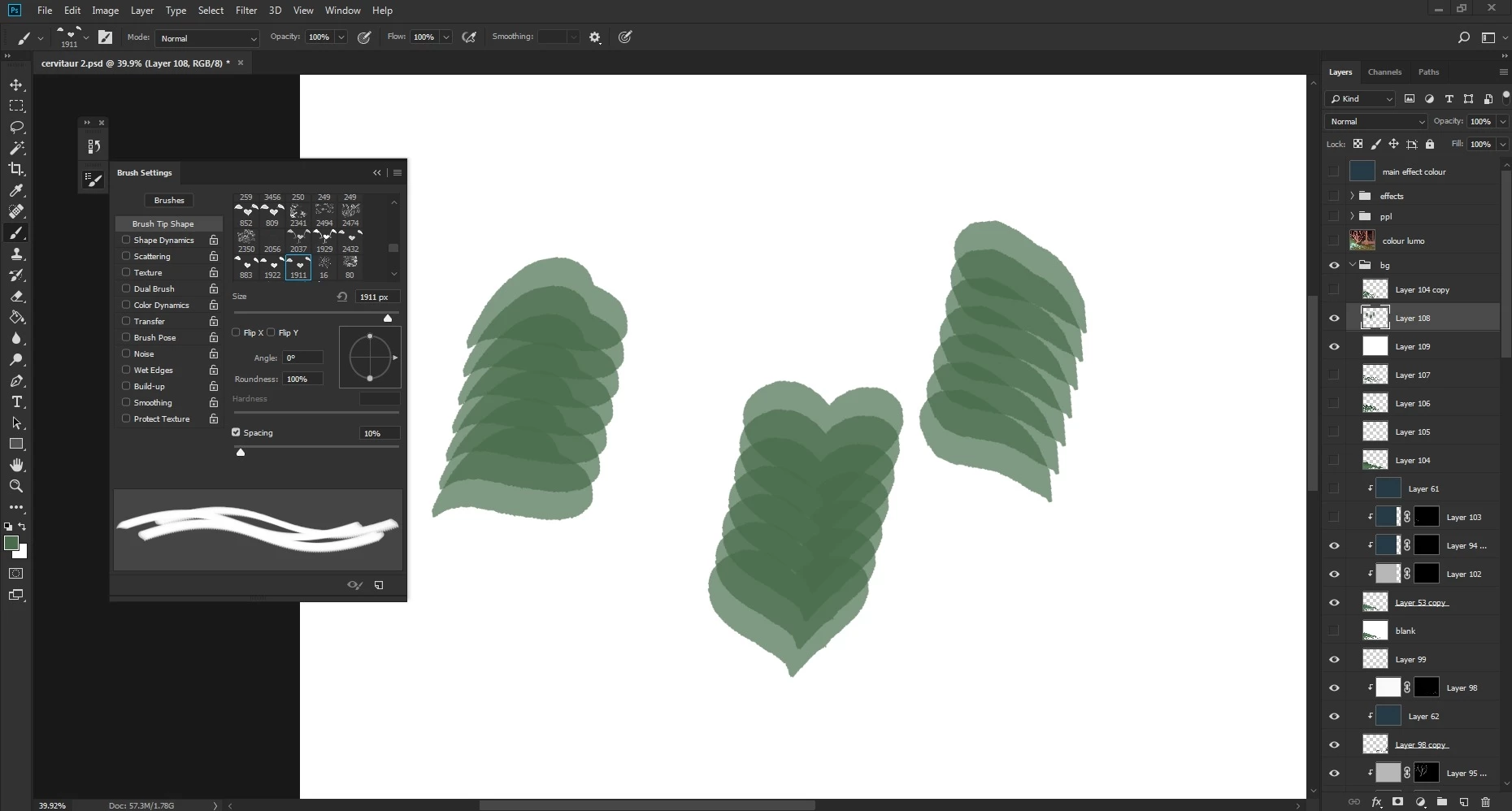
I can't seem to get the brush opacity to work on a custom brush I'm trying to make. The brush and Layer opacity are both 100%, the modes are normal, there's no transfer effect applied or anything, and I've tried both resetting the tool and deleting Photoshop's preference files. Nothing has worked so far. It also keeps switching between brush types so I'm unable to use certain brushes with the pencil tool even though I usually prefer it, and the hardness option is completely grayed out.
This topic has been closed for replies.
Correct answer Infriga

Figured it out. For some reason it seems like the colour value itself affected the opacity, so making the shape black made it solid. Don't know why unfortunately.

2 replies

InfrigaAuthorCorrect answer
Participant
April 28, 2018

Figured it out. For some reason it seems like the colour value itself affected the opacity, so making the shape black made it solid. Don't know why unfortunately.

JJMack
Community Expert
Community Expert
April 27, 2018

To me it looks like you are using a brush with a sample brush tip the is not 100% fill its more a stencil, there is no hardness setting possibl.

JJMack
InfrigaAuthor
Participant
April 27, 2018

I don't know what you mean. When making the brush I used an opaque shape that was at 100% opacity. It was a custom brush tip.