Participant
August 8, 2018
Answered

Brush preset locked to pencil only.

  • August 8, 2018
  • 1 reply
  • 371 views

I made a new brush preset, and it only works in pencil. If I try switching to brush it will go to a different preset and not the one I want, and if I'm in the brush tool and select the preset it will change the tool to pencil. The is a pencil icon on the brush preset, yet this is new and I am not sure how this works.
This topic has been closed for replies.
Correct answer Mike_Gondek10189183

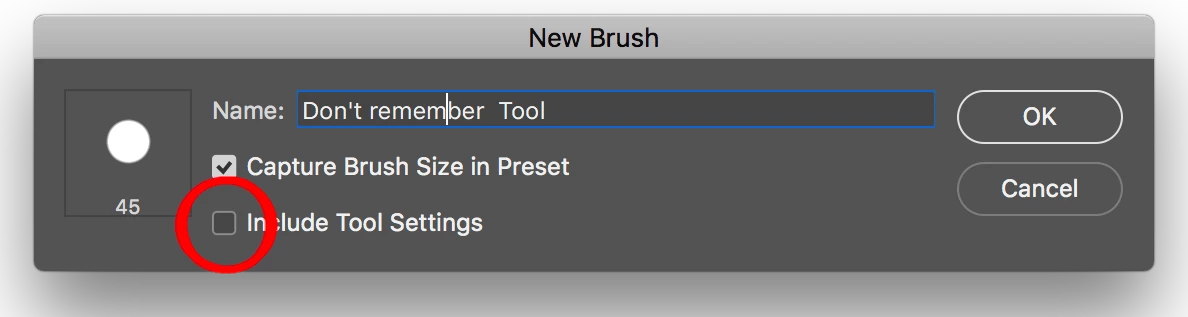
When making a new brush preset turn off include tool Settings

1 reply

Mike_Gondek10189183
Community Expert
Mike_Gondek10189183Community ExpertCorrect answer
Community Expert
August 8, 2018

When making a new brush preset turn off include tool Settings

davescm
Community Expert
Community Expert
August 8, 2018

Hi

Mike is correct in his answer - when making a brush preset you can uncheck the tool settings.

For info though , you can load any brush without switching tools by holding down Ctrl+Alt when you click on the brush to select it.

Dave