April 8, 2020
Answered

Brush preview

  • April 8, 2020
  • 5 replies
  • 1410 views

Hi,

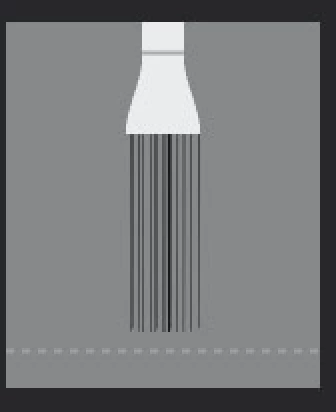
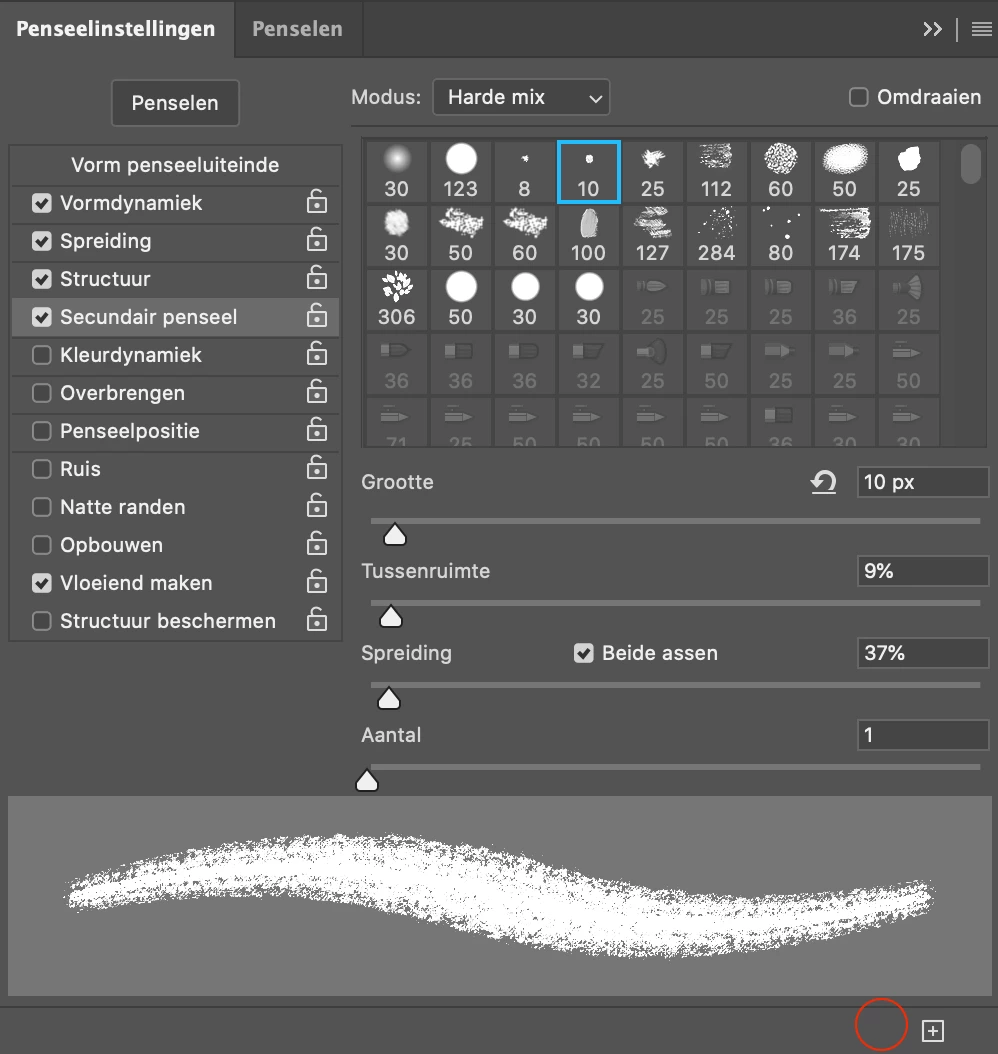
I am currently working with Photoshop 2020. I wanted to activate the brush preview (see photo 01) so I can see what type of brush I am drawing with but the button has disappeard (see photo 02). How can I get this back?
This topic has been closed for replies.
Correct answer davescm

Brush preview has been removed in the latest version.


Dave

5 replies

fiammas61700164
Participant
January 12, 2021

Brush preview is back, THANK YOU!!

davescm
Community Expert
Community Expert
January 12, 2021

Brush preview of erodible brushes etc as shown in the original post at the top of this thread is not back. The right click context menu is back though.

Dave


fiammas61700164
Participant
November 19, 2020

DISASTER!!!! It's so annoying not to see the brush preview!!! Can you go back?

c.pfaffenbichler
Community Expert
Community Expert
November 23, 2020

You can re-install Photoshop 2020 if you removed it when upgrading to Photoshop 2021, but you may have to migrate the presets manually. 

fabriciold28
Participant
July 3, 2020

I like to know why, because the tool it's very important for me. 

davescm
Community Expert
davescmCommunity ExpertCorrect answer
Community Expert
April 8, 2020

Brush preview has been removed in the latest version.


Dave

Participant
November 23, 2020

Argh !!! it was very useful 😞

Known Participant
April 8, 2020

I've recently read that they've removed this feature with a recent update.
