Participant
May 7, 2023
Answered

Brush Settings Opacity Setting greyed out

  • May 7, 2023
  • 2 replies
  • 2264 views

Hello!
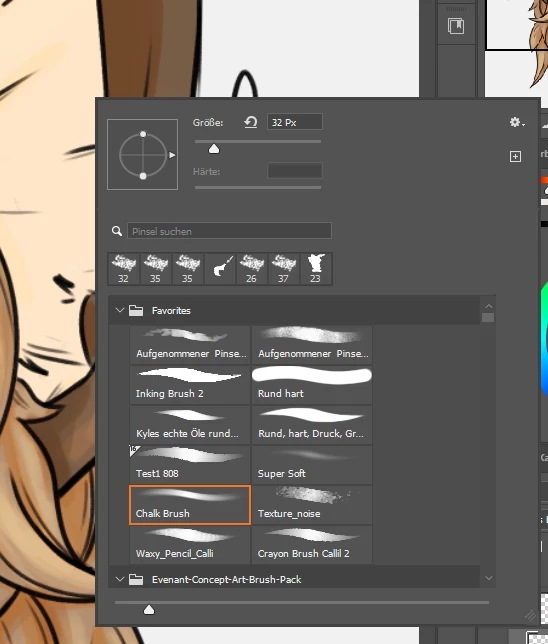
Since I installed Photoshop CC on my new computer the opacity setting is greyed out. I did not select the mixer brush. The opacity setting on the bar on top still works, but it really slows down my workflow to navigate to it, whenever I'd like to reduce or increase the opacity of my brush.

Does anyone have an idea why my opacity slider is not working?
This topic has been closed for replies.
Correct answer Jeff Arola

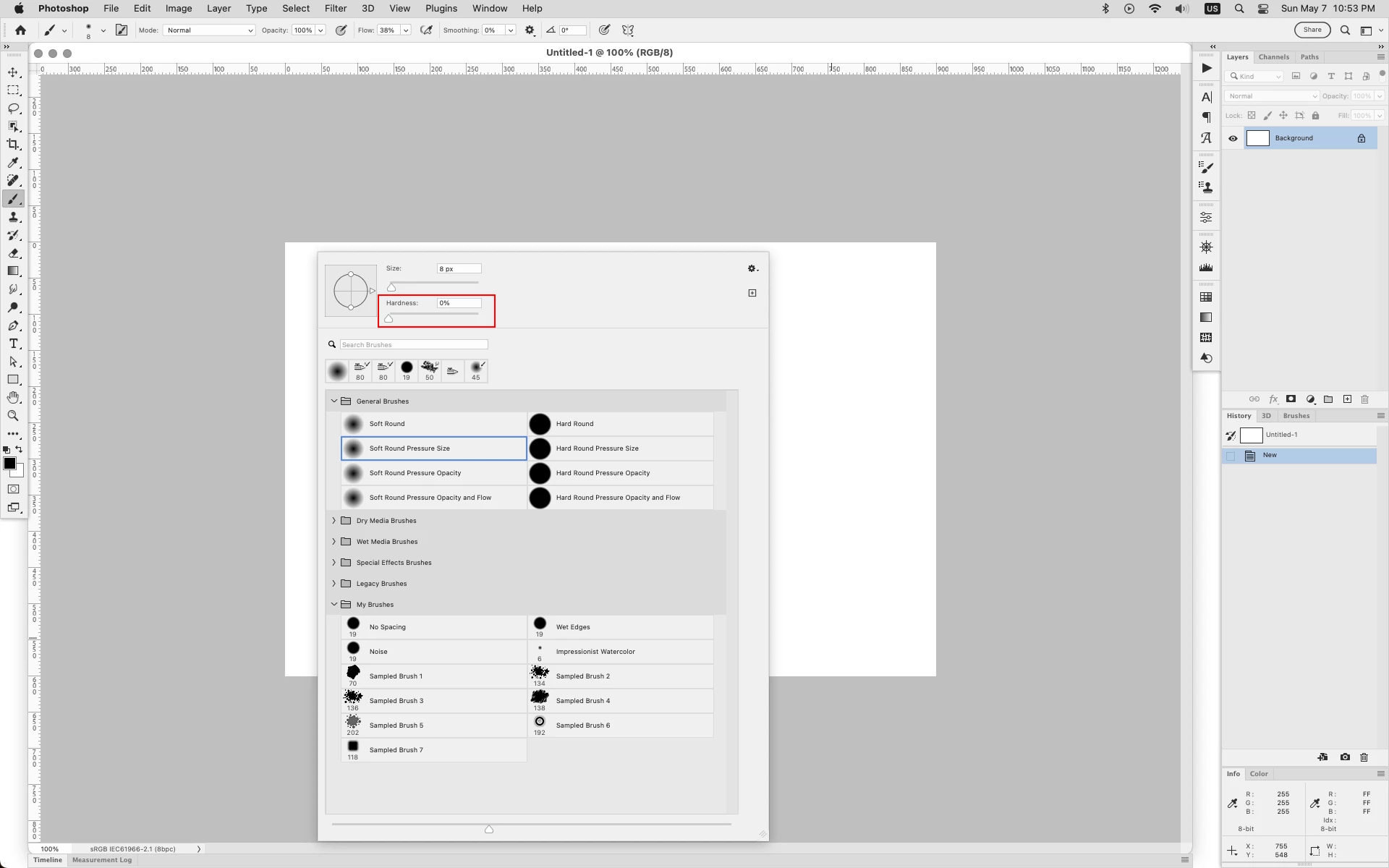
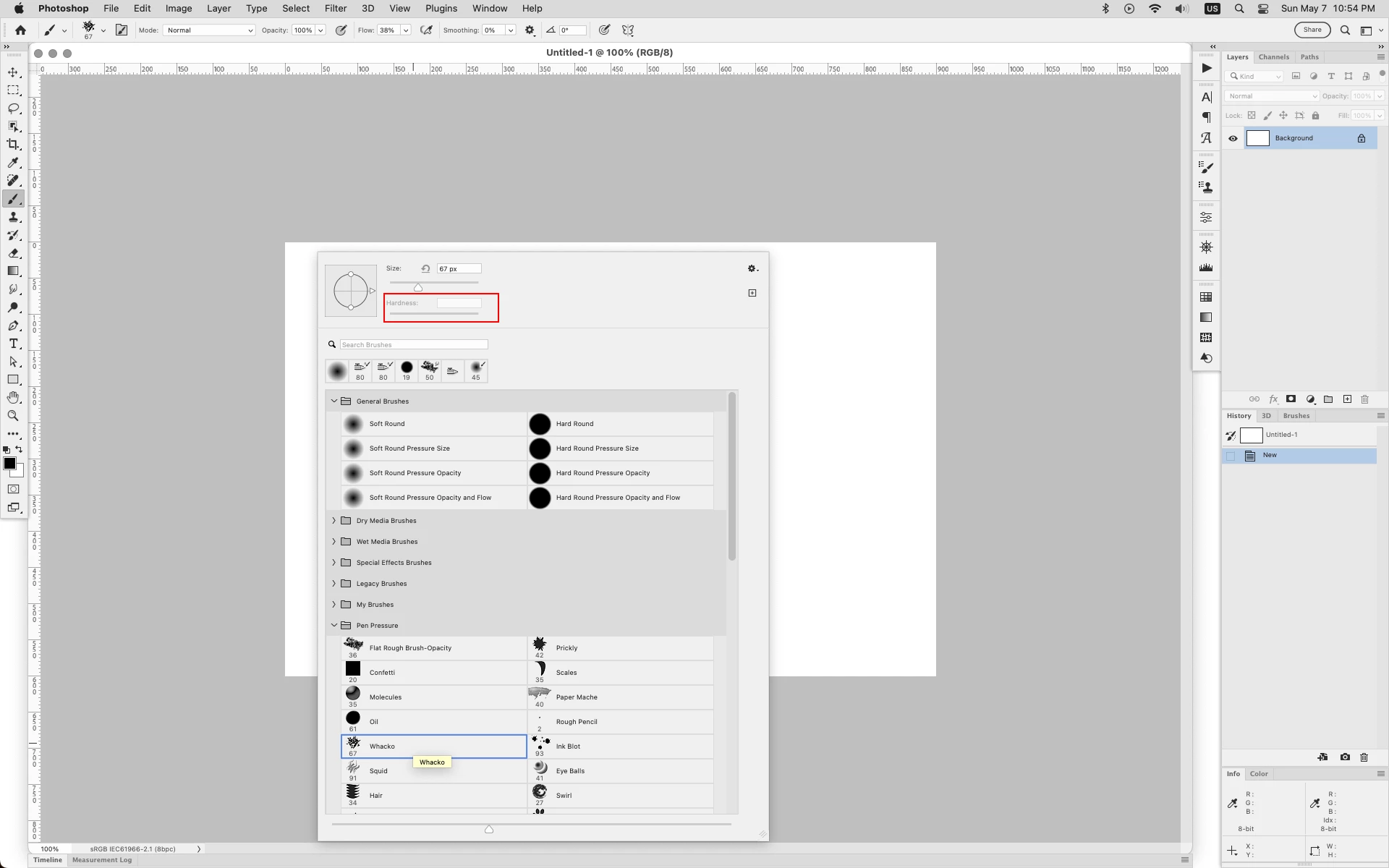
That is Hardness not Opacity in the Brush Preset Picker and is greyed out unless your using one of the default round computed brushes.


default round brush with adjustable Hardness


non round brush Hardness not adjustable


2 replies

Jeff Arola
Community Expert
Jeff ArolaCommunity ExpertCorrect answer
Community Expert
May 8, 2023

That is Hardness not Opacity in the Brush Preset Picker and is greyed out unless your using one of the default round computed brushes.


default round brush with adjustable Hardness


non round brush Hardness not adjustable


MokkeroAuthor
Participant
May 8, 2023

Thank you for pointing this out!
Is there a way to activate the hardness for the non-standard round brushes?

Jeff Arola
Community Expert
Community Expert
May 8, 2023

No, but you could write up a feature request.

Nancy OShea
Community Expert
Community Expert
May 7, 2023

What file type is it  -- PSD, TIFF, JPG, PNG, other?

Is the Image Mode 8-bit, RGB?


Nancy O'Shea— Product User & Community Expert
MokkeroAuthor
Participant
May 8, 2023

It's a PSD