Thank you for your quick reply !
So at the moment I still have the PSUserConfig.txt file in my Photoshop CC 2018 preferences settings folder.
I disabled the CTRL+ALT+RIGHT CLICK from my Wacom pen and left the RIGHT CLICK option in order to try with Camera Raw and Liquify filters.
I quitted and restarted both Photoshop and Wacom tablet.
RIGHT CLICK DRAG works with Camera Raw filter both with mouse and the pen
BUT
Liquify filter doesn't when pressing CTRL+ALT+RIGHT CLICK for example when using the Forward warp tool (W).
The brush doesn't resize neither with the pen nor with the mouse. It only gives a pop-up window of zoom - see image attached.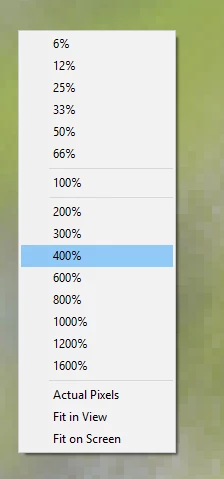
Concerning the CNTRL+Z undo problem, I think I resolved it by using the default shortcuts.
I had changed the undo CTRL+Z to CTRL+< and step forward/backward CTRL+ALT/SHIFT+Z to other shortcuts because of my AZERTY keyboard and because Photoshop's default shortcuts make some other annoying Windows 10 options popping up...
Is there a way to do new shortcuts for Photoshop on Windows 10 ? I used to do new shorcuts with Mac perfectly all the time...
Or am I obliged to use the defaults ?
Thanks again for your efforts
I just fired up a Windows 10 laptop and my error above - for Liquify in Windows - Alt+Right-click to change size (no Ctrl key needed). Pressing the Ctrl key in Liquify (or Camera Raw) invokes the Zoom tool (same thing the Cmd key does on a Mac in Liquify and Camera Raw) which is why right clicking while holding Ctrl brings up the Zoom contextual menu.


 AdChoices