Participant
June 29, 2020
Question

Brush stroke have weird angles

  • June 29, 2020
  • 1 reply
  • 306 views

Hey, 


I've recently factory set my Lenovo Yoga 720, reinstalled Photoshop to the latest update, installed the new Wacom Cintiq driver, turned off Windows Ink, and set up the PSUserConfig.txt. Using Basic Graphics Processor in 'Preferences' 


I'm not sure if any of this is useful information in solving the issue.

Computer OS: Win 10, Tablet: Wacom Cintiq 13 HD, Model No. DTH-1300 


The problem: Fast strokes with both the pen and mouse creates these weird angles when making curved lines or circles. 
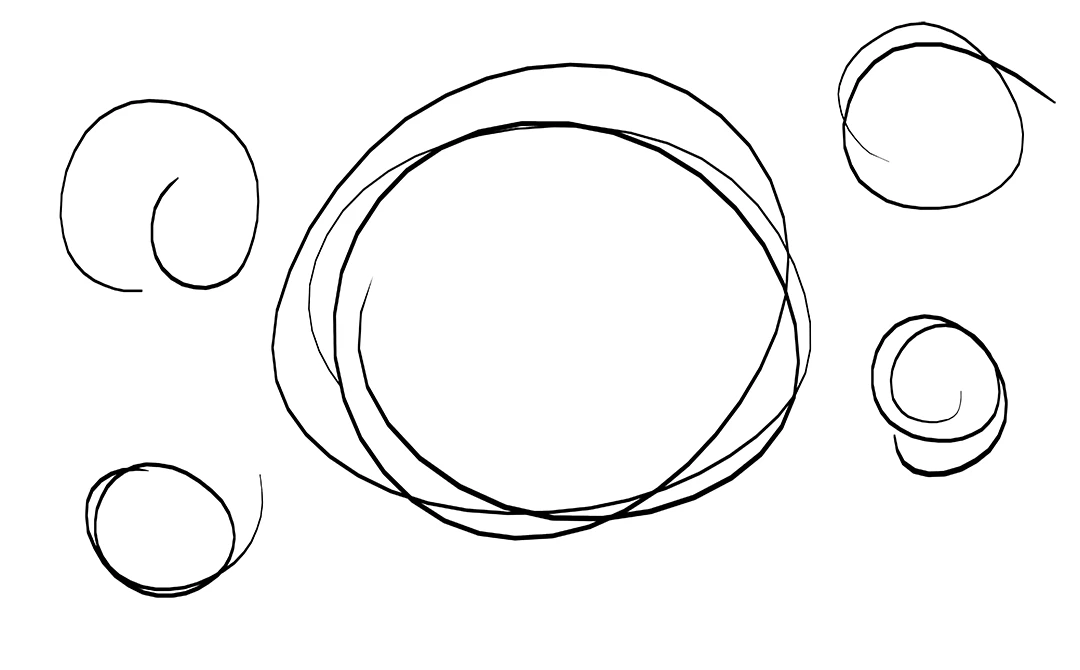
 

I had this laptop for probably three years now and I haven't had this problem before. 

Please help. 


This topic has been closed for replies.

1 reply

JJMack
Community Expert
Community Expert
June 29, 2020

What version of Photoshop are you using? Adobe broke Photoshop WinTab support in the 21.1 Update. You should use Windows INK with version of Photoshop 21.1 and newer.  Old Versions of Photoshop do not  have INK Support on Widows WinTab Api must be use on Windows for Pen Support.  Creative Cloud versions of Photoshop have support have INK and WinTab.  However you have to use one or the other ans configure The Pen Devices  diver and  configure Photoshop the use the API INK or WinTab.  Creative Cloud Photoshop WinTab support was broken by  Adobe in the 21.1 update.  The Angles you see may be do to the speed you use making your strokes and your Photoshop Brush spacing setting and how Photoshop is plotting the stroke.

JJMack